Book PC
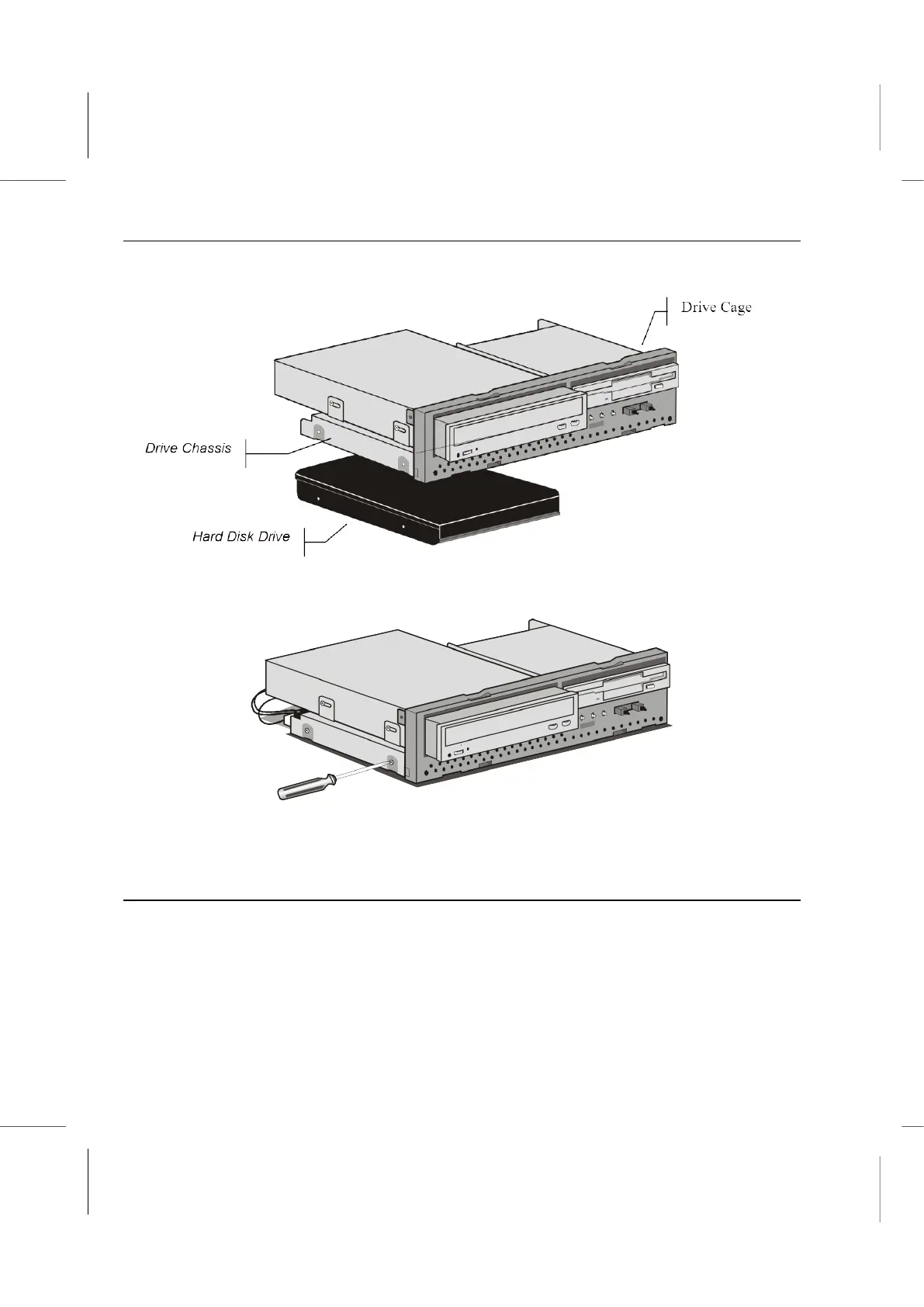
1. Place the hard disk drive in the drive chassis at the bottom side of the drive cage.
2. Using a Philips-head screwdriver and screws, secure the hard disk drive in the drive
cage.
3. Connect the IDE cable to the mainboard.
4. Connect a power supply connector to the hard disk drive.
Changing the CD-ROM/DVD Drive
Locate the IDE connector on the mainboard. A single IDE cable is provided with the
mainboard. Connect the cable to the IDE connector. The cable has two connectors for
IDE devices. If you connect two devices, you must configure one device as Master, and
one device as Slave. See the documentation provided with the devices for information on
this.
1. Place the CD-ROM/DVD drive in the drive chassis by sliding it in from the front.



 To Next Page