Relion 1900e/2900e Manual
93 Revision 1.3
10.1.3 Peripheral Drive Power Connector
The server board includes one 6-pin power connector intended to provide power for peripheral devices such
as Optical Disk Drives (ODD) and/or Solid State Devices (SSD). On the server board this connector is labeled
as “Peripheral_ PWR”. The following table provides the pin-out for this connector.
Table 29. Peripheral Drive Power Connector Pin-out ("Peripheral_PWR")
10.1.4 Riser Card Supplemental 12V Power Connectors
The server board includes two white 2x2-pin power connectors that provide supplemental power to high
power PCIe* x16 add-in cards (Video, GPGPU, Intel
®
Xeon Phi™) that have power requirements that exceed
the 75W maximum power supplied by the riser card slot. A cable from this connector may be routed to a
power connector on the given add-in card. Maximum power draw for each connector is 225W, but is also
limited by available power provided by the power supply and the total power draw of the rest of the system.
A power budget for the complete system should be performed to determine how much supplemental power
is available to support any high power add-in cards.
Table 30. Riser Slot Auxiliary Power Connector Pin-out ("OPT_12V_PWR”)
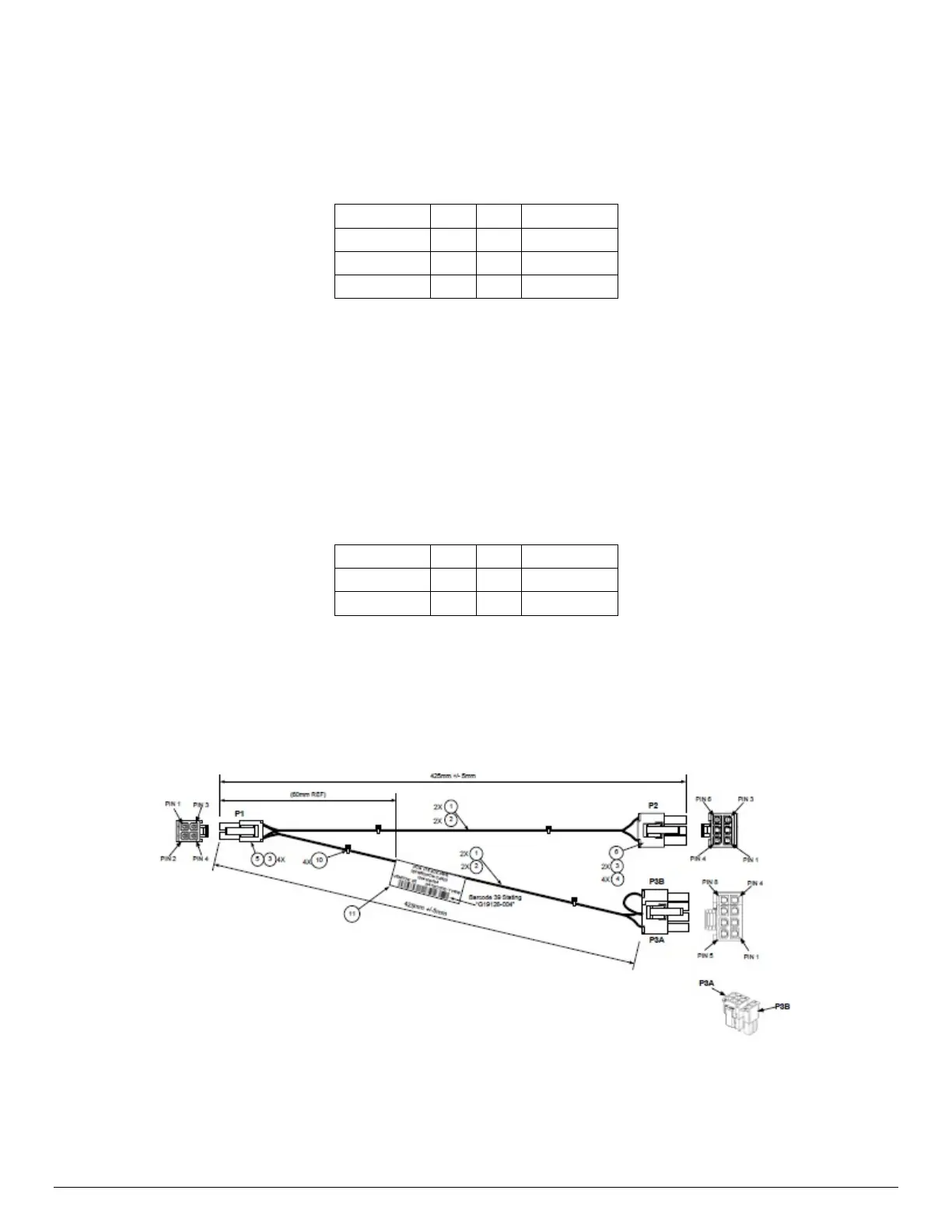
Penguin makes available a 12V supplemental power cable that can support both 6 and 8 pin 12V AUX
power connectors found on high power add-in cards.
Figure 28. High Power Add-in Card 12V Auxiliary Power Cable Option



 To Next Page