Relion 1900e/2900e Manual
35 Revision 1.3
Figur
e 12. On-board Add-in Card Support
5.4.1 Riser Card Support
The server board provides three riser card slots identified as: Riser Slot #1, Riser Slot #2, and Riser Slot #3.
Note: The riser card slots are specifically designed to support riser cards only. Attempting to install a
PCIe* add-in card directly into a riser card slot on the server board may damage the server board, the add-in
card, or both.
The PCIe* bus interface for each riser card slot is supported by each of the two installed processors. The
following tables provide the PCIe* bus routing for all supported risers cards.
Note: A dual processor configuration is required when using Riser Slot #2 and Riser Slot #3, as well as the
bottom add-in card slot for 2U riser cards installed in Riser Slot #1.
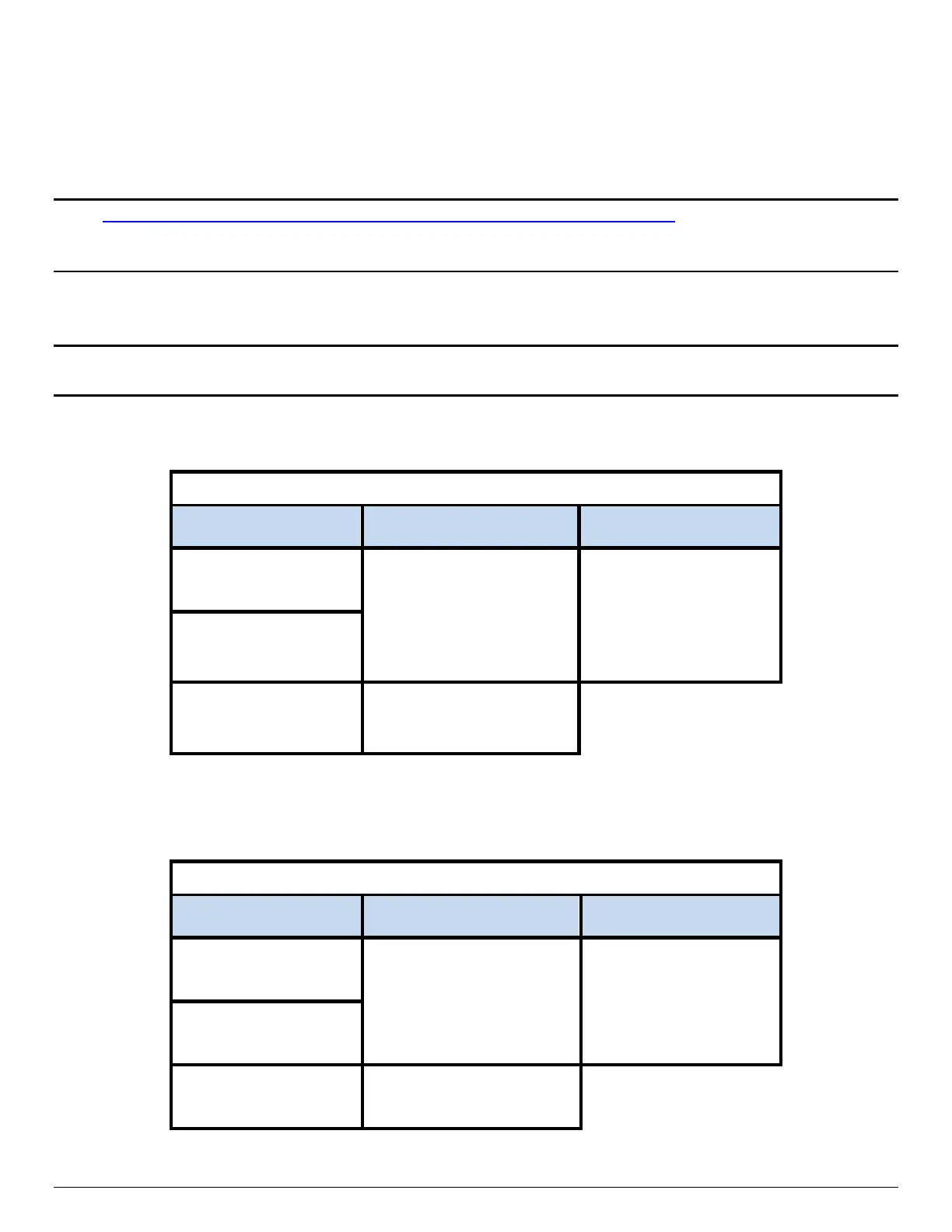
Table 9. Riser Card #1 - PCIe* Root Port Mapping
Tab
le 10. Riser Card #2 - PCIe* Root Port Mapping
Riser Slot #2 – Riser Card Options
2U - 3-Slot Riser Card
iPN – A2UL8RISER2
2U - 2-Slot Riser Card
iPN – A2UL16RISER2
1U - 1-Slot Riser Card
iPN – F1UL16RISER2
CPU #2 –
Port 2C
(x8 elec, x16 mech)
Top PCIe* Slot
CPU #2 – Port 2A
(x16 elec, x16 mech)
Top PCIe* Slot
CPU #2 – Port 2A
(x16 elec, x16 mech)
CPU #2 – Port 2A
CPU #2 – Port 3C
CPU #2 – Port 3C
Riser Slot #1 – Riser Card Options
2U - 3-Slot Riser Card
iPN – A2UL8RISER2
2U - 2-Slot Riser Card
iPN – A2UL16RISER2
1U - 1-Slot Riser Card
iPN – F1UL16RISER2
CPU #1 –
Port 3C
(x8 elec, x16 mech)
Top PCIe* Slot
CPU #1 – Port 3A
(x16 elec, x16 mech)
PCIe* Slot
CPU #1 – Port 3A
(x16 elec, x16 mech)
Middle PCIe* Slot
CPU #1 – Port 3A
(x8 elec, x16 mech)
Bottom PCIe* Slot
CPU #2 – Port 1A
(x8 elec, x8 mech)
Bottom PCIe* Slot
CPU #2 – Port 1A
(x8 elec, x8 mech)



 To Next Page