A200SP Absorber 10 User Manual
Description
3.10 Interface to Ventilator
3.10.1 Interface functions
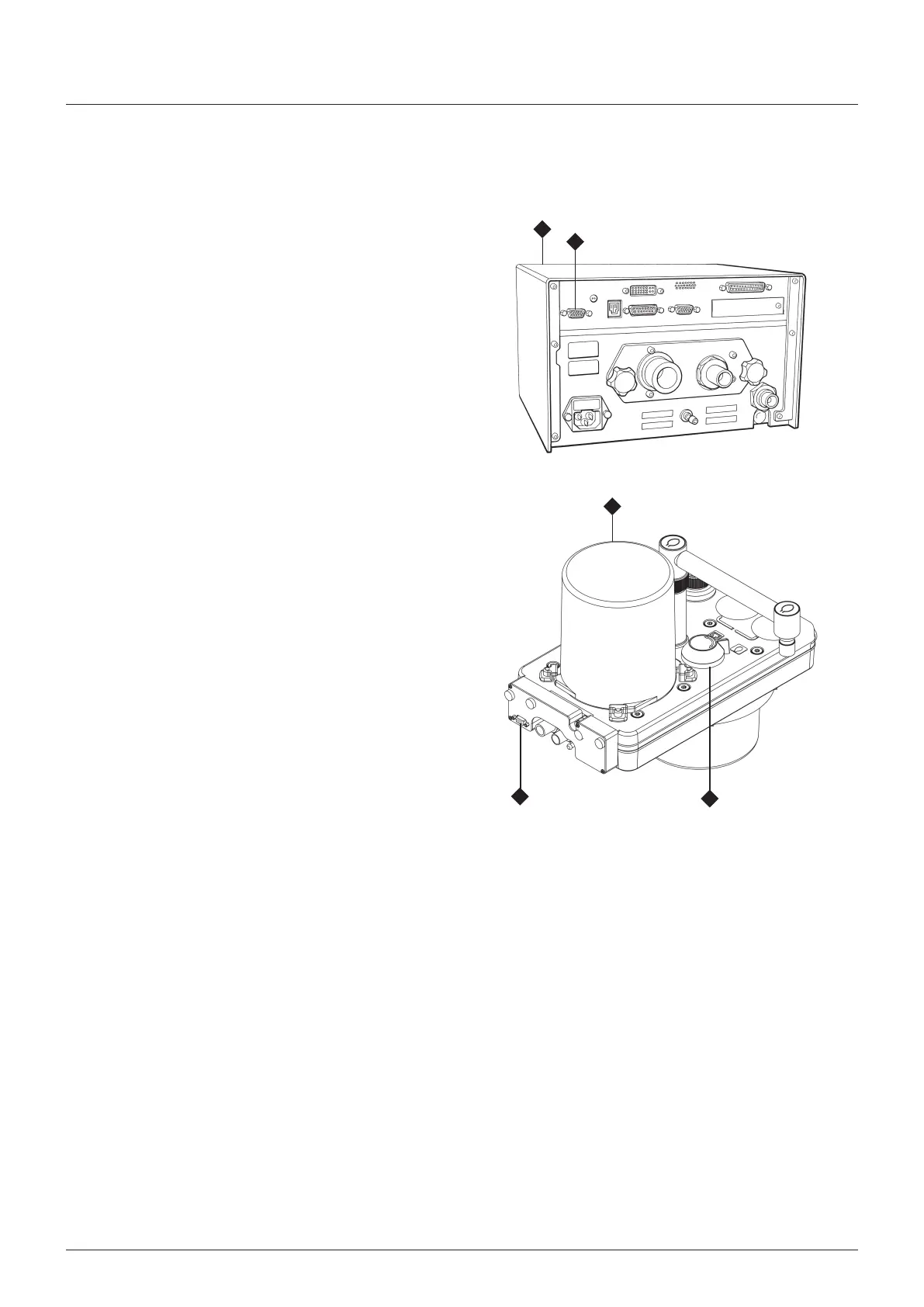
The absorber s desgned to nterface wth the anaesthesa
system ventlator control unt (1)
Note also that the ventlator bellows unt (2) s bult nto the
absorber
A cable lnks the multfuncton connector (3) on the nterface
unt at the rear of the absorber to the connector (4) on the
ventlator control unt
Ths provdes an nterface between the ventlator and (a) the
sprometer flow sensors, and (b) a sensor that detects the
poston of the bag/ventlator swtch (5) - see secton 3102
below
3.10.2 Bag/Ventilator Switch
1 The absorber s ftted wth ftted wth a sensor that detects
the poston of the absorber bag/ventlator control swtch
(5)
A mechancal lnk actuates the sensor and the sgnal
cablng s routed nternally to the multfuncton connector
(3)
2 Operaton of the bag/ventlator control wll trgger
automatc Mode swtchng on the ventlator, as follows
a) Ventlator n Volume mode or Pressure mode
Swtchng the absorber bag/ventlator control from
ventlator to bag
The ventlator wll change from Volume Mode, or
Pressure Mode, to Spontaneous Mode
b) Ventlator n Spontaneous Mode
Swtchng the absorber bag/ventlator control from
Bag to Ventlator
NOTE
The mode swtchng operaton s dependant on the
orgnal selecton process used by the clncan to
reach Spontaneous Mode
If the ventlator was prevously n Volume Mode,
or Pressure Mode, and Spontaneous Mode was
automatcally selected by the operaton of the
bag/ventlator control (from ventlator to bag, as
descrbed above)
- the ventlator wll now revert to that prevous
mode
If the ventlator was n Standby Mode, and
Spontaneous Mode was selected on-screen
- the ventlator wll revert to Volume Mode
NOTE
a) operaton of the absorber bag/ventlator control wll
have no effect on the ventlator unless the above
condtons are met
b) Ths functon can be enabled/dsabled through the
ventlator on-screen menu (see Appendx, n the
ventlator user manual)
1
4
2
5
3



 To Next Page