98
Taking Pictures
4
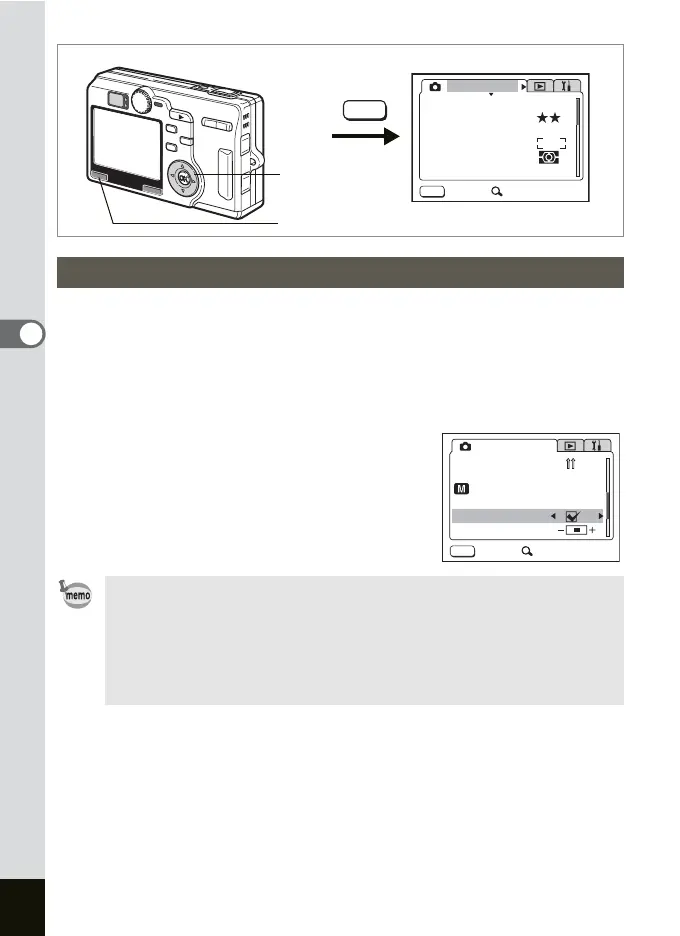
Noise Reduction reduces the noise of the image after shooting. This
function is available only in the Night-Scene, Manual Exposure, Shutter-
Priority, and Aperture-Priority modes.
1 Press MENU button in the Capture Mode.
The [A Rec.Mode] menu appears.
2 Press the four-way controller (23)
to select [Noise Reduction].
3 Press the four-way controller (45)
to select O (On)/P (Off).
Setting the Noise Reduction
• The Noise Reduction setting is valid when the shutter speed is
below 1/4 seconds in the Manual Exposure, Shutter-Priority, and
Aperture-Priority modes.
• When Noise Reduction is set to O (On), processing images for
recording requires twice as much time as when Noise Reduction
is set to P (Off).
MENU
MENU
AWB
AUTOAUTO
2560
Rec. Mode
Recorded Pixels
Quality Level
White Balance
Sensitivity
Exit SIMPLE
AE Metering
Focusing Area
MENU button
Four-way controller
P
MENU
Rec. Mode
Memory
USER
Noise Reduction
Exit SIMPLE
Sharpness
3D Mode
M











 To Next Page