34
3
Common Operations
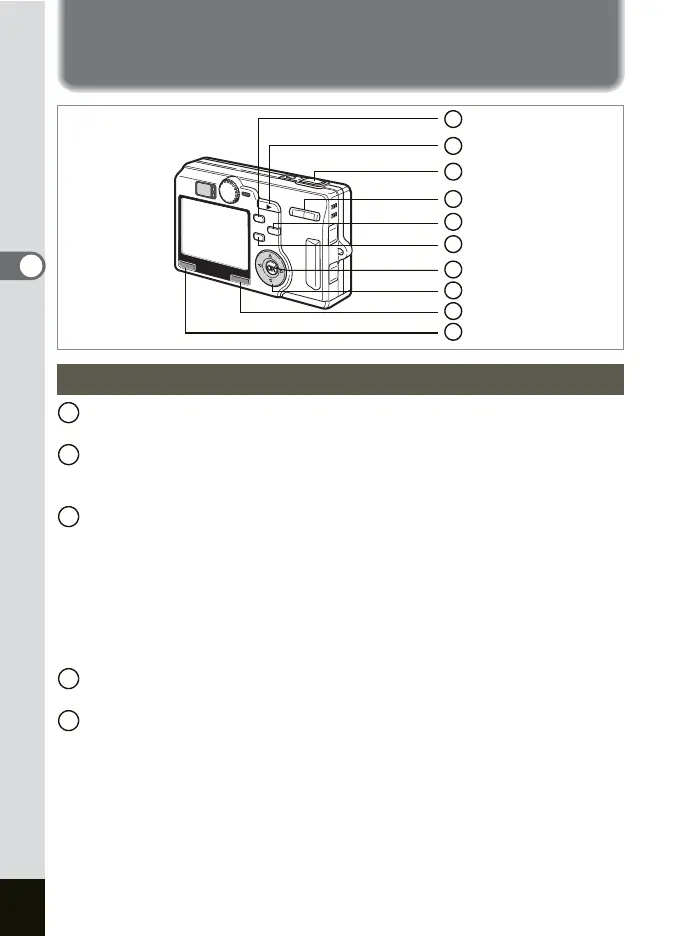
Using the Button Functions
b button
Changes the flash mode. (1p.84)
Q Playback button
Switches to the Playback mode. When pressed again, returns to the
Capture mode. (
1p.29)
Shutter release button
Press halfway: Adjusts and locks the AF and AE.
Changes to the Capture mode after selecting a menu
item.
Press down fully: Takes picture.
Starts and ends shooting movie.
Changes to the Capture mode after selecting a menu
item.
Zoom button
Changes the size of the subject. (1p.27)
qs button
Changes the focus mode as follows
Macro mode (1p.85) Super Macro mode (1p.85)
Infinity-Landscape mode (1p.85) Manual Focus mode (1p.86)
Focusing Area mode (1p.87)
Capture Mode
8
6
1
9
2
5
3
4
10
7
1
2
3
4
5











 To Next Page