131
6
Playback/Deleting/Editing
1 Use the four-way controller (23) to select [Print All].
2 Press the OK button.
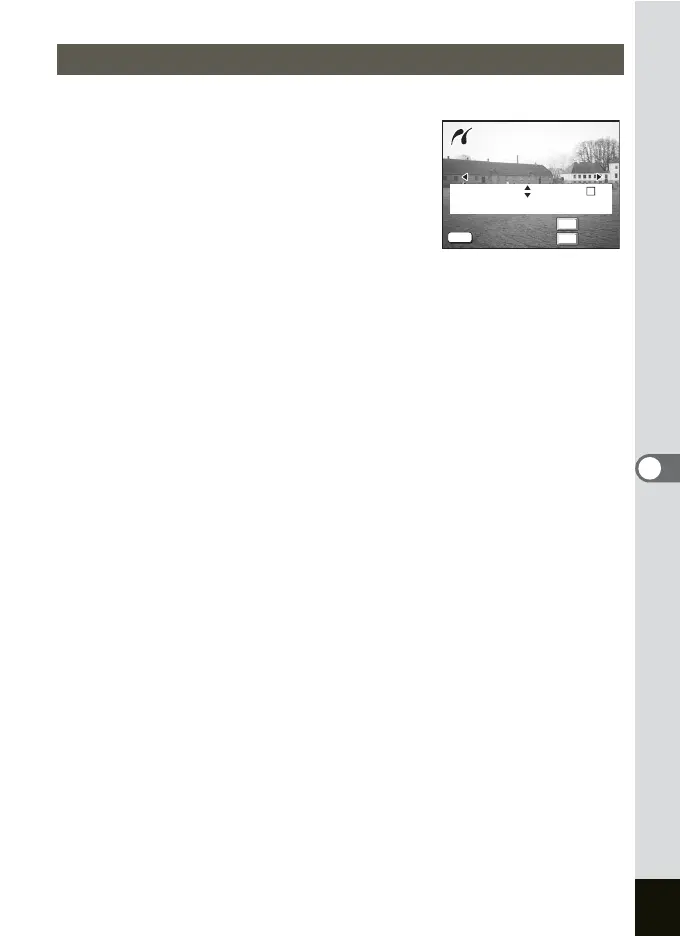
The Print All screen appears.
Use the four-way controller (45) to check
the images and make sure you want to print
them all.
3 Use the four-way controller (23)
to choose the number of copies.
The number of copies you choose applies to all the images.
4
Use the Fn button to select
O
(On)/
P
(Off).
O(On) : The date will be imprinted.
P (Off) : The date will not be imprinted.
The Date cannot be set to O (On) if the printer is not compatible with
date stamping.
5 Press the OK button.
The screen to confirm the print setting appears. Proceed to Step 6 to
start printing with the settings you have made. Proceed to “Changing
the Paper Size” (p.132) to change the settings you have made.
6 Press the OK button.
Printing starts. Press the OK button to return to Step 2 and print again.
Press the MENU button to exit printing.
Printing All Images
Print all images
Date
Cancel
OK
Fn
OK
MENU
100-0010
100-0010
Print all images
Copies
Total
Date
Date
1
12
Cancel
OK




 To Next Page