150
7
Settings
The date and time selected in “Initial Settings” (p.24) serve as the
Hometown setting.
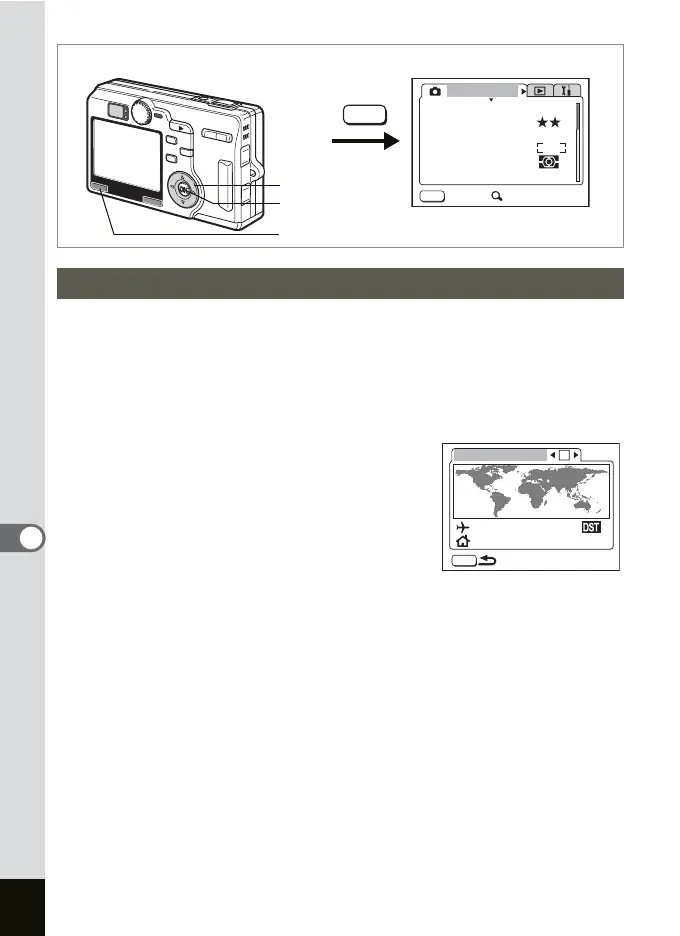
You can display the time in a city other than the Home Time city (World
Time). This is useful when taking pictures abroad.
1 Select [World Time] on the [B Set-up] menu.
2 Press the four-way controller (5).
The World Time screen appears.
3 Use the four-way controller (45)
to select O (On)/P (Off).
O: The time in the city selected in
Destination is displayed.
P : The time in the city selected in
Hometown is displayed.
4 Press the four-way controller (3)
to select
X
(Destination) and p
ress the four-way controller (5).
The Destination Setting screen appears. The map is selected and 45
appear on the right and left side of the map.
5 Press the four-way controller (45)
to select the region
and p
ress the four-way controller (3).
6 Press the four-way controller (45)
to select the city and
p
ress the four-way controller (3).
Setting the World Time
How to recall the [B Set-up] menu
MENU
AWB
AUTOAUTO
2560
Rec. Mode
Recorded Pixels
Quality Level
White Balance
Sensitivity
Exit SIMPLE
AE Metering
Focusing Area
MENU
MENU button
OK button
Four-way controller
MENU
04:23 PM
World Time
London
Tokyo











 To Next Page