54
Taking Pictures
4
In the User mode, you can take pictures using the functions and settings
registered in advance in the User mode.
1 Select [USER] on the [A Rec.Mode] menu and press
the four-way controller (
5).
2 Press the four-way controller (23) to choose the
capture mode.
You can register P, M, Tv, Av, and Night-Scene for the USER mode.
3 Press the OK button and then the MENU button.
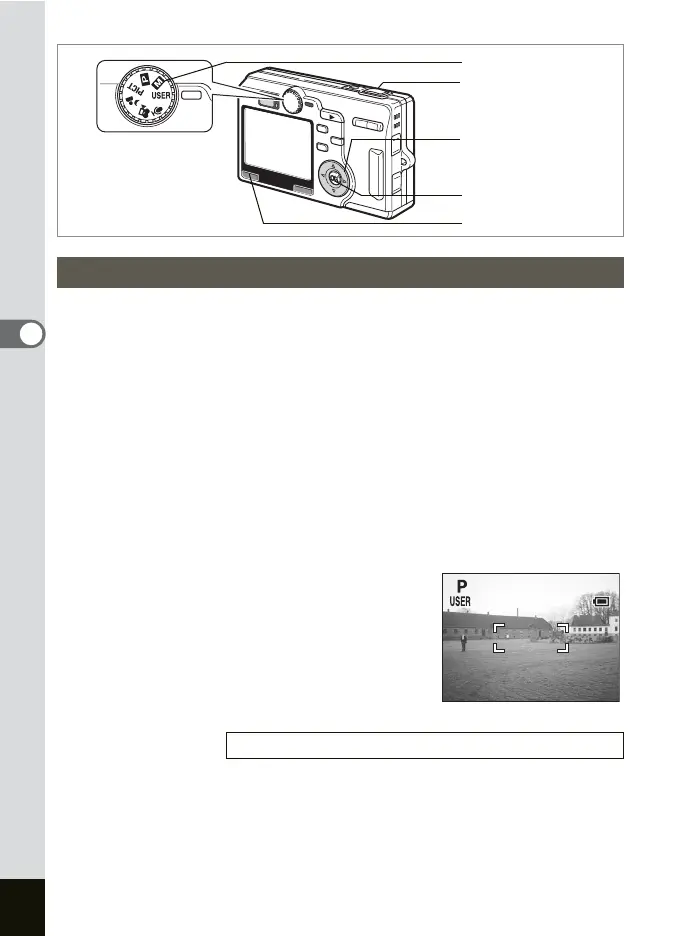
4 Set the mode dial to USER.
The camera is ready to take pictures in the set the capture mode.
5 Press the shutter release button
halfway.
The focus frame on the LCD monitor will
light green when the camera is in focus.
6 Press the shutter release button.
The picture is taken.
Using Preset Function Settings (User Mode)
Registering Functions in the User Mode 1p.106
Mode dial
Four-way controller
OK button
MENU button
Shutter release button
7/ 7/2004
3:00 PM
037
3:00 PM
7/ 7/2004
037











 To Next Page