75
Taking Pictures
4
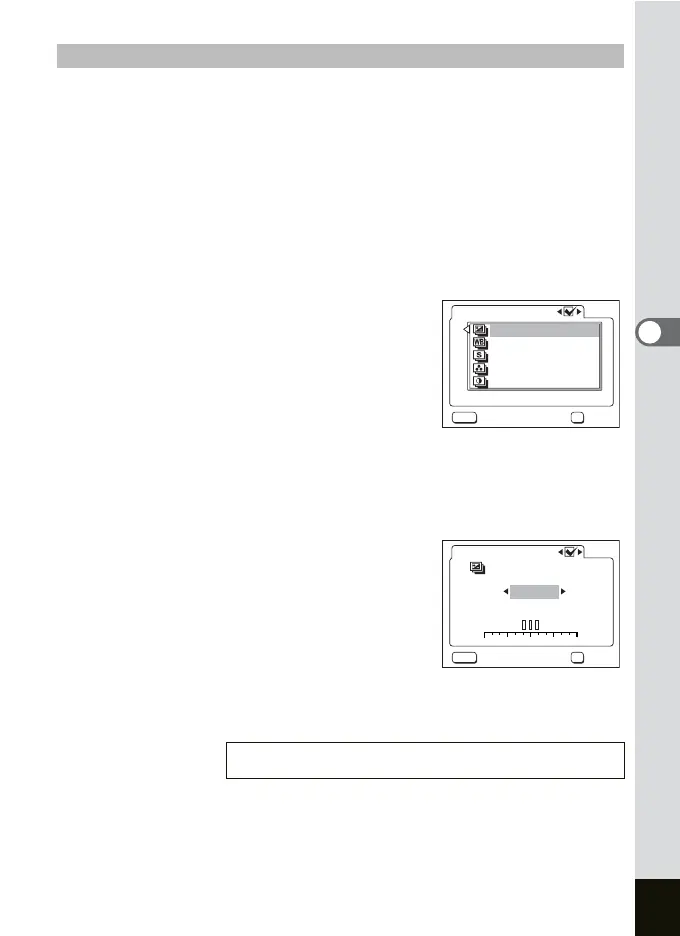
1 Press the Menu button in the Capture mode.
The [ARec. Mode] menu appears.
2 Press the four-way controller (23) to select
[Auto Bracket].
3 Press the four-way controller (5).
The Auto Bracket Setting screen appears.
4 Press the four-way controller (45) to select O (On)/
P (Off) and press the four-way controller (
3).
5 Press the four-way controller (5).
Go to bracket setting.
6 Use the four-way controller (23)
to select the condition for bracket shooting and press
the OK button.
If you selected [Sharpness], [Saturation] or [Contrast], skip to step 9.
7 Press the four-way controller (3)
to select [Exposure] or [White
Balance].
Go to [Bracket Amount].
8 Use the four-way controller (45)
to set the bracketing steps.
9 Press the OK button and then the MENU button.
The camera switches to the Bracket Shooting mode.
Setting the applied photo and bracket mount
Playing Back Still Pictures 1 p.29
Exposure
White Balance
Sharpness
Contrast
Saturation
OK
MENU
Auto Bracket
Cancel OK
+--
+1 +20-- 1-- 2
OK
MENU
+0.3EV
Auto Bracket
Exposure
Cancel OK











 To Next Page