32 Pentax PocketJet Printer User’s Guide
3 Make sure the box in the lower left corner of the
window is checked.
4 Click OK, then click OK again, then click Close.
Using Fonts
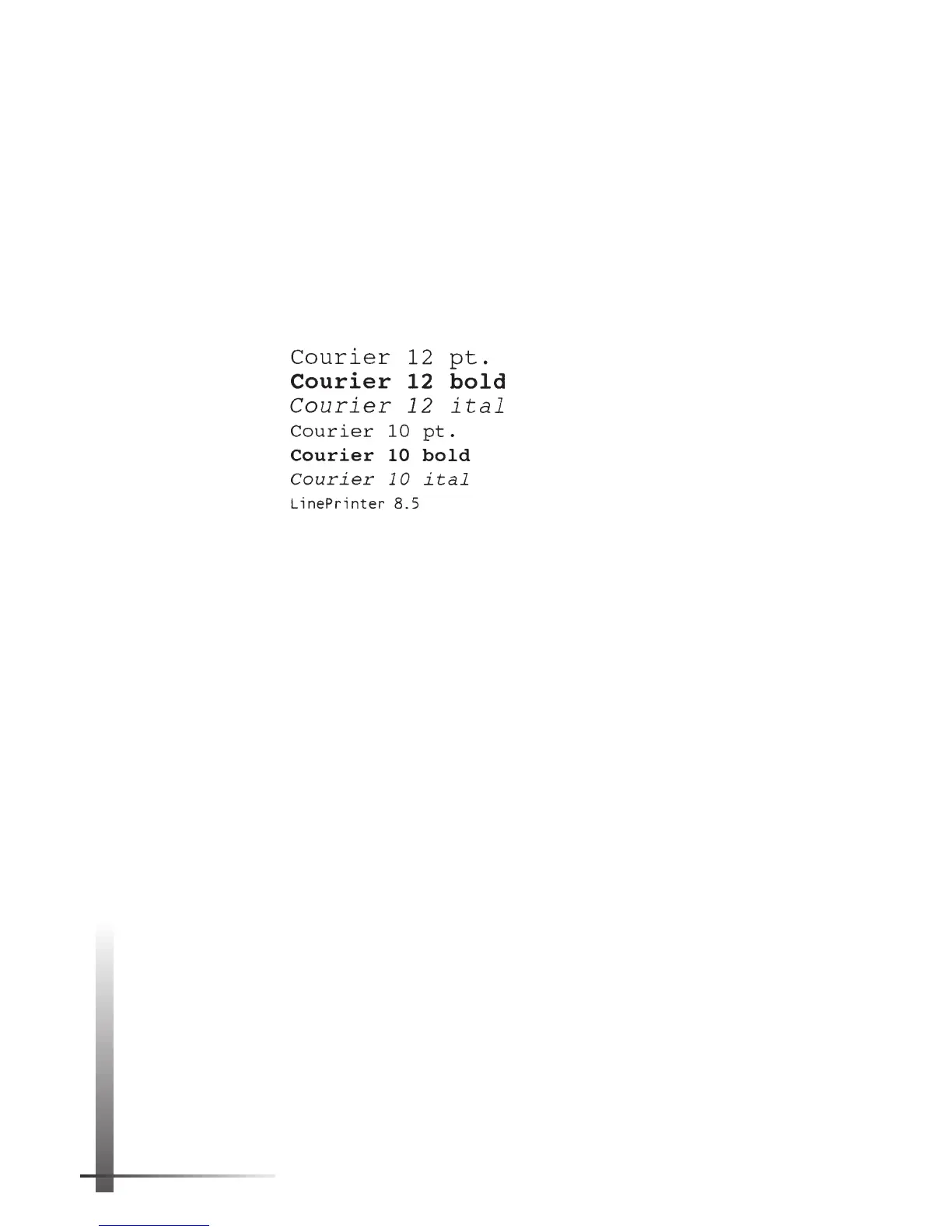
The PocketJet printer contains seven internal fonts, which can
be printed in portrait or landscape orientation. The fonts are:
The printer also supports downloadable fonts, including
TrueType fonts. The PocketJet printer can print any
downloaded font supported by an HP LaserJet IIP printer.
NOTE:
Your computer transfers downloadable fonts to
your printer, and the printer stores the downloaded
fonts in its memory while it’s printing. Using many
downloaded fonts increases printing time and may
require you to feed a page through the printer twice.
See “Tips on Printing Large Graphics” on page 31.
Protecting the Printer
When you are not using the printer for an extended time or
are not regularly charging its battery, always take the
following precautions:
◆ Unplug the AC cable from the power outlet
◆ Remove the battery from the printer
◆ Store the printer in its protective vinyl carrying case
NOTE:
The transformer inside the AC adapter gener-
ates heat while it is plugged in. Unplugging the
adapter extends its life.



 To Next Page