14 Pentax PocketJet Printer User’s Guide
Printing a Self-Test Sheet
1 Make sure the printer is turned off.
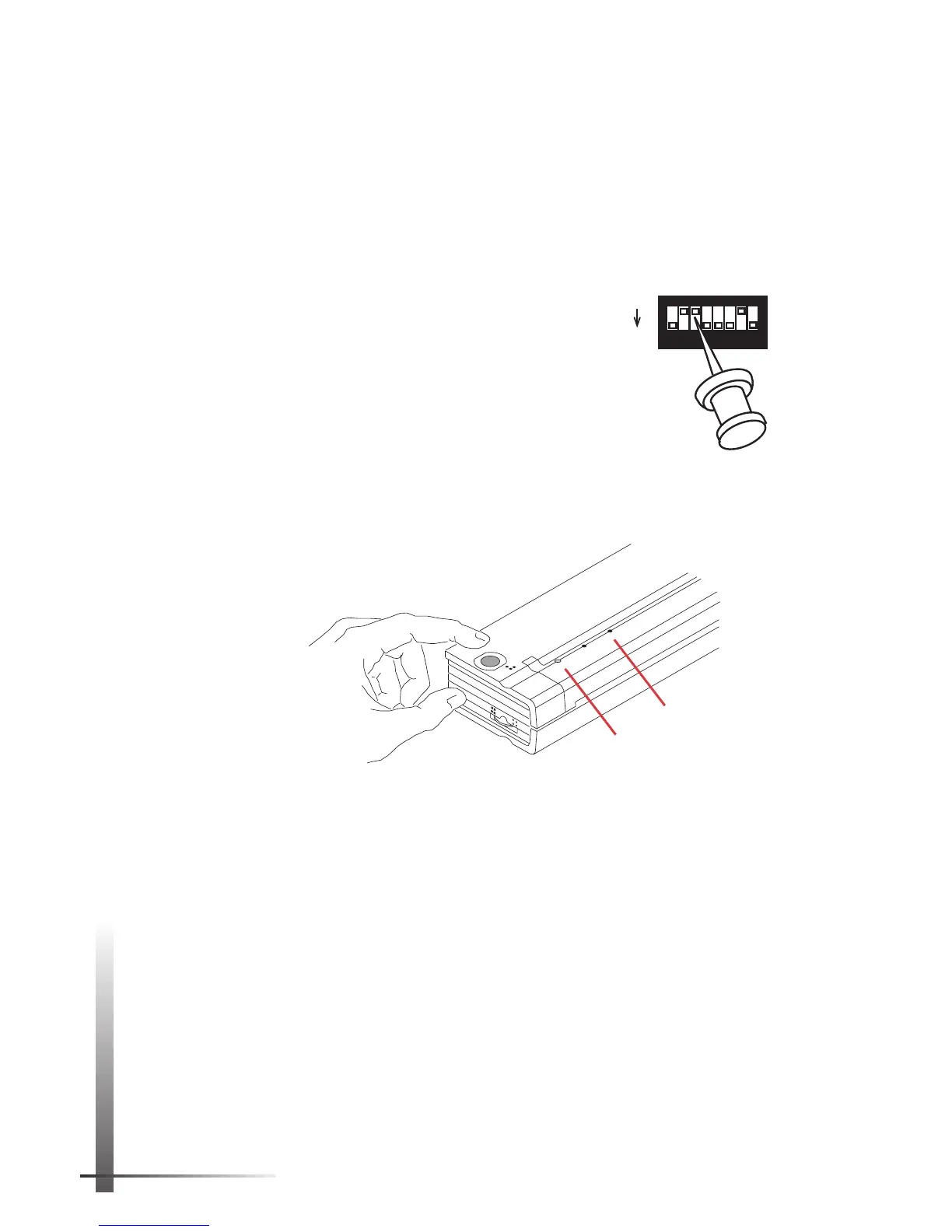
2 Set the printer face down so that the battery
compartment is toward you.
3 Using a pointed object such as
a push pin or paper clip, gently
move DIP switch 3 away from you
to the ON position.
4 Turn the printer face up and press the
main switch once quickly to turn the
printer on. The red POWER indicator lights
up. (If you are using the battery, the green
BATTERY indicator also lights up.)
See
Figure 9.
5 Insert a sheet of the recommended thermal paper
into the paper input slot. Place the print side of the
paper away from you, so that it faces the rear of the
printer.
See Figure 10.
NOTE:
You can print on only one side of thermal pa-
per. This is the smooth, coated side. For more
information, see “Tips on Using Paper” on page 33.
6 After you insert the paper, the printer pulls it though
and prints the self-test image.
See Figure 11.
The green DATA indicator light comes on and stays lit.
One quick press
Red POWER light
POWER
DATA
BATTERY
CHARGE
REFRESH
ON
OFF
Green BATTERY light
FIGURE 9. Turning on the printer.
SW1
ON
OFF
1
2
3
4
5
6
7
8



 To Next Page