124
3
Taking Pictures
4
Use the four-way controller (23)
to change the setting.
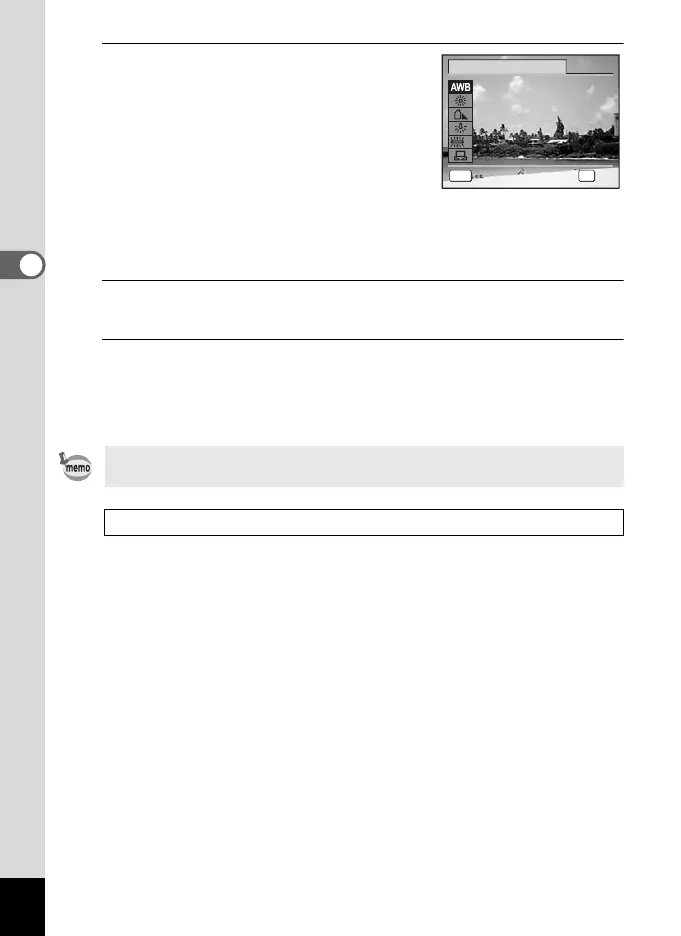
You can check the results of available white
balance settings on the preview image each
time you press the four-way controller (23).
To select a type of fluorescent lighting, select
an icon for Fluorescent Light and press the
four-way controller (5). On the pull-down
menu that appears, use the four-way
controller (23) to select a type of lighting.
5
Press the 4 button.
The setting is saved.
6
Press the 3 button.
The camera returns to capture status.
Refer to the following “Manual Setting” for instructions on adjusting the
white balance manually.
If you change the [White Balance] setting frequently, you can save time
by assigning it to the Green button (p.140).
Saving the White Balance setting 1p.147
White Balance
MENU
Cancel
OK
OK
Cancel
Au
toAuto
OK
D
e_kb484.book Page 124 Wednesday, March 18, 2009 5:23 PM



 To Next Page