69
3
Taking Pictures
You can use the mode dial to select I (Auto Picture), \ (Sport) or
c (Digital SR).
The characteristics of each mode are as follows.
By setting the mode dial to H (Scene), you can choose from 20
shooting modes.
1
Set the mode dial to H, and press the (3) button.
The Capture Mode Palette appears.
2
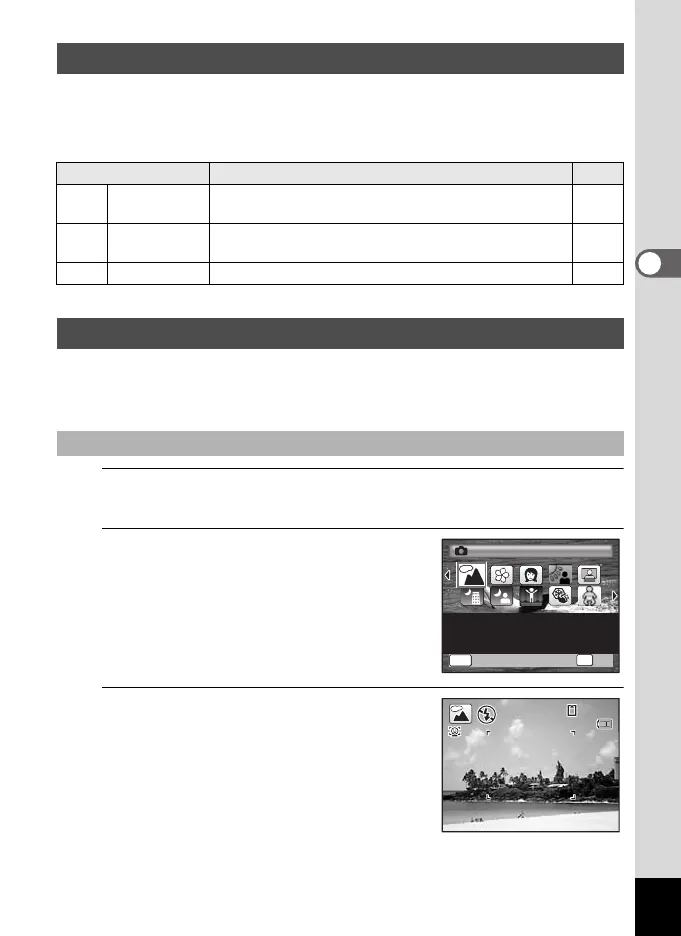
Use the four-way controller
(2345) to choose a shooting
mode.
When an icon is selected in the Capture
Mode Palette, the selected shooting mode
guide appears.
3
Press the 4 button.
The shooting mode is selected and the
camera returns to capture status.
When using the flash, press the b button to
pop up the flash. (p.112)
Picture Mode
Shooting Mode Description
Page
I Auto Picture
The optimal capture mode is automatically selected
from standard settings (Normal mode).
p.63
\ Sport
For a fast moving subject. Tracks the subject until the
picture is taken.
p.90
c Digital SR Higher sensitivity reduces blur. p.85
H Mode
Selecting a Shooting Scene
OK
OK
MENU
Cance
l
OK
Cancel
For capturing landscape
views. Enhances colors
of sky and foliage
Landscape
1/2
38
38
14:25
14:25
04/02/2009
04/02/2009
e_kb484.book Page 69 Wednesday, March 18, 2009 5:23 PM



 To Next Page