89
3
Taking Pictures
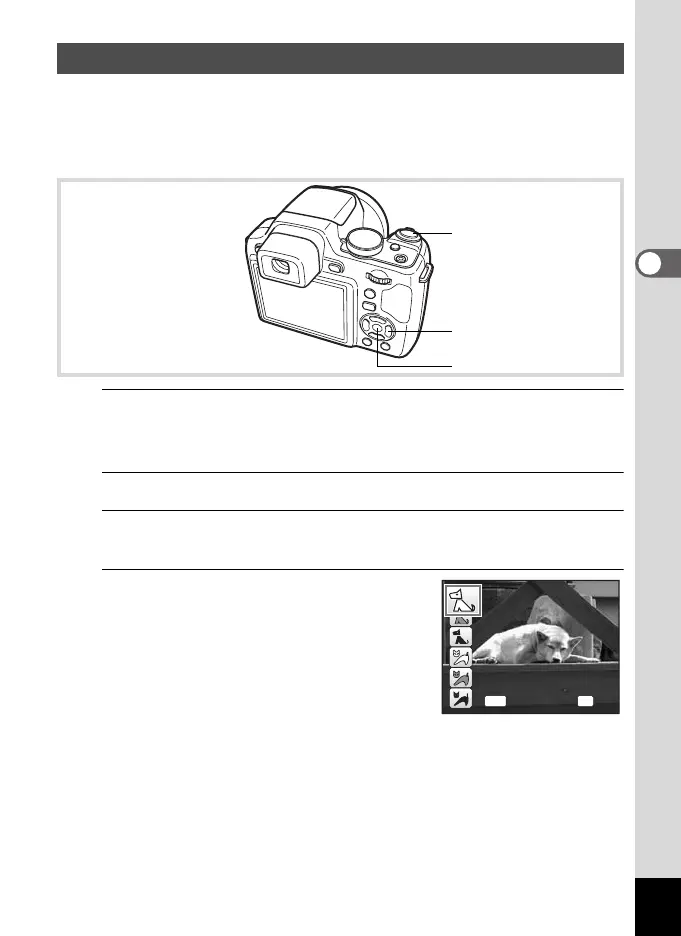
Use this mode to keep your moving pet in focus while you take the
picture and capture the color of your pet’s coat. Choose the appropriate
icon depending on what color your pet is (closer to black or white or in
between).
1
In A mode, set the mode dial to H and press the four-
way controller (3).
The Capture Mode Palette appears.
2
Use the four-way controller (2345) to select Y.
3
Press the 4 button.
The Y mode selection screen appears.
4
Use the four-way controller (23)
to select Y, Z, Z, a, b or b.
There are two types of icons: a cat and dog
icon. Choosing either the cat or dog icon
does not affect the resulting picture. Choose
whichever you prefer.
Choose an icon (white, gray, or black) whose
tone best matches your pet’s coat or fur.
Taking Pictures of Your Pet (Pet Mode)
Shutter release button
Four-way controller
4 button
OK
OK
MENU
Cance
l OKCancel
e_kb484.book Page 89 Wednesday, March 18, 2009 5:23 PM



 To Next Page