EasyManua.ls Logo

Pentax X70 - During Recording; The Camera

Pentax X70
272 pages
Print Icon
To Next Page IconTo Next Page
To Previous Page IconTo Previous Page
Loading...
54
2
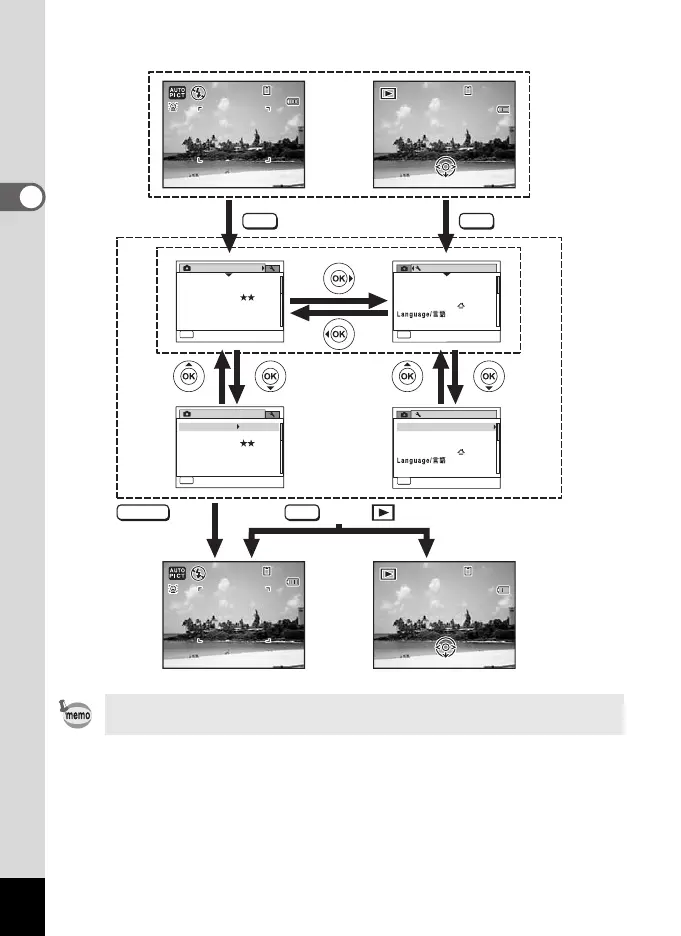
Common Operations
Available button operations appear on the display during menu
operation.
MENU
SHUTTER
MENU
MENU
38
38
38
04/02/2009
04/02/2009
04/02/2009
14:25
14:25
14:25
04/02/2009
04/02/2009
04/02/2009
14:25
14:25
14:25
100
100
-
0038
0038
100
-
0038
38
38
38
04/02/2009
04/02/2009
04/02/2009
14:25
14:25
14:25 14:25
14:25
14:25
100
100
-
0038
0038
100
-
0038
04/02/2009
04/02/2009
04/02/2009
Edit
Edit
Edit
Edit
Edit
Edit
Rec. Mode
MENU
Exit
1/4
Recorded Pixels
Image ToneBright
Quality Level
Sensitivity
ISO Corction in AUTO
White Balance
ISO50-400
AUTO
AWB
12M
Rec. Mode
MENU
Exit
1/4
Recorded Pixels
Quality Level
Sensitivity
ISO Corction in AUTO
White Balance
ISO50-400
AUTO
AWB
12M
Image ToneBright
Save as USER
MENU
Exit
1/3
Sound
Date Adjust
01/01/2009
World Time
English
Folder NameDate
MENU
Exit
1/3
Sound
Date Adjust
01/01/2009
World Time
English
Folder NameDate
Save as USER
Setting
Setting
The setting is
complete and
the camera
returns to
A
mode.
Press halfway
During recording During playback
The setting is
complete and
the camera
returns to
Q
mode.
or
e_kb484.book Page 54 Wednesday, March 18, 2009 5:23 PM

Table of Contents

Related product manuals