95
3
Taking Pictures
7
Press the shutter release button fully.
The picture is taken.
In Self-timer mode, the picture is taken ten seconds or two seconds after
the shutter release button is pressed.
Stabilize the camera with a tripod or other support when taking a picture
with the self-timer.
•In N mode, recorded pixels is fixed at h (2048 × 1536).
• At shipment, the camera includes 3 default frames and 87 optional
frames built-in. (The CD-ROM supplied with the camera contains a
total of 90 frames, including the default frames.)
•In N mode, "Grid Display" is unavailable.
Optional Frames
The optional frames are stored in the built-in memory in the X70. These optional
frames are deleted if the files on the built-in memory are deleted with a computer or the
built-in memory is formatted. To reload the optional frames into the built-in memory,
copy the files from the CD-ROM (S-SW87) supplied with the camera (p.185).
Adding a Frame to a captured image 1p.183
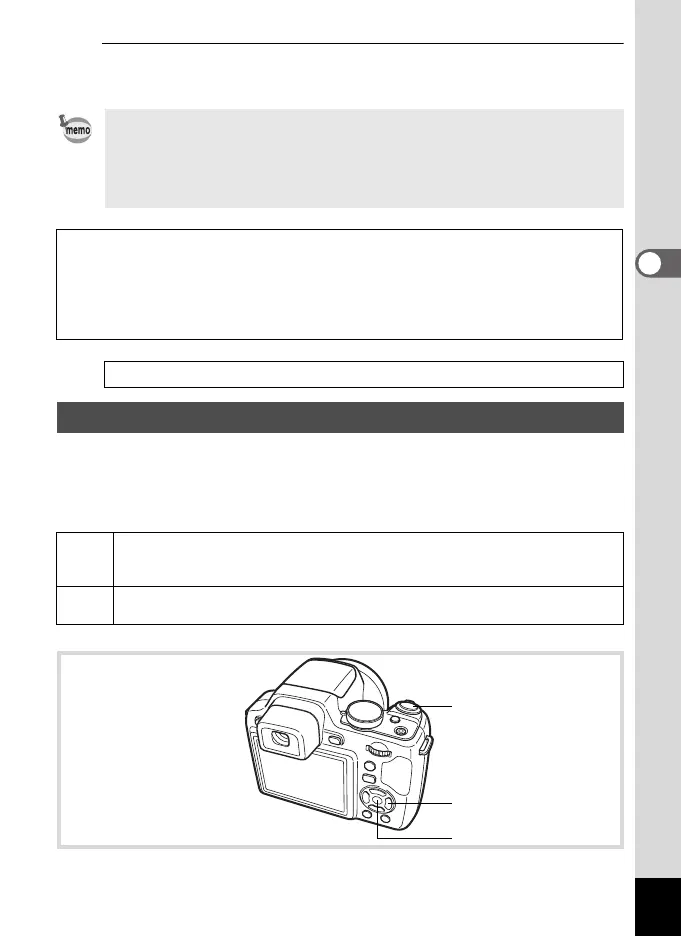
Using the Self-timer
g
Use this mode when you want to be included in a group picture. The picture
is taken approximately ten seconds after the shutter release button is
pressed.
Z
Use this mode to avoid camera shake. The picture is taken approximately two
seconds after the shutter release button is pressed.
Shutter release button
Four-way controller
4 button
e_kb484.book Page 95 Wednesday, March 18, 2009 5:23 PM



 To Next Page