94
3
Taking Pictures
4
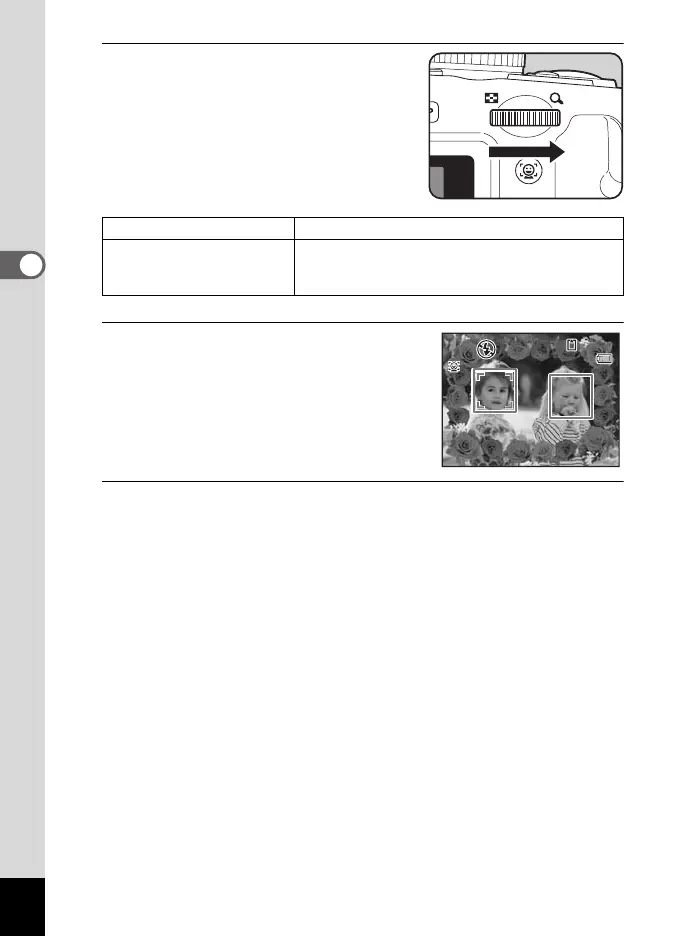
Turn the e-dial to the right (y).
The selected frame appears in single
-image display.
You can choose another frame using
either of the following operations.
5
Press the 4 button.
The frame appears on the display.
When the camera recognizes a person’s
face, the Face Recognition function is
activated and the face recognition frame
appears (p.78).
6
Press the shutter release button halfway.
The focus frame on the display turns green when the camera focuses
on the subject at the correct distance.
When using the flash, press the b button to pop up the flash. (p.112)
Four-way controller (45) Press to choose a different frame.
e-dial to the left (f) Turn to return to the 9-frame display of the frame
selection screen, and then perform Step 3 to
choose a different frame.
38
38
14:25
14:25
04/02/2009
04/02/2009
e_kb484.book Page 94 Wednesday, March 18, 2009 5:23 PM



 To Next Page