181
5
Editing and Printing Images
5
Use the four-way controller (23) to choose a digital
filter you want to use.
6
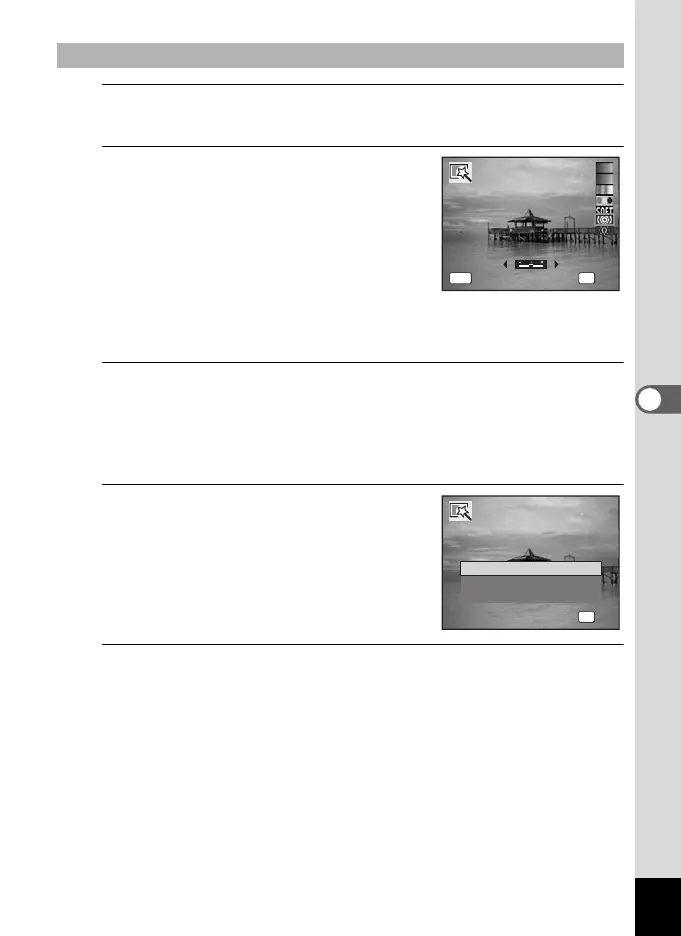
Use the four-way controller (45)
to adjust the effect.
For the brightness filter, the brightness
increases each time you press the four-way
controller (5) and decreases each time you
press the four-way controller (4).
With the fish-eye filter, pressing the four-
way controller to (5) strengthens the effect
and (4) lessens the effect.
7
Press the 4 button.
A confirmation dialog for overwriting the image appears.
When the selected image is protected, the processed image will be
saved as a new image without the following confirmation dialog
displayed on the screen.
8
Use the four-way controller (23)
to select [Overwrite] or [Save as].
9
Press the 4 button.
The images processed with the filter are saved.
To Select the Brightness or Fish-eye Filter
MENU OK
OK
OKCance
lCancel
OK
OK
Overwrite
Save as
Cancel
Overwrite
original image?
Overwrite
original image?
e_kb484.book Page 181 Wednesday, March 18, 2009 5:23 PM



 To Next Page