32
1
Getting Started
• Image Storage Capacity, Movie Recording Time, and Playback
Time
(at 23
°
C with the display on and the battery fully charged)
*1 Recording capacity shows the approximate number of shots recorded
during CIPA-compliant testing (with display on, flash used for 50% of the
shots, and 23 degrees centigrade). Actual performance may vary
according to operating conditions.
*2 According to the result of in-house testing.
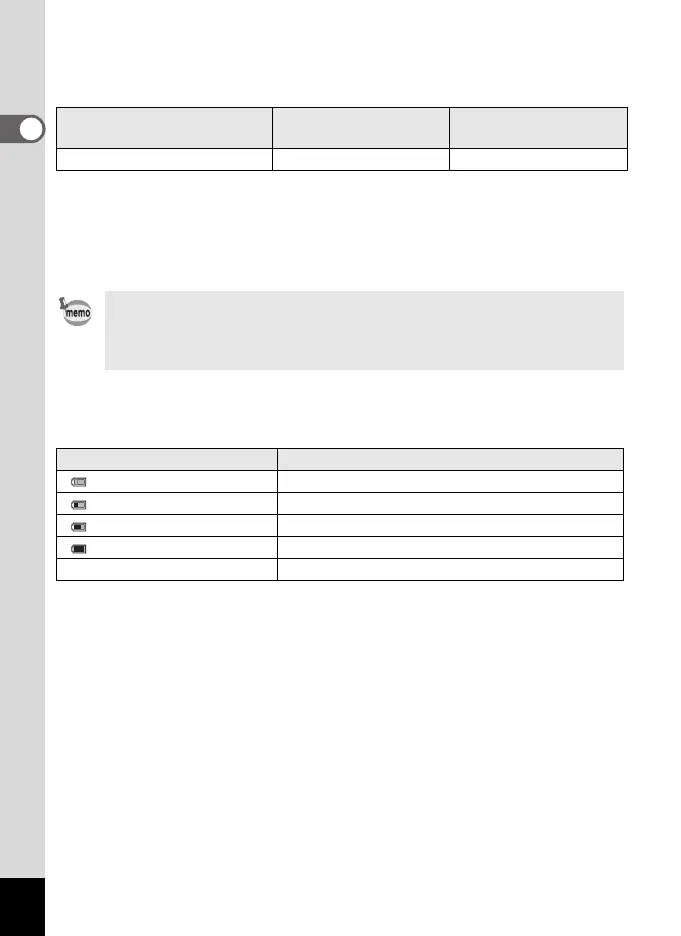
• Battery Level Indicator
You can check the battery level by the indicator on the display.
Image Storage Capacity
*1
(flash used for 50% of shots)
Movie Recording Time
*2
Playback Time
*2
Approx. 170 pictures Approx. 70 min. Approx. 200 min.
• In general, battery performance may temporarily deteriorate as the
temperature decreases.
• Be sure to take a spare battery with you when traveling abroad or to a
cold region, or if you intend to take a lot of pictures.
Screen Display Battery Status
(green) Adequate power remains.
(green) Battery is running low.
(yellow) Battery is running very low.
(red) Battery is exhausted.
[Battery depleted] The camera will turn off after this message appears.
e_kb484.book Page 32 Wednesday, March 18, 2009 5:23 PM



 To Next Page