79
3
Taking Pictures
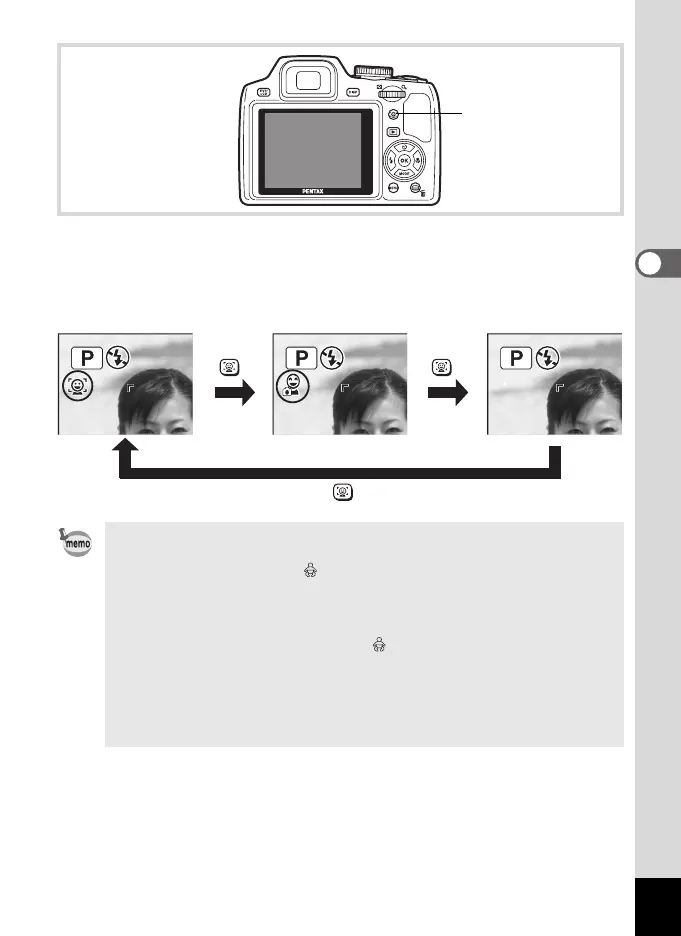
An icon indicating either Face Priority On or Smile Capture appears on
the display. (The icon does not appear when the Face Recognition
function is not activated.)
• The Face Recognition function cannot be set to off in I (Auto
Picture), B (Night Scene Portrait), C (Half-length Portrait),
P (Portrait), R (Kids) or (Baby) mode. You can select either Face
Priority On or Smile Capture in these modes.
• When Face Priority Off is selected, selecting 9 (Green), I (Auto
Picture), B (Night Scene Portrait), C (Half-length Portrait), C
(Movie), P (Portrait), R (Kids), or (Baby) modes automatically
switches to Face Priority On. When switching to another mode from
one of these modes, the Face Recognition setting returns to the
previous setting.
• If you use the Face Recognition function when the flash mode is set to
, (Auto), d (Flash On + Red-eye) is automatically selected.
I button
Face Priority On Smile Capture Face Priority Off
e_kb484.book Page 79 Wednesday, March 18, 2009 5:23 PM



 To Next Page