INSTRUMENT PANEL
3
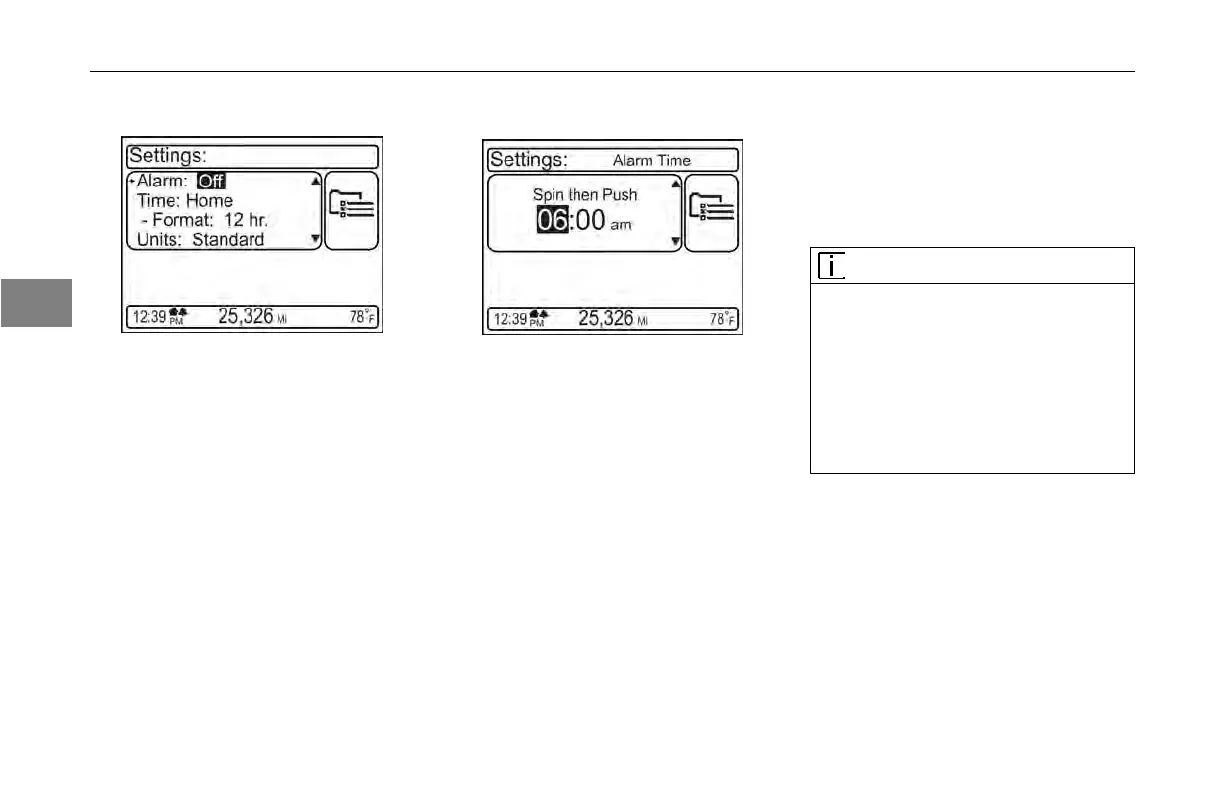
To turn alarm ON/OFF:
1. When in the Settings Menu, scroll
through the list of menu items to
“Alarm”. Press the MCS.
2. Press the
MCS to turn the alarm
ON or OFF.
To
set clock display format:
1. When in
the Settings Menu, scroll
through the list of menu items to
“Format”.
2. Press the
MCS to display either 12
hour (AM/PM) or 24 hour (military)
time.
To
set home, local or alarm time:
1. When in the Settings Menu, scroll
through the list of menu items.
2. Press the
MCS to select the item
to change.
3. Rotate the
MCS knob to change
the hour. Press the MCS.
4. Rotate the
MCS knob to change
the minutes. Press the MCS.
5. Rotate the
MCS to toggle AM/PM.
Press the MCS.
6. Press the
button above the MCS
to Exit.
Display Mode
The display
off mode is available at
any time in menu navigation, but the
screen minimize mode can only be
done when on this screen.
NOTE
There are
times when the “Display Off”
mode is not allowed or over-ridden by
the system, for example if a “pop-up”
message appears, the screen will turn
back on, or if the truck is equipped with
an adaptive cruise control system, the
screen cannot be turned off when it is
active.
3-28 Y53-6047–2C (04/13)



 To Next Page