INSTRUMENT PANEL
parked. The menu selection shown
in the image above simply won’t be
there if the truck is driving, though
the warnings and tell-tale indicators
on the cluster will still be available as
indicators if the problem is serious.
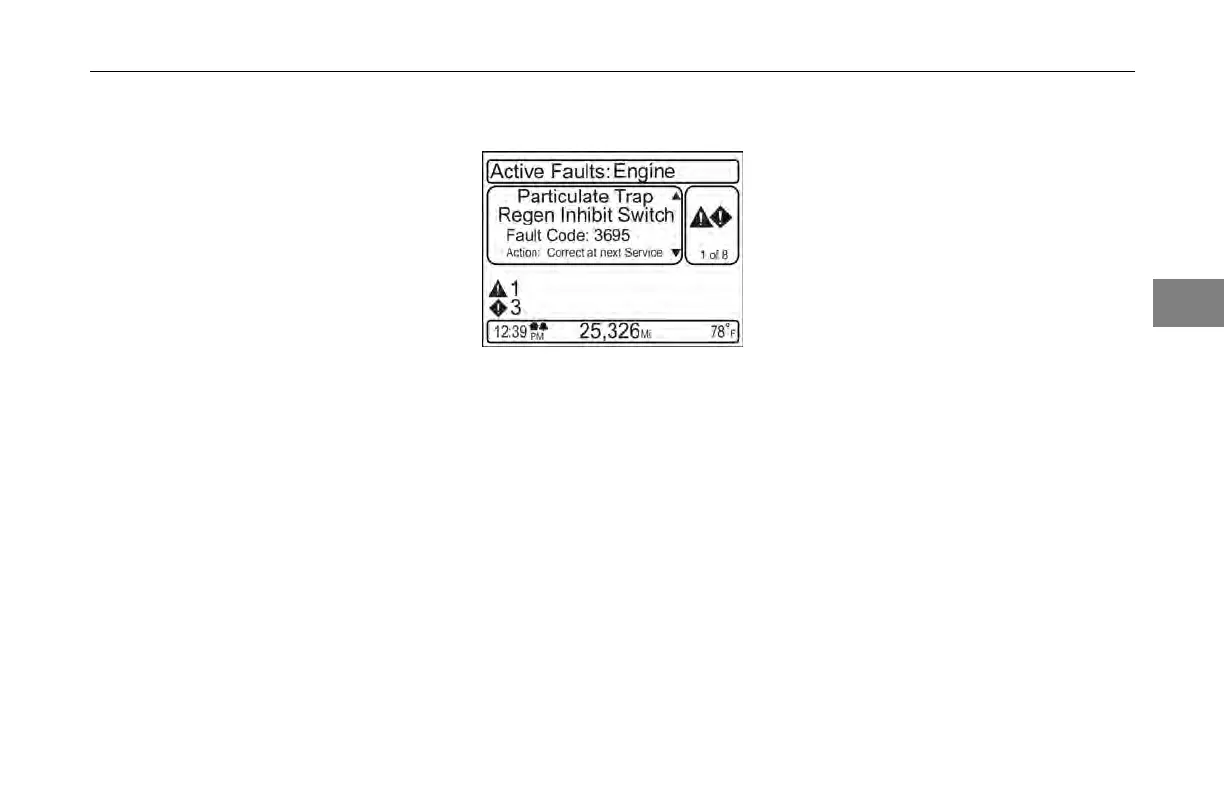
Fault details screens include:
1. how many
faults, shown in a
scrollable stack format
2. which ECU
the fault is being
generated from
3. a text
description of the issue
4. it’s
actual fault code
5. action instructions
telling you what
to do (e.g., seek service soon vs.
correct at next scheduled service
visit)
An example
of a Fault Details screen
is shown below:
Settings
Fault Details
Example
This menu is available only when the
vehicle is parked.
Various settings may be changed using
this function. The operator can change
the time format (12hr/24hr), the time of
day, alarm settings, units of measure
for the display (mile/kilometer), and the
language being displayed. Changing
settings functions are typically done
one of two ways. Items can be toggled
straight from the highlighted selection
(at the branch level); these cases use
dark blue text that changes to the set
value. Others are menu selections that
bring up new “leaf level” screens. The
following shows examples of turning
the alarm on/off vs. screens that are
navigated to in order to set the clock
time.
3
(04/13) Y53-6047–2C 3-27



 To Next Page