INSTRUMENT PANEL
3
2. Engine Information
a. Engine Make
b. Engine Model
c. Engine Software
Version
d. Governed Speed
Limit
e. Engine Power
3. Transmission
Information
a. Transmission
Make
b. Transmission
Model
c. Transmission
Software
Version #
4. ABS Information
a. ABS Make
b. ABS Model
c. ABS Software
Version #
3-26
Warning and Faults
to Prevent Derate
Diesel Exhst Fluid
Poor Quality
Refill with new DEF
3
1
12:39
PM
78
F
25,326
Mi
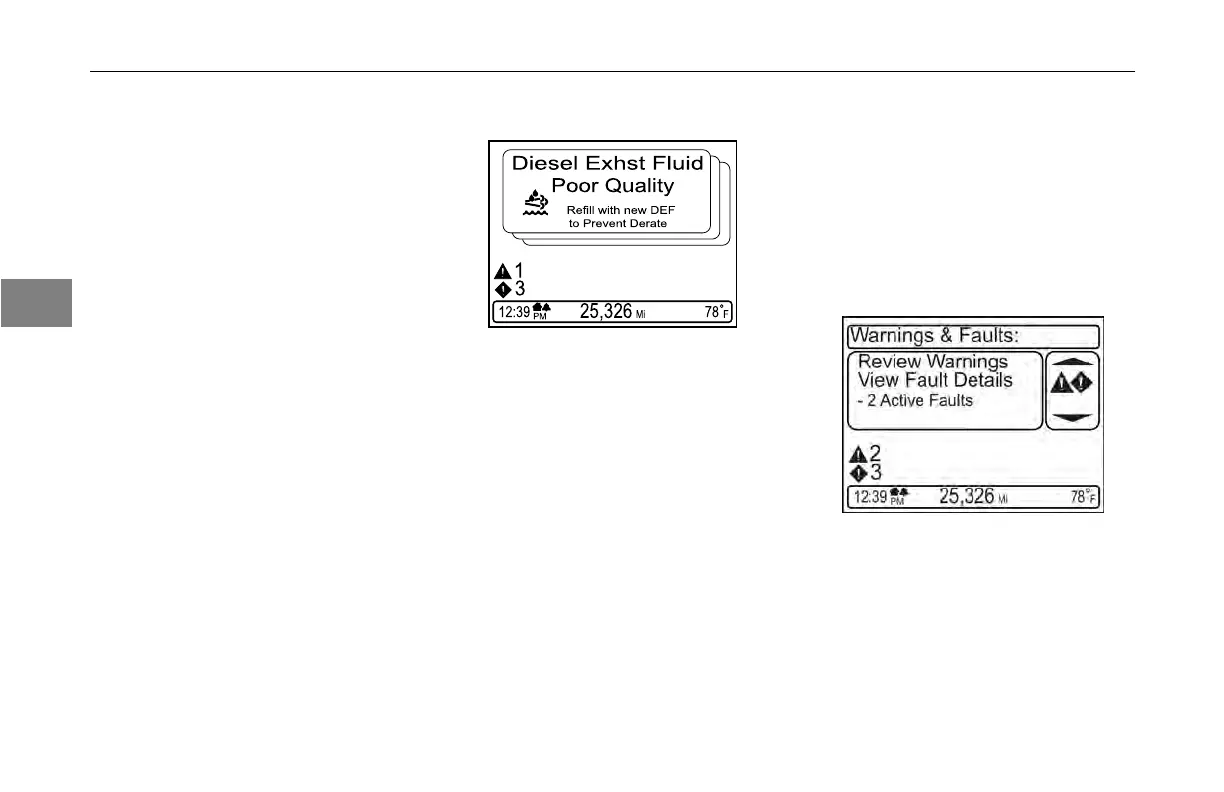
The display has a message alerting
function that overrides the normal
viewing and navigation of functions
when an issue occurs on the truck.
These alert messages are called
“pop-ups” because they take over
the screen. Some messages are
low enough priority that they can
be “suppressed”, which is done by
pushing the MCS button. There will
be a screen indicator showing which
messages are suppressible. If multiple
pop-ups are present at the same time,
they are viewed in a stack format, and
a spin of the MCS knob will allow you
Y53-6047–2C
to see the different warnings. The
highest priority warning defaults to the
top of the stack.
When the
vehicle is parked, the
“Warnings and Faults” function will
access suppressed pop-ups that are
counted and presented in the upper
left corner of the screen.
By selecting “Review Warnings” the
pop-up messages are recalled, and if
multiple are active, the stack can be
navigated by spinning the MCS knob.
The warning description can be viewed
when driving or when parked, but
the fault details are visible only when
(04/13)



 To Next Page