2
Introduction – 5
Function Buttons
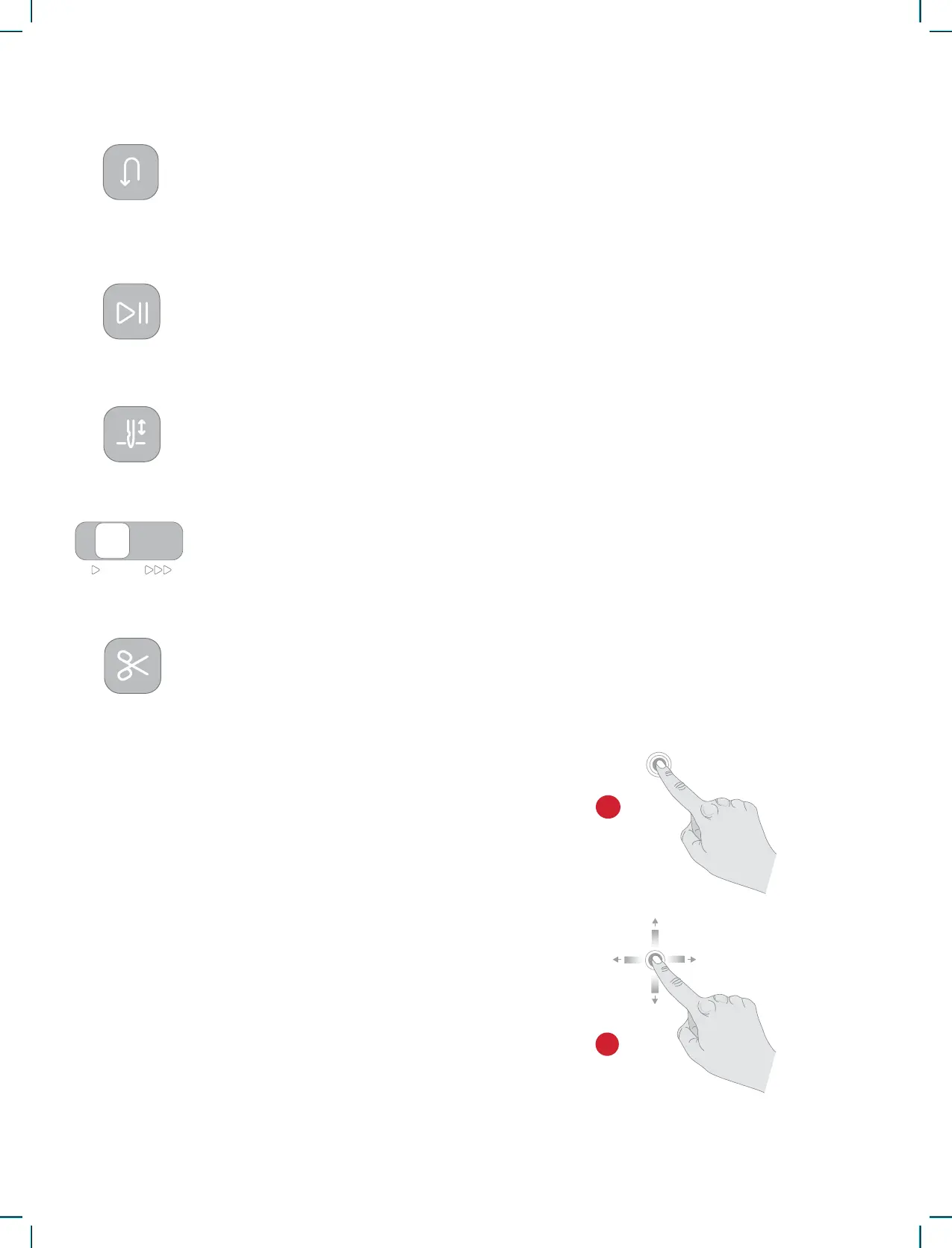
Reverse
Start/Stop
Needle Up/Down
Speed Control Slider
Cut Function
Press and hold the Reverse button to sew in reverse. Release it to resume sewing forward.
The machine sews in reverse only as long as the reverse button is pressed. Only available for
the following: straight stitch and zigzag stitch - 1-001 to 1-003, 1-008, and 1-010 to 1-012.
Press the Start/Stop button to start and stop the machine sewing or embroidering without
using the foot control. Press Start/Stop to begin and touch again to stop.
Press Needle Stop Up/Down to set the position of the needle when you stop sewing. The
needle will move up or down when you touch the button.
Tip: You can also tap the foot control to raise or lower the needle once you stop sewing.
All stitches in your sewing machine have a pre-set, recommended sewing speed. You can ad-
just the speed using the Speed Control Lever. Slide the lever to the left to decrease the speed
and to the right to increase the speed. You cannot select a higher speed than the default max
speed for the selected stitch.
Press the cut function button after you stop sewing, and your machine cuts the top and bob-
bin threads.
Easily navigate on the touch screen with the ges-
tures described below.
1. Touch — Touch once on a button or setting on
the screen to select.
2. Touch and Move — Touch once on a selected de-
sign and, without releasing, move your nger to
a different position on the screen. Used, e.g. for
moving a design in the embroidery area.
Basic Gestures for the Touch Screen











 To Next Page