32 – The Touch Screen
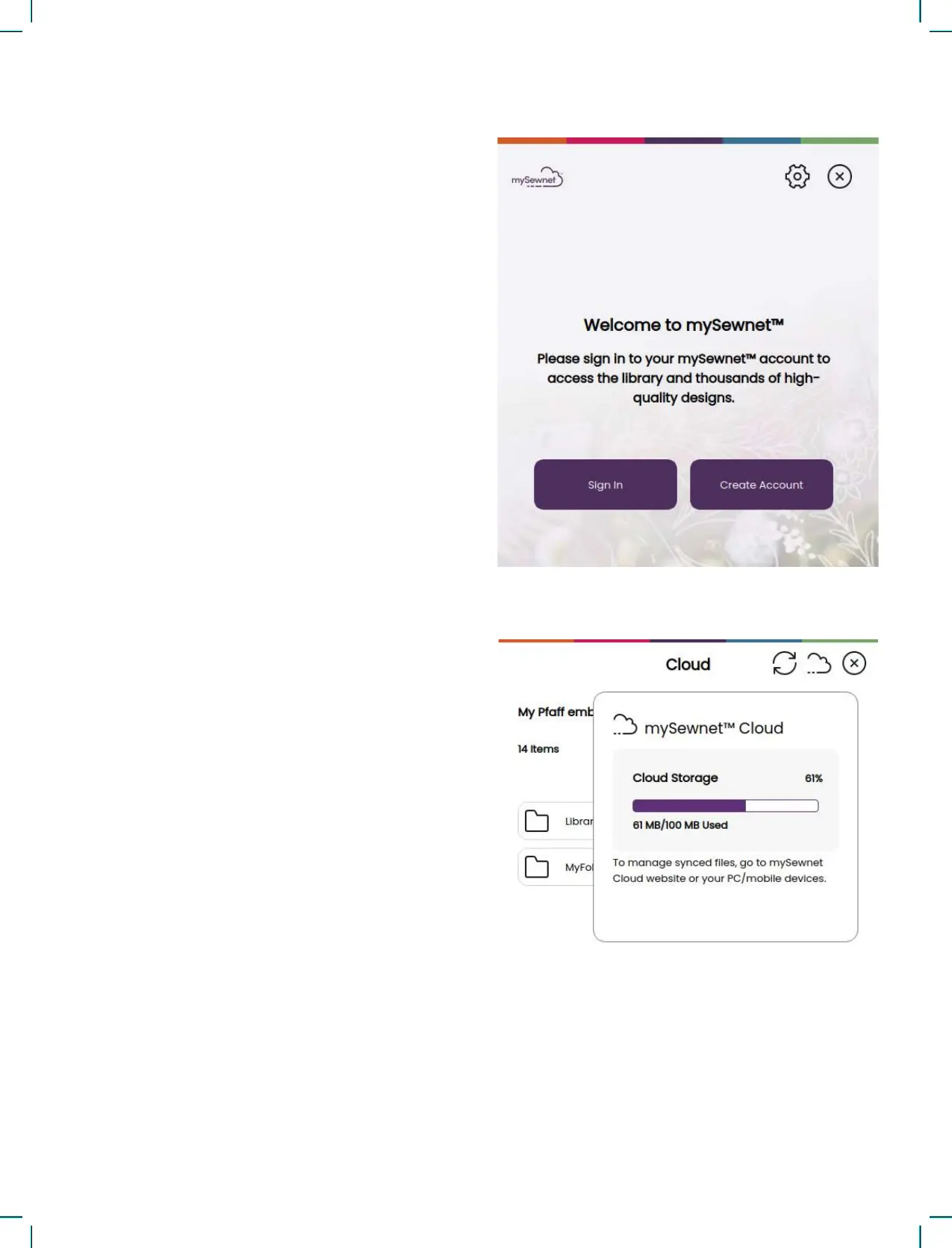
Used Space in mySewnet Cloud
The mySewnet cloud will store designs, fonts,
stitches and other les from your machine.
Touch the mySewnet button on the topbar and go
to mySewnet cloud, touch the cloud icon to see
how much storage is available. When only a small
amount of space is left, your machine will alert you
once. If you continue to ll the space, it will not
remind you again, until the space is completely full.
Delete or move les to a USB device to free space.
Note: The mySewnet cloud space gets activated the rst
time you sign in on your mySewnet account from the
machine.
mySewnet Library on Your Machine
If you have a subscription, WiFi is connected and
you have logged in to your mySewnet account, the
mySewnet library menu will be visible in your ma-
chine. Here you can scroll and select from all your
mySewnet library designs.
Connect to mySewnet on Your Machine
When you have established a WiFi connection,
touch the exit icon to return to the mySewnet login
page where you can sign in. If you do not have a
user name and password, select Create Free Ac-
count.
An account can also be created through the mySew-
net website at www.mysewnet.com.
When signed in you will see how much available
space there is left in the mySewnet cloud.
The synchronization status will be shown on the
mySewnet button on the topbar.











 To Next Page