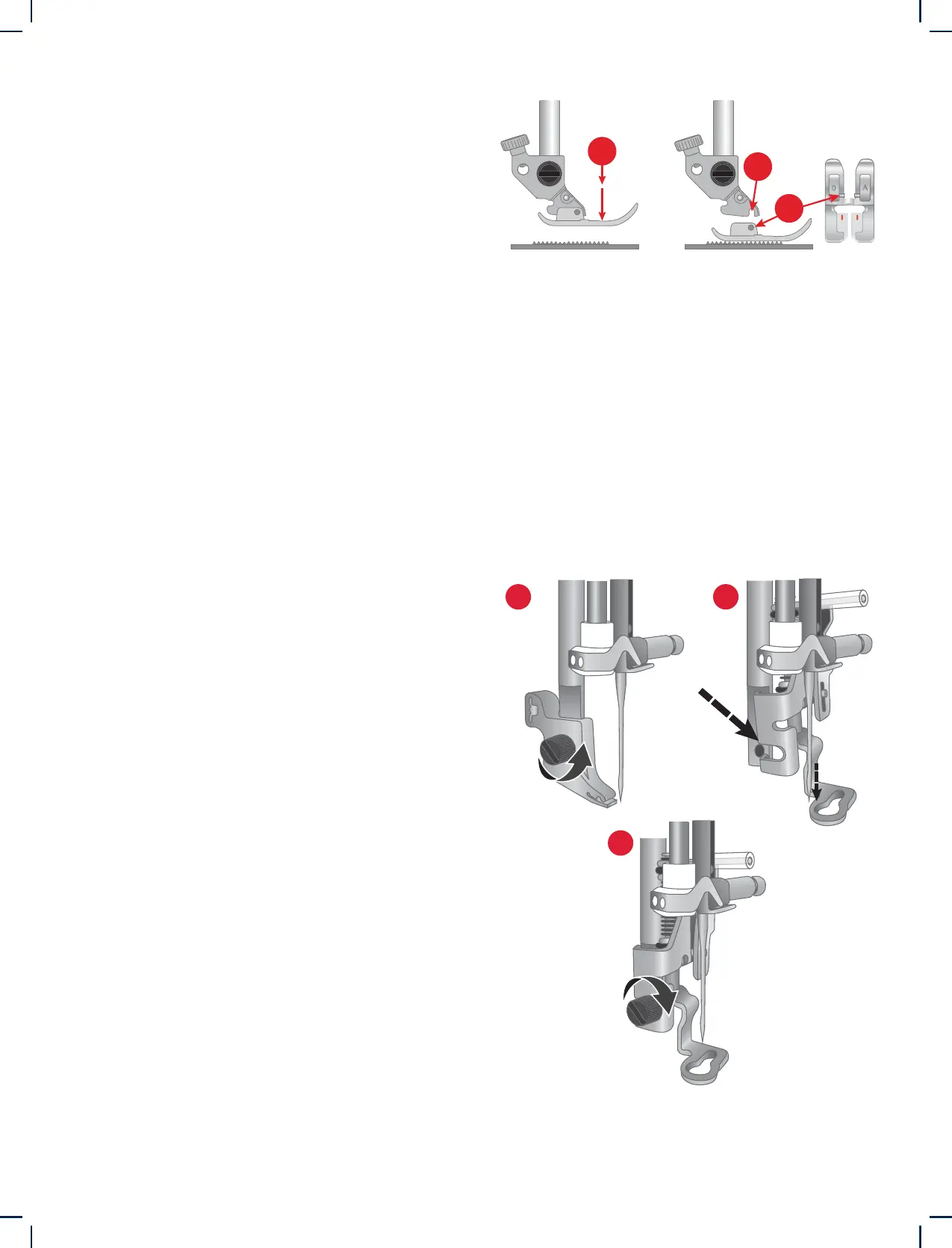
A
C
B
1 2
3
22 – Preparations
1. Using the screwdriver, remove the presser foot
ankle.
2. Position the Embroidery Foot onto the presser
foot bar from behind, lining the hole on the foot
up with the hole on the presser foot bar. Lower
the needle into the opening of the foot by turn-
ing the handwheel towards you. The arm of
the presser foot should rest on top of the needle
screw.
3. Insert and tighten the presser foot ankle screw
using the screwdriver.
1. Make sure that the needle is in the highest po-
sition. Pull the presser foot down and towards
you.
2. Line up the pins on the foot with the gap un-
derneath the presser foot holder. Press upwards
until the foot snaps into place.
Changing the Presser Foot
Attaching the Embroidery Foot











 To Next Page