Sewing – 37
Mirroring
Balance Stitch
Free-Motion
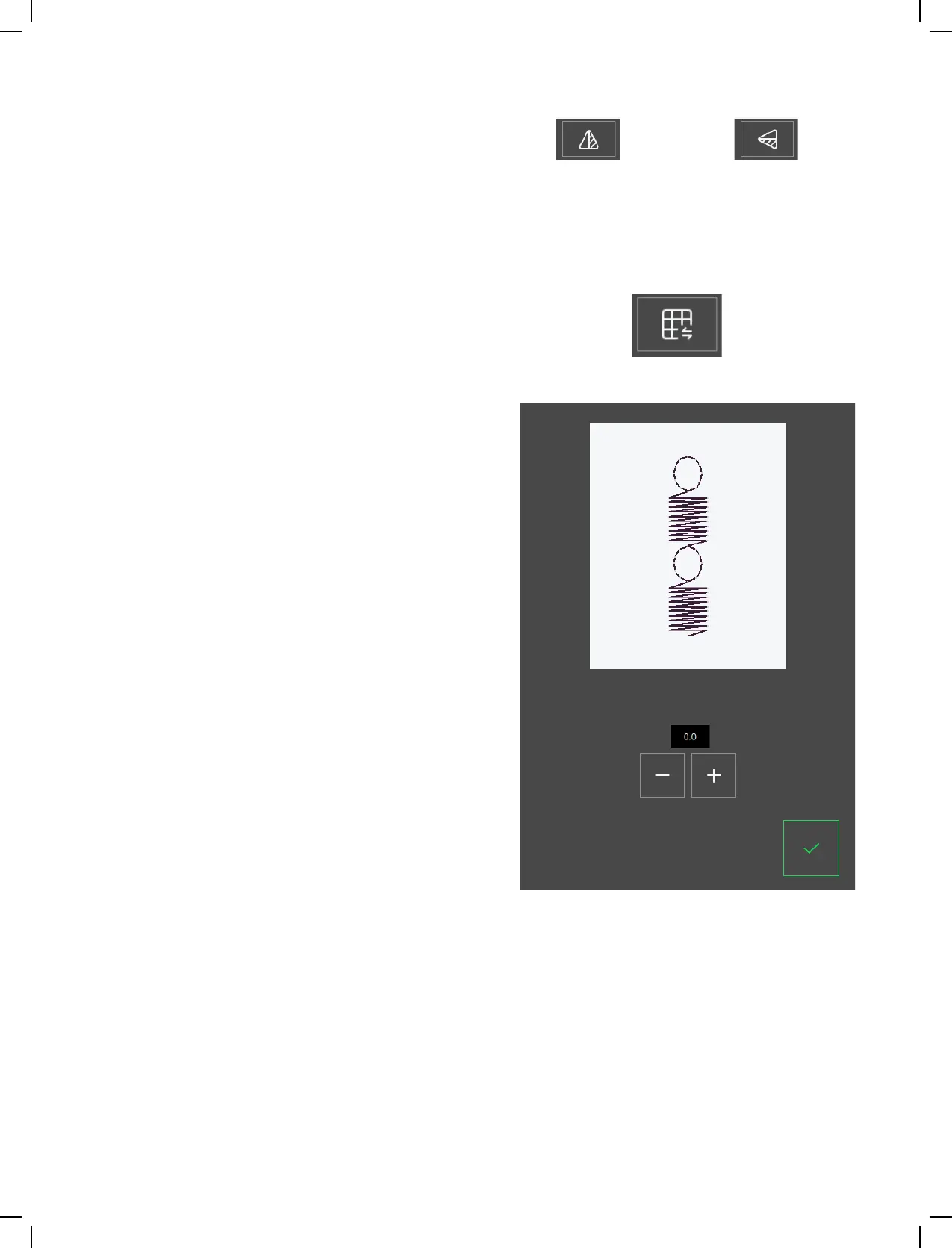
To mirror a stitch or stitch program lengthwise,
touch the mirror end to end button. To mirror a
stitch or stitch program sideways, touch the Mirror
Side to Side button.
Note: Some stitches e.g. buttonholes cannot be mirrored.
If you are experiencing uneven stitch results when
sewing, it may be necessary to adjust the balance.
This is particularly important when working with
special fabrics or techniques. To adjust the Balance
of the active stitch, simply touch the balance button
while in sewing mode. The balance adjustment is
only available for a selected number of stitches.
Start by sewing the stitch on a piece of scrap fabric.
Change the preview on the screen to match your
sewn sample by using the + and - in the controls.
When you sew again, the balance will be corrected.
For free-motion sewing lower the feed teeth on
the back of the free arm. Attach the Embroidery/
Free-Motion Foot. Move the fabric manually. Main-
tain a consistent speed and move the fabric in a
smooth motion. You are creating the length of the
stitch as you move the fabric.
Note: When the feed teeth are dropped, the fabric is no
longer fed by the machine. You must move the fabric.
Side to side End to end
Balance button in sewing mode
Pop-up window for balance











 To Next Page