28 – The Touch Screen
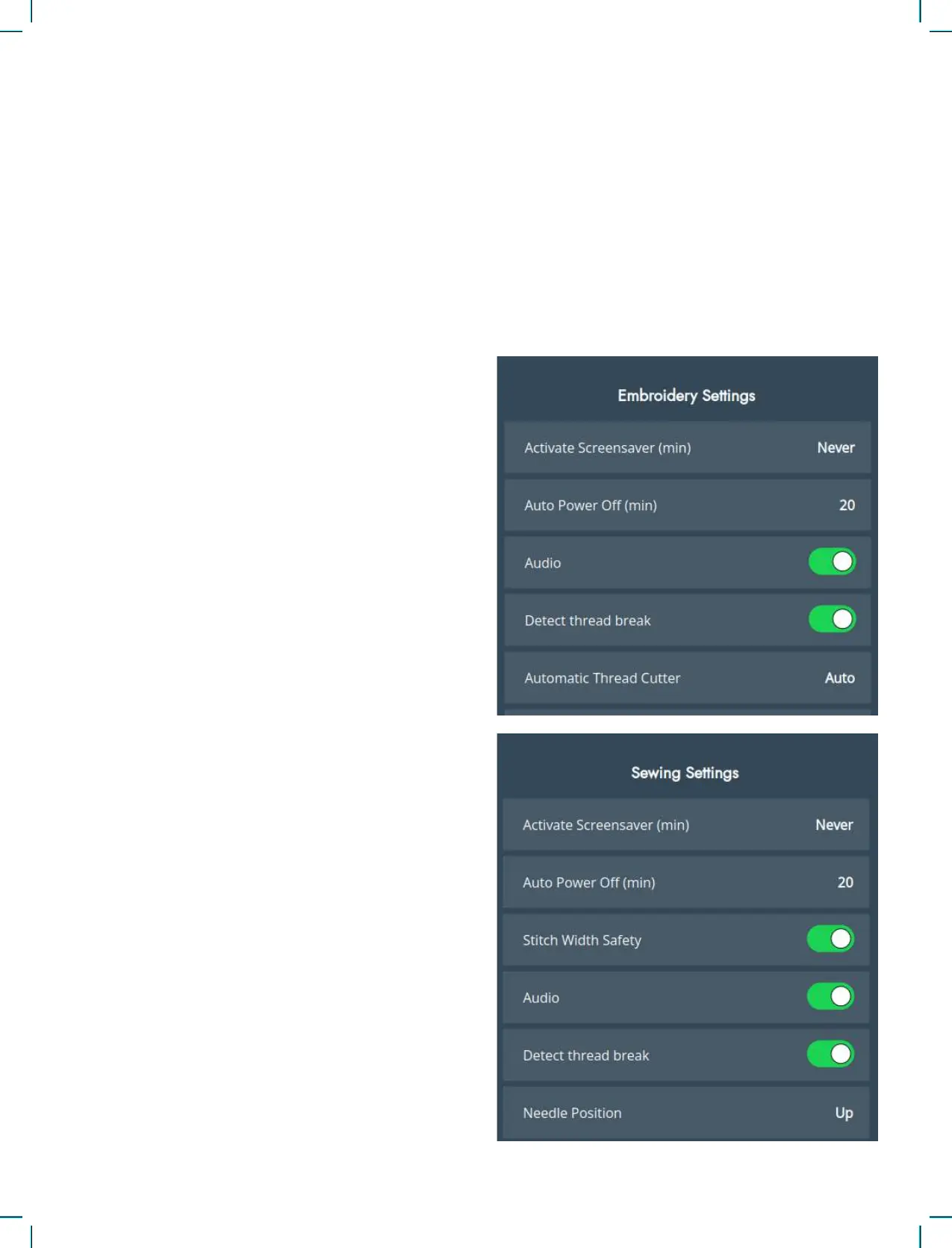
Embroidery and Sewing Settings
Activate Screensaver (min)
To activate the screensaver, touch the button and
select how many minutes of inactivity should pass
before the screensaver turns on.
Auto Power Off
Your machine will automatically turn off after a
duration of time due to inactivity.
The current state will be saved and possible to re-
store when the machine is turned on again.
You will get a notication before the machine is
turned off.
You can change the duration of time before your
machine turns off in settings.
To reactivate the sewing machine after it has auto-
matically powered off, press any physical button
on the machine. If you need to manually switch the
machine off and then back on, ensure there is a long
interval between these actions to allow the machine
to reset properly.
Audio
Turns on or off all sounds of the machine. Default
setting is on. This setting is saved even if the ma-
chine is turned off.
Detect Thread Break
Turn on the Detect Thread Break function to choose
if you want the machine to notify you when the
thread breaks. You will be noted by a pop-up
message.
There are additional settings available to enhance
your sewing or embroidery experience. Any chang-
es made to the settings in either mode will be saved
automatically, even if you turn off the machine.
You can access these settings under the additional
settings tab in the machine settings menu.
Restore to Factory Default Settings
Restoring your sewing machine to factory default
settings erases any changes or adjustments made to
the machine’s settings, essentially resetting it to its
original state. This can be a useful troubleshooting
step for resolving issues, but it will also erase any
saved settings or congurations.
Machine Nickname
Touch to select a nickname for your machine.











 To Next Page