Embroidery Stitch-out – 55
Corner Check
Exact Positioning
Use Corner Check to trace the four corners of the
design to see where the design will be stitched out
on the fabric.
Each touch on the Corner Check button will move
the hoop to the following positions and in the fol-
lowing order: upper left, upper right, lower right,
lower left and then go back to the current stitch
position.
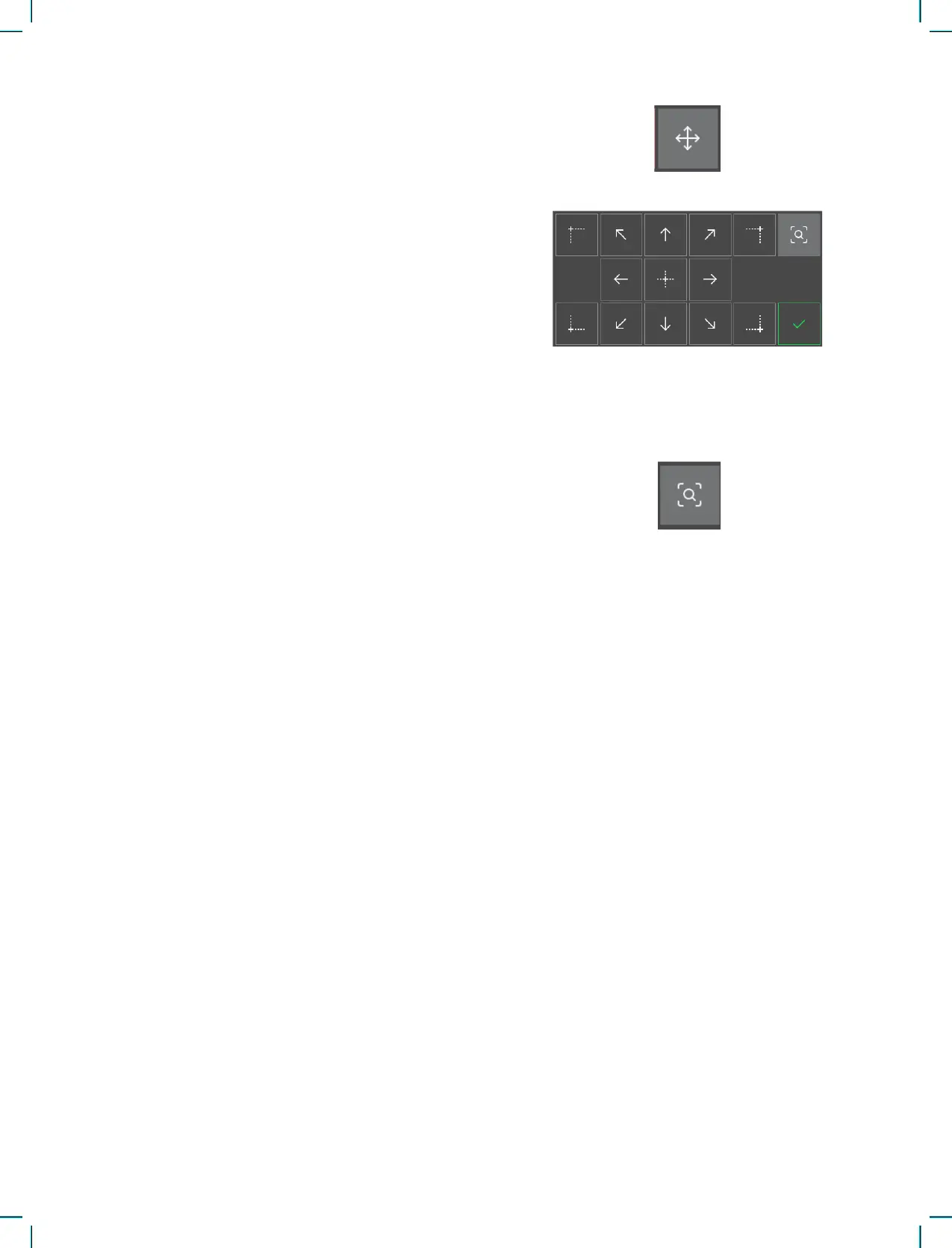
Use the design placement feature to place a design
on an exact location on your fabric without re-hoop-
ing. It can also be useful when you want to embroi-
der a design to exactly match a specic spot on your
project or next to a previously embroidered design.
Use the corner icons to place the design in a corner
of the hoop. Use the different arrows to freely place
your design.
Embroidery Stitch Out Pop-up Messages
The Embroidery Arm Needs to Calibrate
When the embroidery unit is attached, a pop-up
message will appear and inform you to slide off
the hoop and clear the machine area for calibrating
the embroidery arm. You will also be reminded to
attach a suitable embroidery foot.
Your Embroidery is Finished
A pop-up message and sound informs you that
your embroidery is nished. When the pop-up is
closed the design will stay loaded in embroidery
stitch out and you can stitch the same embroidery
again, including any changes you have made.











 To Next Page