39
File Format
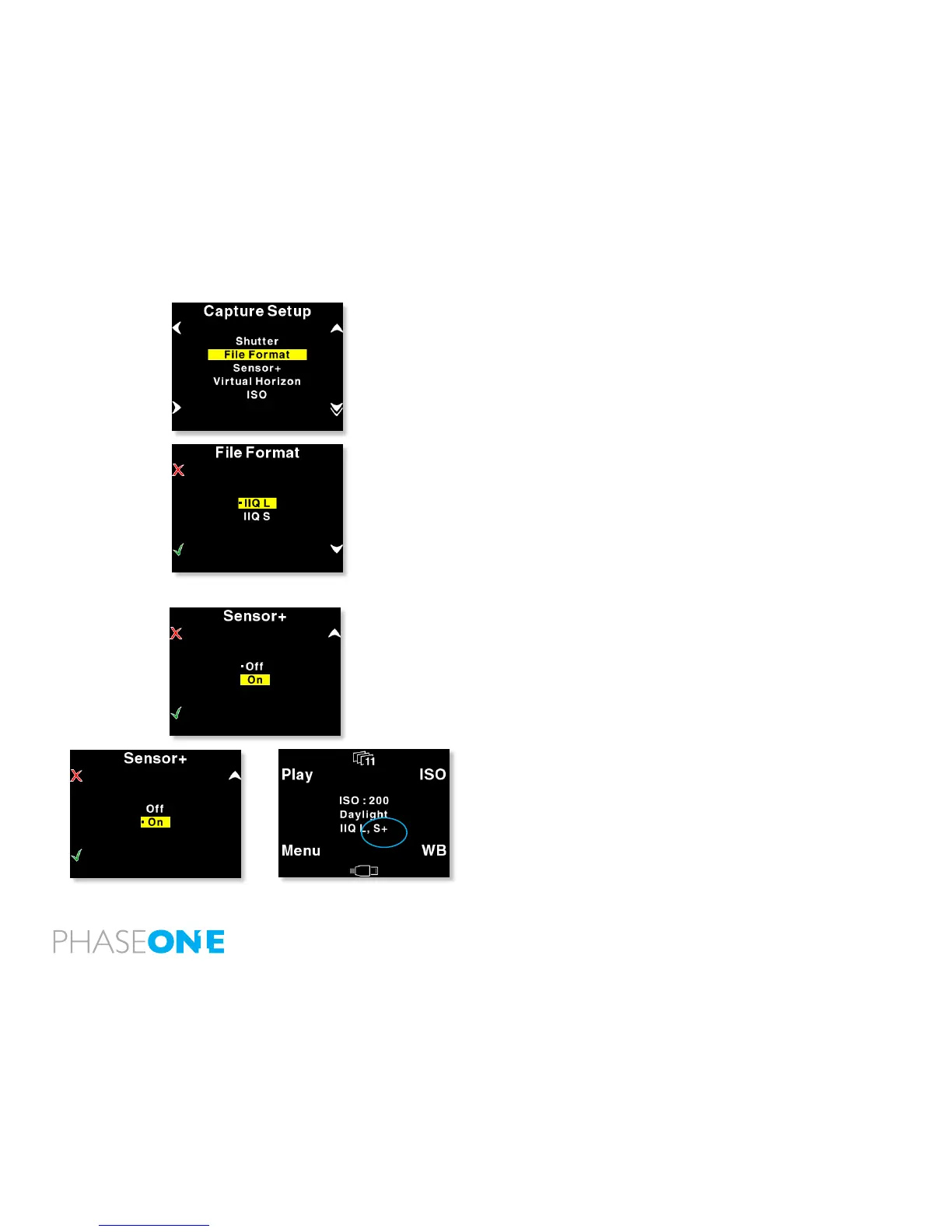
In “File Format” you can select two options “IIQ Raw L” and “IIQ Raw
S”.
“IIQ” is a short term for Intelligent Image Quality - Raw.
“IIQ L” is set as the default and is the lossless capture format of the P+
back.
“IIQ S” is a smaller le, and not totally lossless in the format. The “IIQ
L” is approximately half le size of the processed TIFF le. “IIQ S” is
approximately one third of the processed TIFF.
Most users will use the “IIQ S” as there is virtually no quality difference
between the two settings.
When the camera back is used tethered to a computer this setting is
set from within Capture One.
Sensor+
In the Sensor+ submenu you choose between on and off, when
the setting is “On” - you will capture les in Sensor+ technology 15
megapixels on the same photographic area, creating les of app 15MB
if IIQ-L, each “Super pixel” will be 12x12 micron, in other words you
get a le of lower resolution, but you achieve a substantial increase of
capture rate.
If Sensor+ is set to “off” you will capture les as full-frame 60.5
megapixels, in an extremely high quality, each pixel will be 6x6 Micron
providing the nest resolution on the market.
Read more on Sensor+ technology



 To Next Page