EasyManua.ls Logo

Philips 47PFL7403/77 - Changing the Parental Access Code

Philips 47PFL7403/77
55 pages
Print Icon
To Next Page IconTo Next Page
To Previous Page IconTo Previous Page
Loading...
31
Control access to TV channels
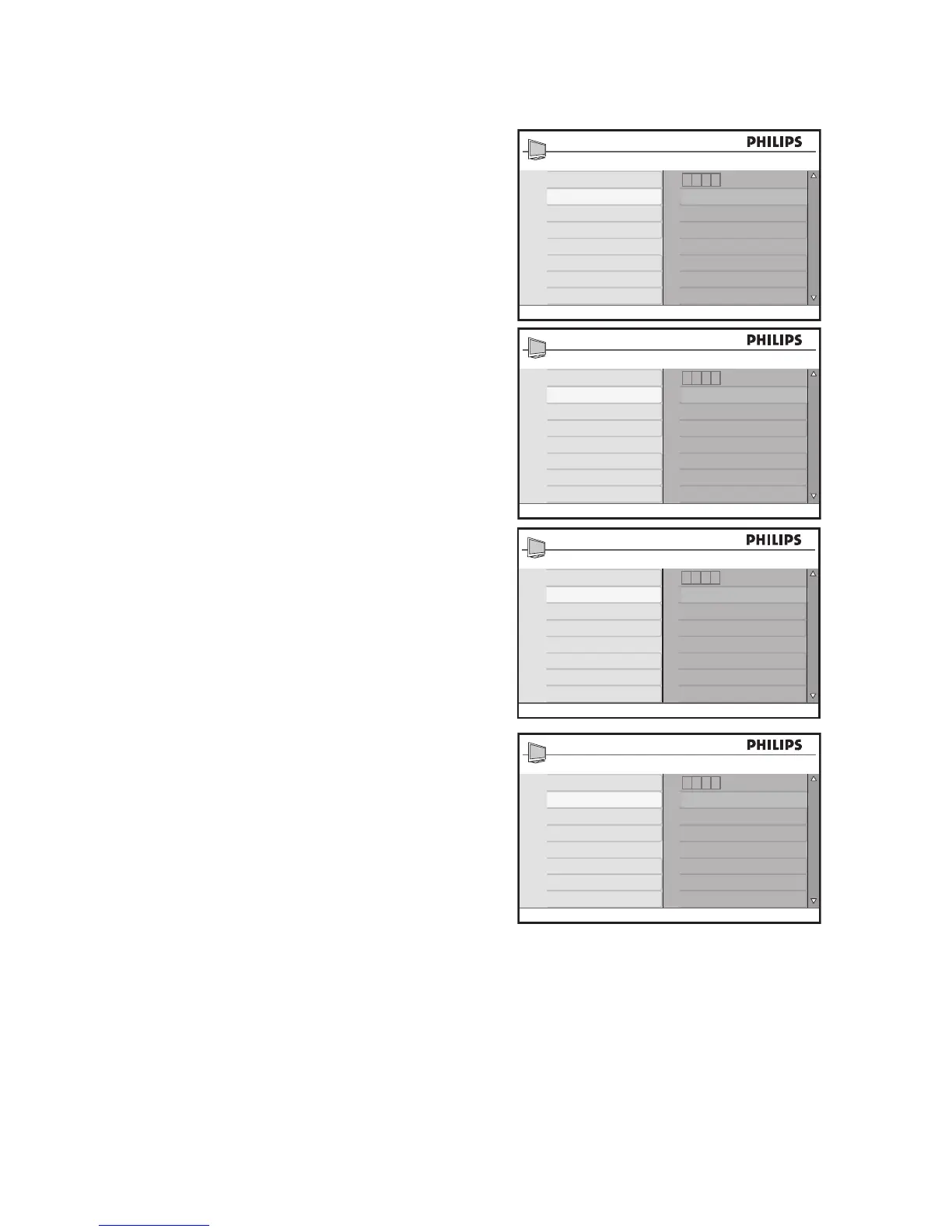
Change Access Code
Access the 1. Parental Lock menu as
described in Access Parental Lock.
Press 2. ï to highlight Change Code.
Press 3. u to select Change Code.
You are prompted to enter your new
access code.
Enter your new four-digit access code 4.
with the numeric (0-9) buttons.
You are prompted to confirm the new
access code.
Re-enter your new access code. 5.
Once the system verifies your new
code, Confirmed is displayed for a few
seconds.
TIP:
If you forget your access code, repeat all the
steps from Access Parental Lock.

Parental Lock
Lock Channel
Change Code
Clear All
Lock All
Movie Rating
TV Rating
Block Options
- ---
Parental Lock
Lock Channel
Change Code
Clear All
Lock All
Movie Rating
TV Rating
Block Options
New Code
- ---
Parental Lock
Lock Channel
Change Code
Clear All
Lock All
Movie Rating
TV Rating
Block Options
Confirm Code
* ***
Parental Lock
Lock Channel
Change Code
Clear All
Lock All
Movie Rating
TV Rating
Block Options
Confirmed
* ***

Table of Contents

Related product manuals