There are several ways you can connect and integrate your digital receiver into your existing audio /
video equipment setup.
Warning!
Before starting:
- Unplug all equipment (TV set as well as VCR and/or DVD if required) from the mains.Do not
connect your digital receiver to mains supply now.
- Check your current wiring because you might keep existing connections of your current
Audio/Video setup.
- Choose the relevant connecting method for incorporating your digital receiver into your existing
Audio/Video setup.Please see chapters 5.1 and 5.2.
Note: If your TV set is fitted with several SCART sockets, to get the best picture quality, select the one that is
RGB-capable to connect the supplied SCART lead coming from your digital receiver TV SCART socket. If
necessary, refer to your TV set User manual.
5.1 Connecting to a TV using one SCART socket
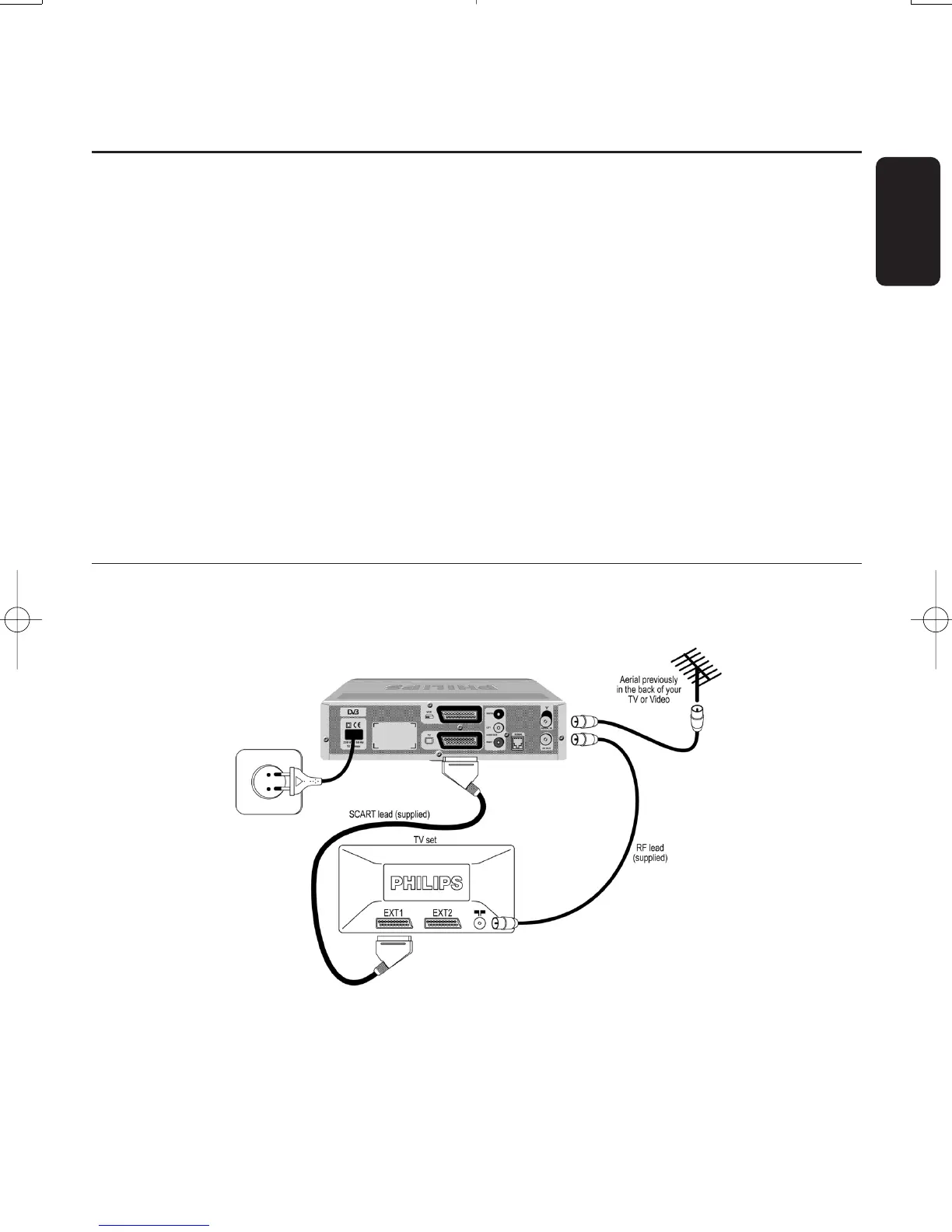
Integrate your receiver in your existing installation as shown below.
- Plug your aerial lead plug into the “AERIAL IN” socket of your digital receiver.
- Connect the “RF OUT” socket of your digital receiver to the “Aerial input” socket of your TV by
means of the RF coaxial lead supplied with your digital receiver.
- Connect the “TV” SCART socket of your digital receiver to the RGB-capable “EXT1” SCART
socket of your TV set by means of the SCART lead supplied with your digital receiver.
English
CONNECTING YOUR DIGITAL RECEIVER 13
5 Connecting your digital receiver
Doc.DTR2000 version N/B 19/12/03 9:01 Page 13



 To Next Page