7.6 Subscription Settings
The information that can de accessed through this menu
depend on the operator supplying the smart card.
7.7 User preferences
This menu is used to customize your receiver.
Note: Access to this menu can be protected by PIN code.
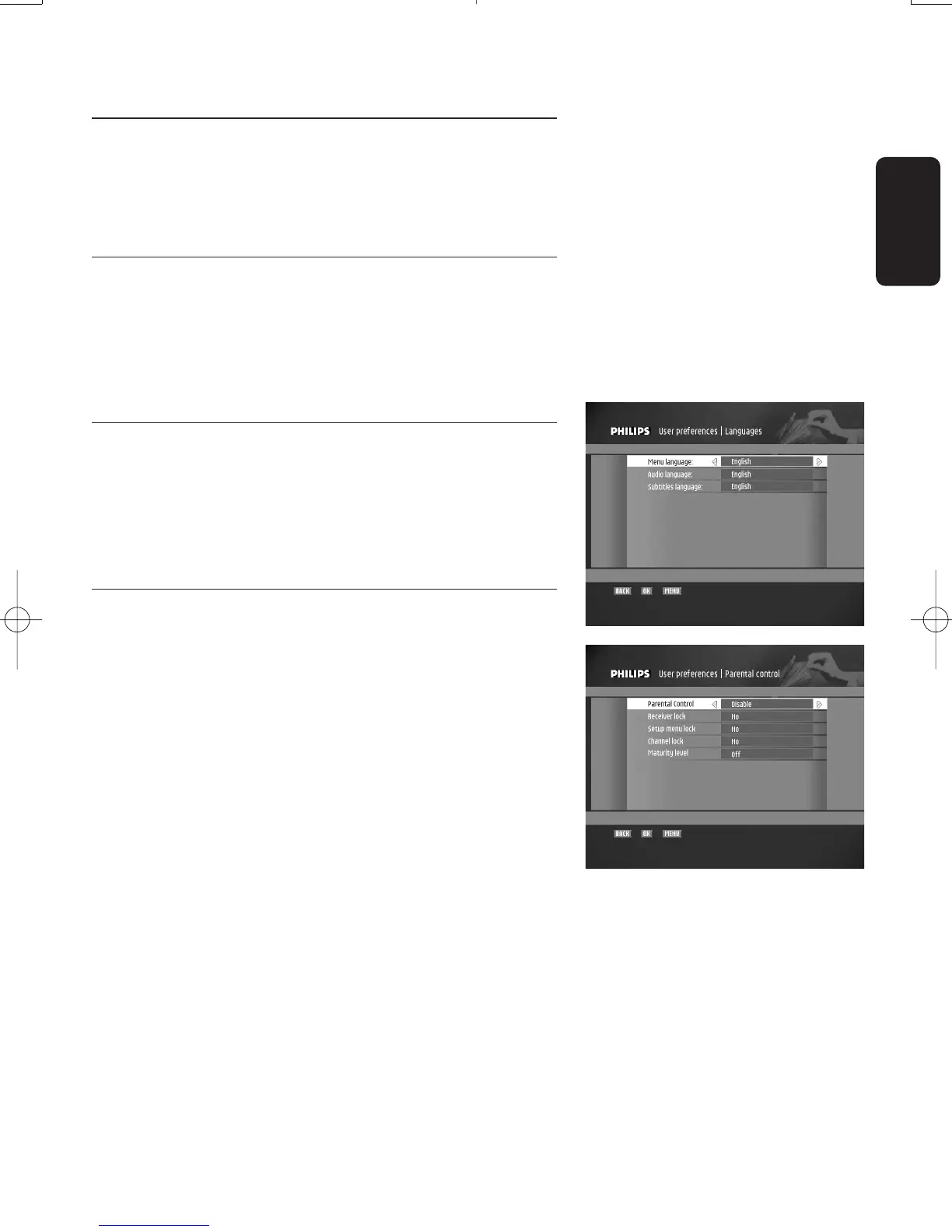
7.7.1 Languages
This screen is used to select a language for the menu items,
the default audio language, and the subtitles language:
- Select a language for each item.
- Press the OK button to store the languages selected and
go back to the previous screen.
7.7.2 Parental Control
Note: Once the Parental Control has been enabled, you need to
enter your PIN code to access this menu.
This menu is used to manage locking options.
- Select values for the following options:
o Parental Control (to enable parental control or not).
Enable parental control to access the subsequent
locking options
o Receiver lock (to be prompted to enter the PIN code
at turn-on)
o Setup menu lock (to lock access to the "Setup menu"
screen)
o Service lock (to enable locking of the channels set as
"locked" in the favourites lists)
o Maturity level (to specify an age limit and prevent
access to all programmes which are not in the age
limits as defined by local authorities).
- Press the "OK" button to validate all parameters and go
back to the previous screen.
English
CHANGING THE SETTINGS OF YOUR RECEIVER 29
Doc.DTR2000 version N/B 19/12/03 9:01 Page 29



 To Next Page