- Press y to move to Audio mode and select from the
audio modes available using the
u or i button.
- Press OK to confirm and exit the screen.
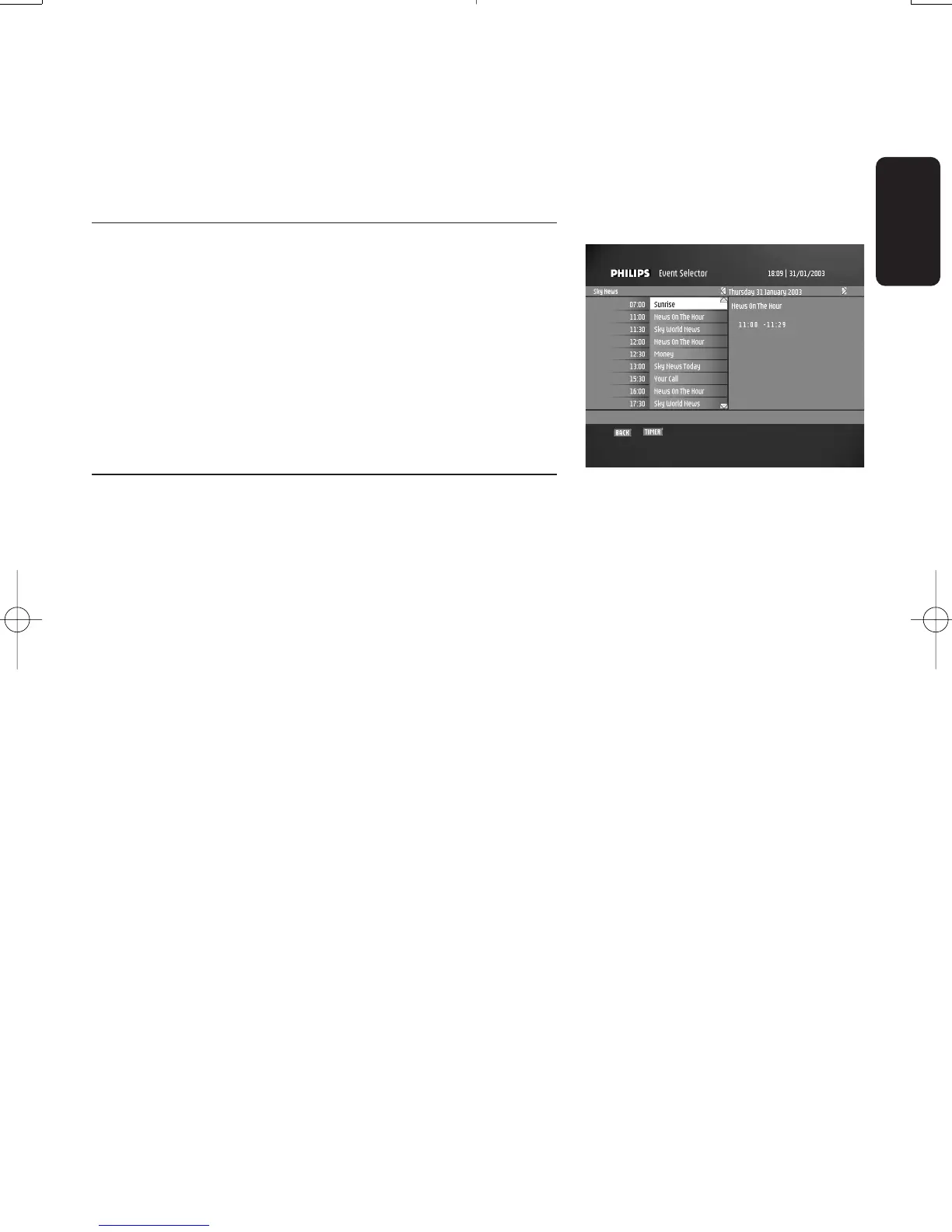
6.8 Guide (Event selector)
While watching digital TV or listening to digital radio:
- Press the "GUIDE" button to open the event selector.
Current view is current channel list called.
- Press the
i button to view the next program list.
- Press the
y or t to select a programme.
- Press the "OK" button to watch / listen to the selected
channel.
6.9 Recording timers
Recording timers are used to perform VCR or DVD
recordings.
Set a timer while watching digital TV or listening to
digital radio
- Press the "TIMER" button to set a recording timer on the
current programme on the current channel.A
confirmation message is displayed.
- Press "OK" to confirm recording or "BACK" to cancel.
Set a timer from the guide
- Press the "TIMER" button to set a recording timer on the
selected programme.
- Enter your PIN code and press OK to confirm.
The "Timers" screen is displayed.
- Press "OK" to access the "Add Timer".You can then set
the recording parameters.
Delete a running timer while watching digital TV or
listening to digital radio
A timer is running and you are watching the programme you
are recording.Recording is signalled by two front LEDs,the
right-hand one lit in red and the left-hand one lit in green.To
delete the running timer:
- Press the key sequence "TIMER,0".The red light then
switches off and you can change channels.
English
DAY TO DAY OPERATION 19
Doc.DTR2000 version N/B 19/12/03 9:01 Page 19



 To Next Page