- Plug all your equipment,excluding your digital receiver,into the mains.
- Switch on your TV and select a channel.
- Plug your digital receiver into the mains.Your digital receiver will display the “WELCOME” screen
(the left-hand LED will be illuminated green).
- Go to Quick installation to proceed with the channel scan of your digital receiver.
If the “WELCOME” screen is not displayed,press the TV/STB button two times to get the screen
displayed.
Note:With this connection set up you can:
- Watch digital terrestrial TV through your digital receiver.
- Continue watching analogue TV as normal.
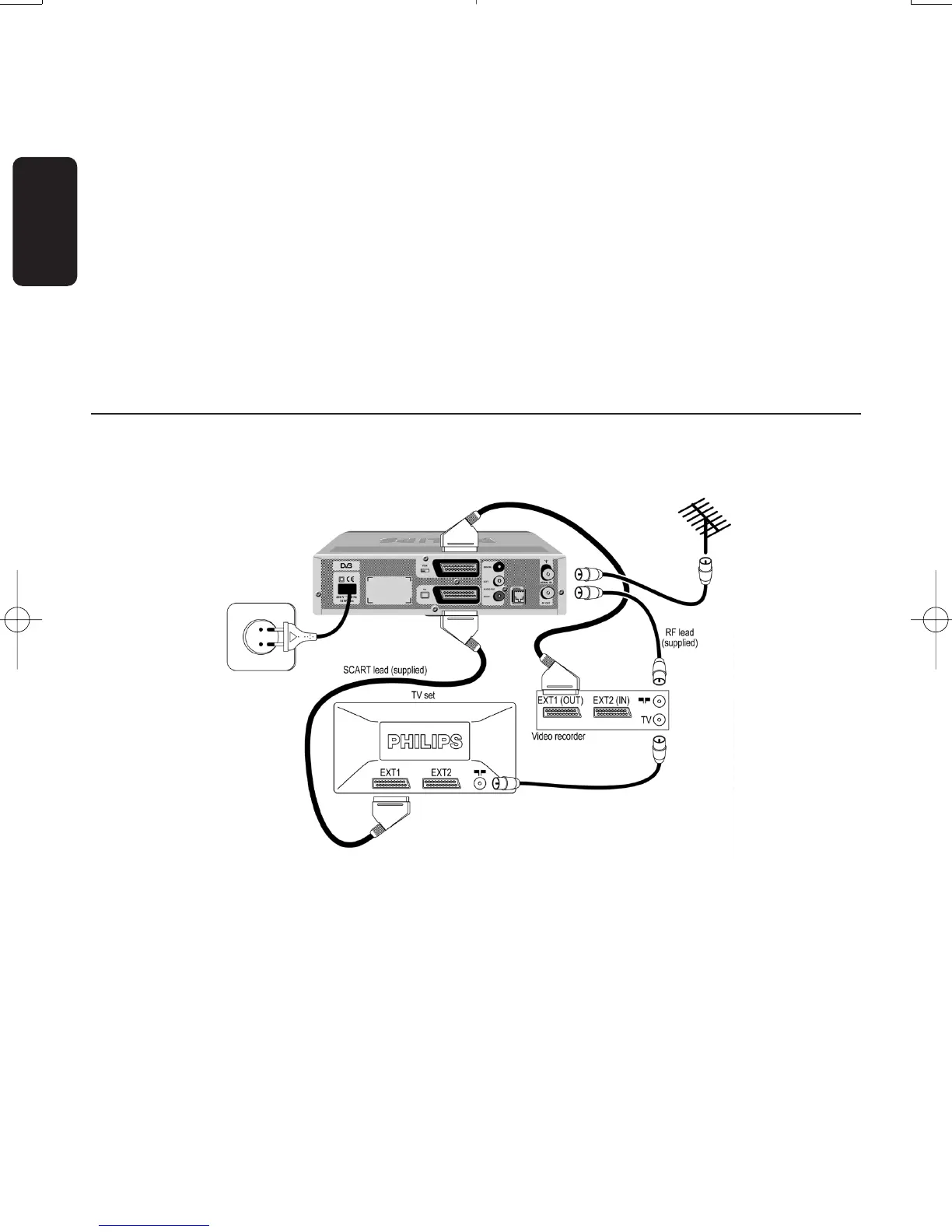
5.2 Connecting to a TV and VCR both fitted with SCART sockets
Incorporate your receiver in your existing installation as shown below.
- Plug your aerial lead plug into the “AERIAL IN” socket of your digital receiver.
- Connect the “RF OUT” socket of your digital receiver to the “Aerial input” socket of your VCR
using the RF coaxial lead supplied with your digital receiver.
- Connect the “RF OUT” socket of your VCR to the “Aerial input” socket of your TV using a RF
coaxial lead.
- Connect the “TV” SCART socket of your digital receiver to the “EXT1” SCART socket of your TV
using the SCART lead supplied with your digital receiver.
- Connect the “VCR” SCART socket of your digital receiver to the RGB-capable “EXT1” SCART
socket of your VCR using a SCART lead.
- Plug all your equipment,excluding your digital receiver,into the mains.
- Switch on your TV and select a channel.
14
CONNECTING YOUR DIGITAL RECEIVER
English
Doc.DTR2000 version N/B 19/12/03 9:01 Page 14



 To Next Page