2.1 Unpacking
Start by unpacking your receiver.You will find
the following cables and accessories:
- The digital terrestrial receiver
- The remote control and batteries
(2 x LR6 AA 1,5 V)
- One SCART lead
- One RF coaxial lead
- A mains cord
- A user manual
- A Guarantee card
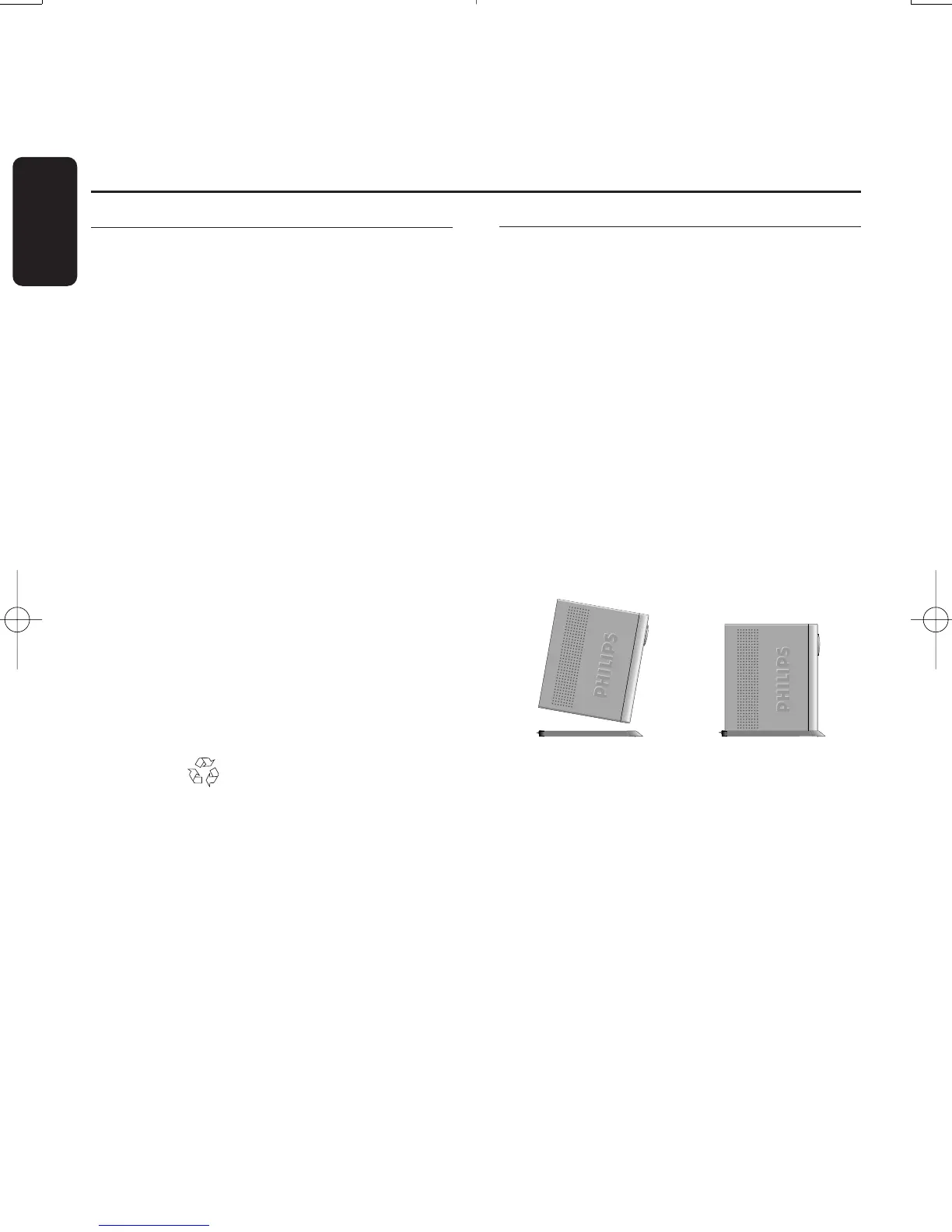
- A stand for using the receiver in the upright
position.
Note: As advised in chapter 5, use the SCART lead
provided. It has been selected to get the best
picture quality and performance out of your digital
receiver.
Plastic bags can be dangerous.To avoid
suffocation keep the bag away from babies and
children.
The symbol on the packaging means that
material is recyclable.
If the receiver will not be used for a long time,
unplug the mains cord from the wall socket.
2.2 Installing the receiver in
your existing set-up
Your receiver can be integrated in different
ways within your existing Audio-Video set up.
The receiver can be used in the horizontal or
vertical position.If you decide to use your
receiver in the upright position,follow the
instructions below:
- Unpack the stand,place it on a horizontal
surface with click fit side on the left and lug
side on the right.
- Position the receiver as shown below (rear
panel on the left side / coaxial connectors
on the bottom side).
- Insert the stand lug in the slot located on
the front of the receiver, close to the Philips
badge.
- Rock the receiver to insert the stand lug fully
in the slot until it is locked by the click fit.
From now on,your receiver can be used in the
upright position.
Note:To remove the stand, unlock the click fit at
the rear side of the stand, rocking and pulling back
the receiver to extract it from the stand lug.
8 UNPACKING
English
2 Unpacking / Installing the receiver in your
existing set-up
Doc.DTR2000 version N/B 19/12/03 9:01 Page 8



 To Next Page