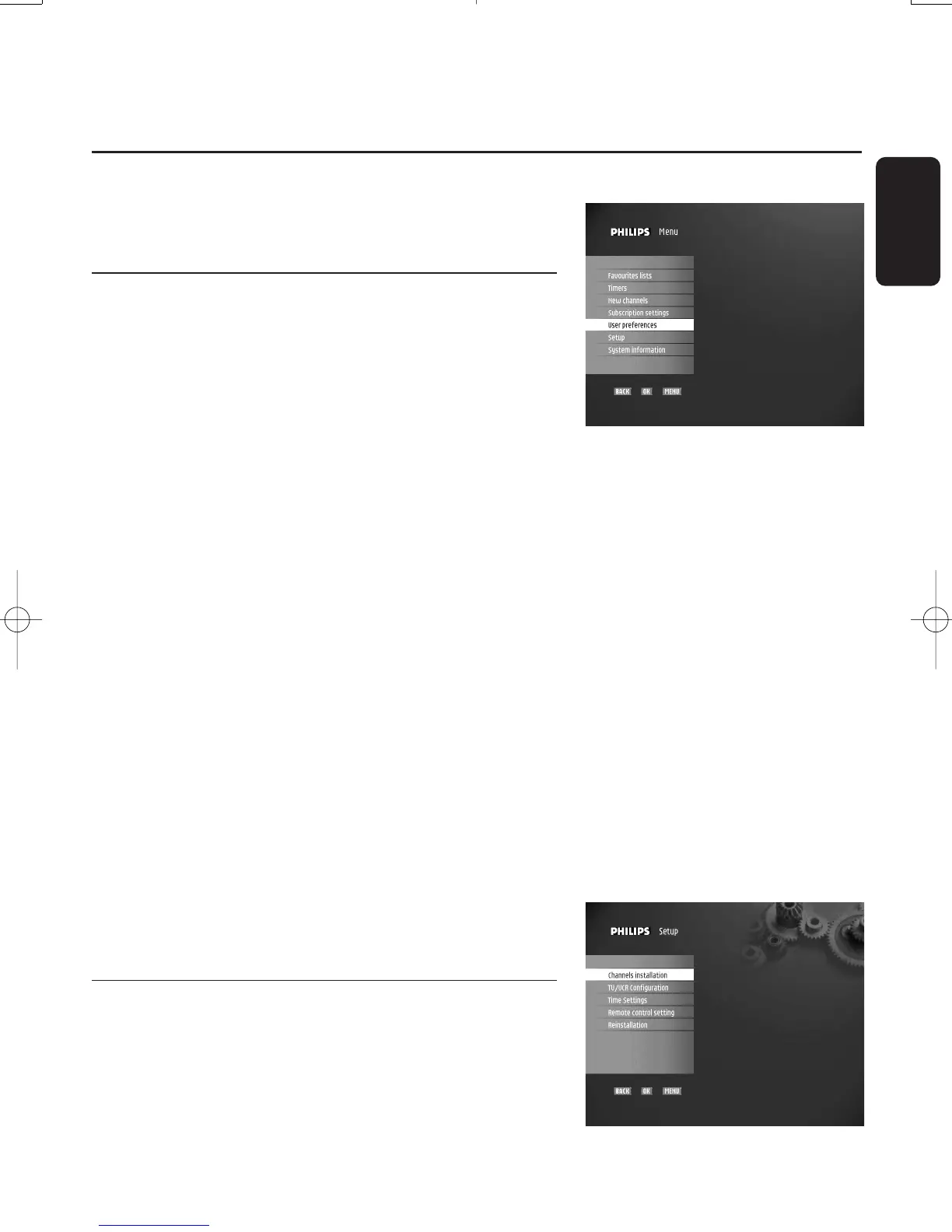
You can change the receiver settings to adapt the receiver to
your aerial conditions,Audio/Video setup or other preferences.
7.1 Menus and settings
Basics about menu navigation
While watching digital TV or listening to the radio:
- Press the "MENU" button to display the "Main menu"
screen.
- Press the
t or y button to scroll up or down and select
the desired menu item.
- Press "OK" to display the corresponding sub-items.
- Press the
t or y button to move to the desired sub-item.
Note: Press the "MENU" button to go back to the main menu or
"BACK" button to go back one step.
Change settings
Once you highlighted the appropriate sub-item:
- Press "OK" to display the corresponding screen.
You can then access the values and make changes using
the
u or i button to select an option and numerical
buttons to enter numerical values.
Cancel/Store changes
- Either press the "BACK" button to exit the screen
without storing changes.
- Or press the "OK" button to validate changes and exit the
screen.
In both cases,the selection moves one level up in the menu.
Note:To open a locked menu item (indicated by a lock icon),
you will need to enter your PIN code.
7.2 "Setup" menu
This menu is used to configure your receiver.
Note: If the parental control is enabled (see chapter 7.7.2),
you need to enter your PIN code to access this menu.
English
CHANGING THE SETTINGS OF YOUR RECEIVER 21
7 Changing the settings of your receiver
Doc.DTR2000 version N/B 19/12/03 9:01 Page 21



 To Next Page