... cont.
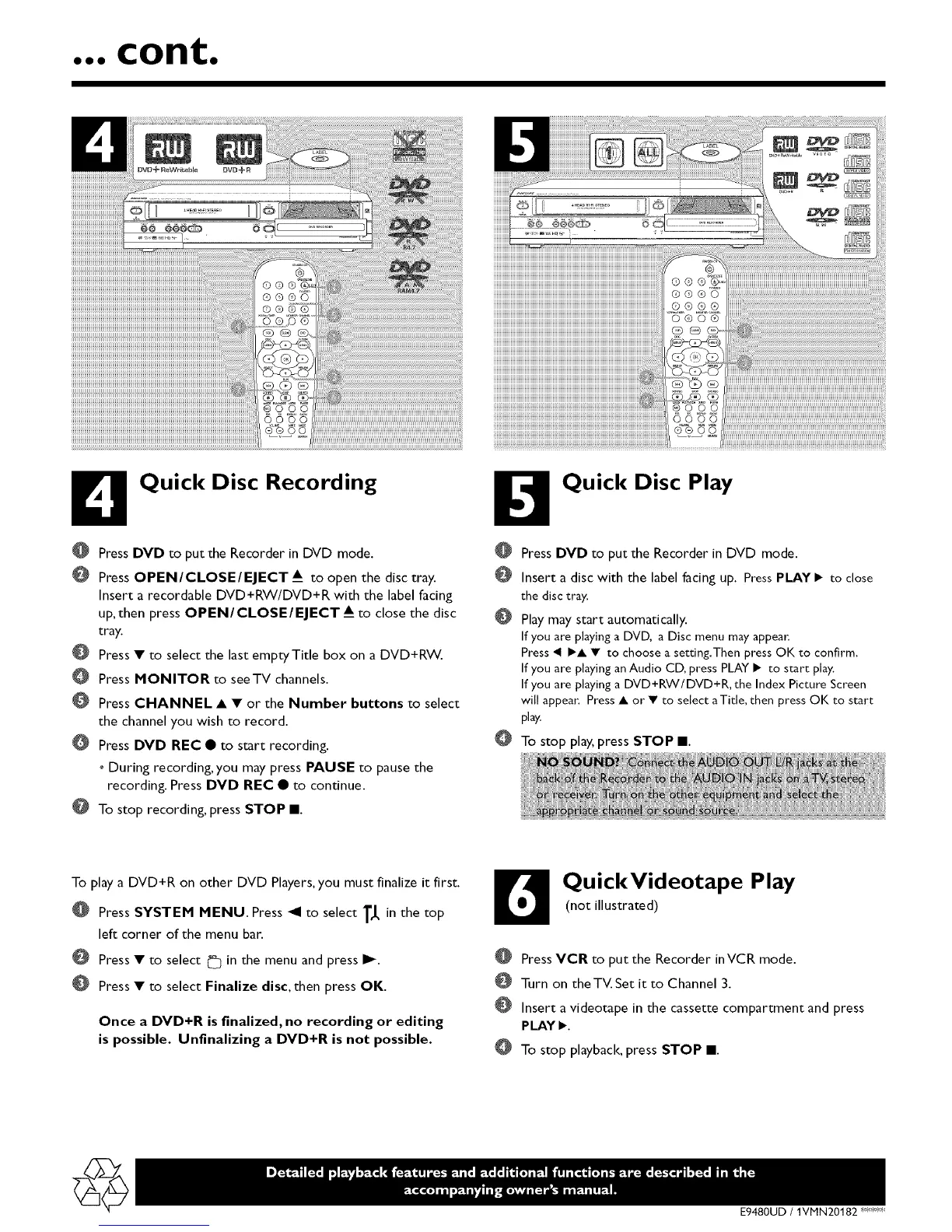
B Quick Disc Recording
O Press DVD to put the Recorder in DVD mode.
PressOPEN/CLOSE/EJECT A_to open the disc tray.
Insert a recordable DVD+RW/DVD+R with the label facing
up, then press OPEN/CLOSE/EJECT A_ to close the disc
tray.
Press • to select the last emptyTitle box on a DVD+RW.
Press MONITOR to seeTV channels.
Press CHANNEL • • or the Number buttons to select
the channel you wish to record.
Press DVD REC • to start recording.
o During recording, you may press PAUSE to pause the
recording. Press DVD REC • to continue.
@ To stop recording, press STOP l.
O Quick Disc Play
Press DVD to put the Recorder in DVD mode.
Insert a disc with the label facing up. Press PLAY • to close
the disc tray.
Play may start automatically.
If you are playing a DVD, a Disc menu may appear.
Press _ •• • to choose a setting.Then press OK to confirm.
If you are playing an Audio CD, press PLAY • to start play.
If you are playing a DVD+RW/DVD+R, the Index Picture Screen
will appea(: Press • or • to select aTitle, then press OK to start
play.
To stop play, press STOP l.
To play a DVD+R on other DVD Players,you must finalize it first.
@
@
O
Press SYSTEM MENU. Press _1 to select T,I, in the top
left corner of the menu bar.
Press • to select _ in the menu and press I_.
Press • to select Finalize disc, then press OK.
Once a DVD+R is finalized, no recording or editing
is possible. Unfinalizing a DVD+R is not possible.
D QuickVideotape Play
(not illustrated)
PressVCR to put the Recorder inVCR mode.
Turn on theTV.Set it to Channel 3.
Insert a videotape in the cassette compartment and press
PLAY•.
To stop playback, press STOP l.
E9480UD / IVMN 20182 '_<_"_













 To Previous Page