8
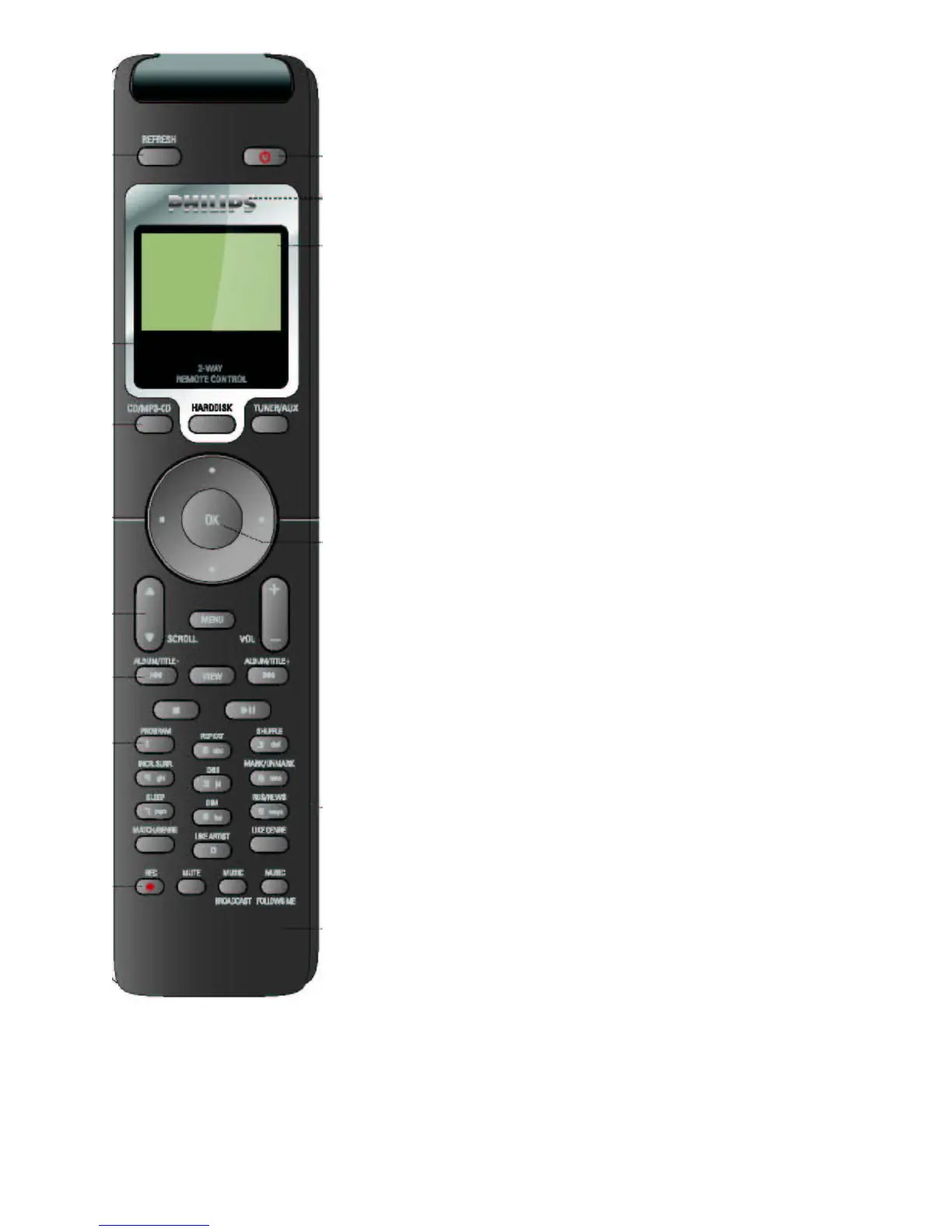
VOL -/+ - adjusts volume
ALBUM /TITLE / -fast search MP3 album and titles backwards/
forwards
VIEW – display view options
STOP – stops CD/ HD playback;
- stops music broadcast;
- stops recording;
- ejects disc (
on
Center
only)
II /
- start /pause playback
PROGRAM/ 1 - enters program menu; input 1
REPEAT/ 2, a, b, c - toggles repeat play options;
- alphanumeric input
SHUFFLE/ 3, d, e, f - toggles random play options
- alphanumeric input
INCR. SURR/ 4, g, h, i - toggles Incredible Surround sound option
on/off;
- alphanumeric input
DBB / 5, j, k, l - toggles Dynamic Bass Boost options to enhance
bass;
- alphanumeric input
MARK/ UNMARK/ 6, m, n, o - mark or unmark tracks for ripping
(
on
Center
only);
- alphanumeric input
SLEEP / 7, p, q, r, s - sets the sleep timer to automatically switch
off the device;
- alphanumeric input
DIM / 8, t, u, v – switches display lighting on/off (
on
Center
only);
- alphanumeric input
RDS/ NEWS/ -
TUNER
: selects RDS information;
9, w, x, y, z
- In other modes:
activates/ deactivates news;
- alphanumeric input
MATCH GENRE – activates preset sound setting to match a genre
LIKE ARTIST/ 0 - selects all tracks of a specified artist;
- alphanumeric input
LIKE GENRE - selects all tracks of a specified genre
REC – to record from a selected source
(
on
Center
only)
MUTE – mute sound on/off
MUSIC BROADCAST – activates/ deactivates music broadcast at a
chosen Station (
on
Center
only
)
MUSIC FOLLOWS ME - stream music from Center to (other)
station(s)















 To Next Page