31
How to create Playlists
You can create a maximum of 99 playlists, each containing up to 300 tracks on both the Center and
Station. Select your desired track/ album/ genre or artist to add
1
Select the HD source.
2
During playback of a track in Artist/ Album / Genres/
All tracks, press MENU.
•
If you are in the All tracks stop position, navigate and
select a track first.
3
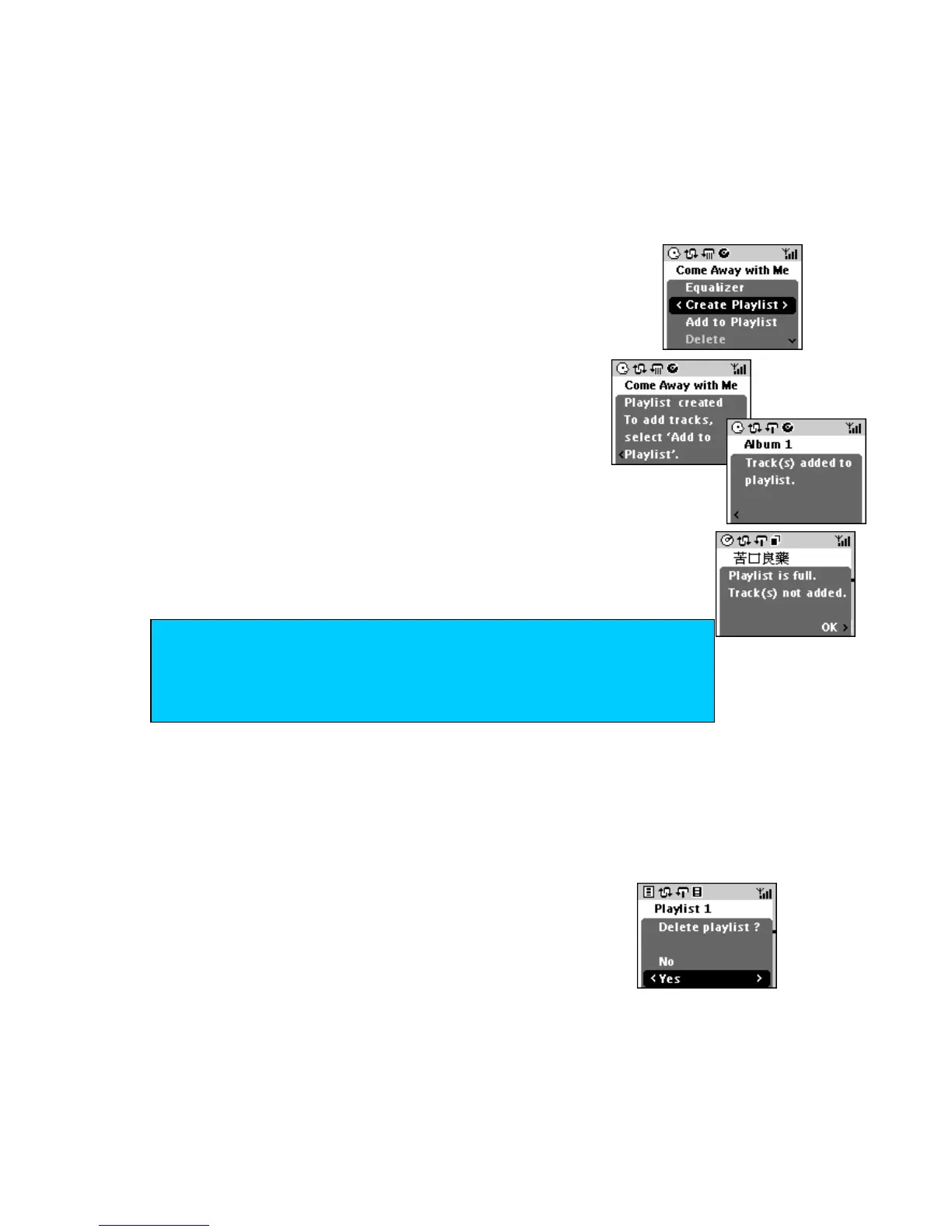
Use the navigation control to select Create
Playlist.
Display shows: Playlist created. To add
tracks select ‘Add to Playlist’.
4 Navigate and select your playlist in the menu.
5
Press OK to add your selected track.
Each new track is added to the end of your playlist.
Display shows Playlist is full if you exceed the maximum number
of tracks.
Deleting Playlists
(available on the Center only)
You can edit, modify and delete playlists freely on the Center.
1 In the default HD source screen (Playlist highlighted), press MENU.
2 Use the navigation control to select Delete Playlist.
Display shows Playlist deleted at Center.
TIP
– If you have created multiple playlists, use the navigation control to select
your playlist first.
– On the Center, adding tracks to a playlist is not possible in CD source.














 To Next Page