27
Match Genre:
Smart sound combinations to match music genre
From Acid to World music, now at one touch you can listen to each HD or MP3-CD track in smart sound
according to genre. MATCH GENRE automatically adjusts the Equalizer (Pop, Jazz, Neutral, Classical,
Techno) and DBB sound combination to match each track you listen to.
•
In HD source or MP3-CD playback,
press MATCH GENRE to
activate.
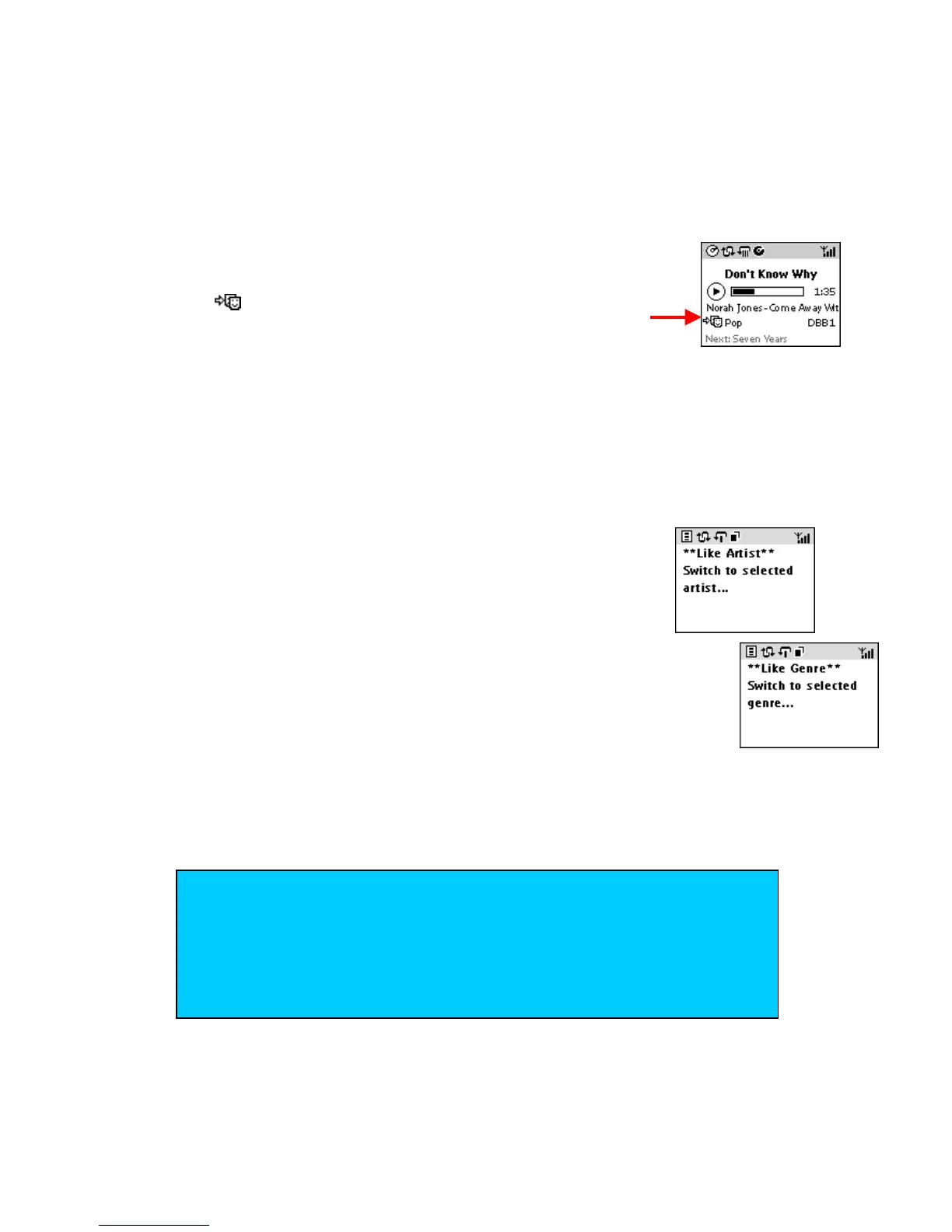
replaces your previous Equalizer setting (if active).
LIKE GENRE, LIKE ARTIST
You can select to play all your tracks according to a single specified music genre
(LIKE GENRE) or artist (LIKE ARTIST).
1
In HD source or MP3-CD playback,
press LIKE GENRE or LIKE
ARTIST to activate.
Display shows Like Artist or Like Genre message.
Playback starts to play all tracks according to a genre / artist respectively from
the current track selected.
Playback stops when the last song is played from your selected genre/ artist
(unless you have selected repeat playback mode).
TIP
– To enable MATCH GENRE/ LIKE GENRE/ LIKE ARTIST,
make sure you use Philips DMM to input the relevant ID3 track
information.
– This sound feature is cancelled when you:
• switch off your unit
• adjust the Equalizer/ INCR. SURR/ DBB sound options














 To Next Page