10
Using the remote control
Center remote control
Inserting batteries
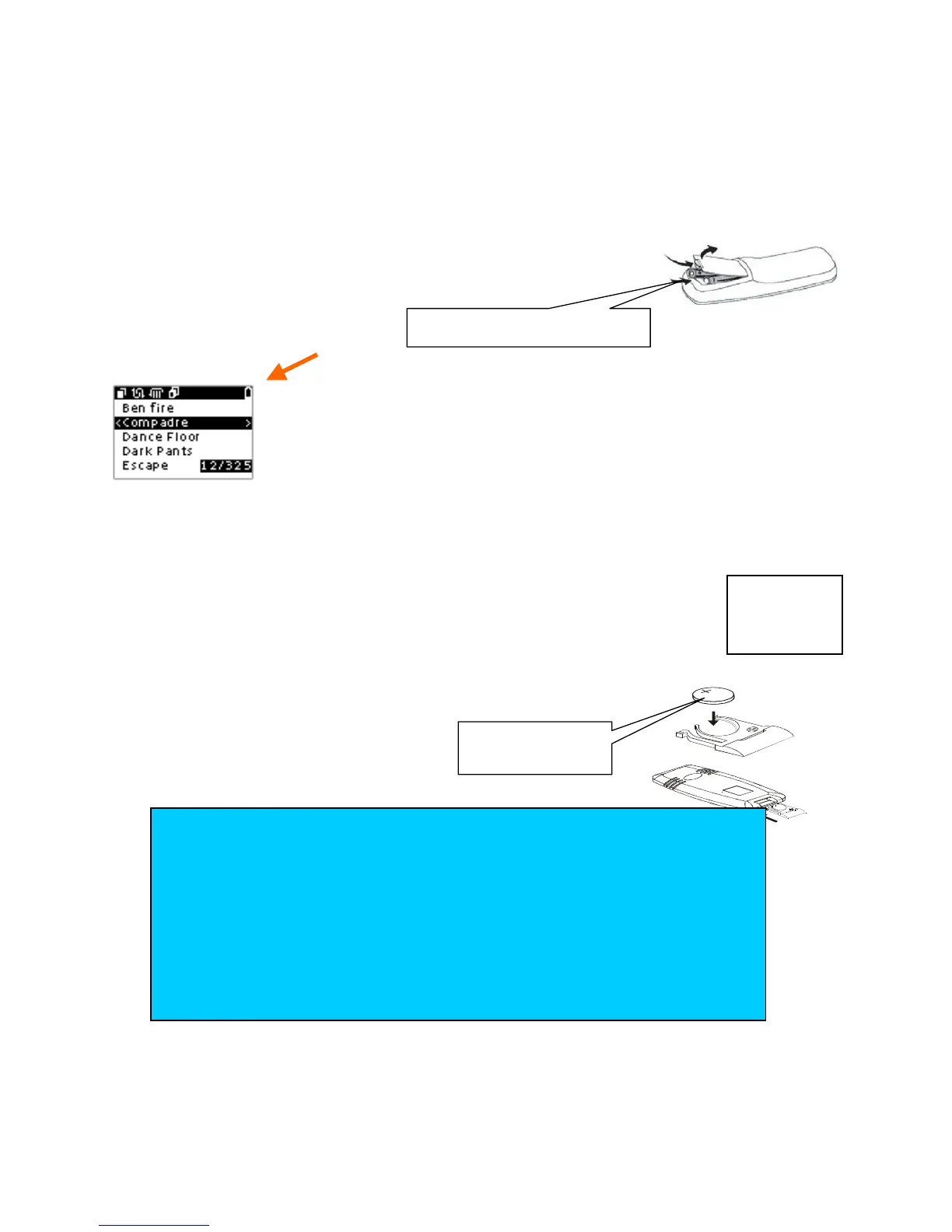
1 Insert 4 x AAA alkaline batteries with correct polarity (+/-) as shown.
2
Close the battery compartment.
Low battery icon
• When the Center remote display shows the battery low icon
, replace your AAA batteries for
optimal performance.
Station remote control
•
For the Station remote
: remove the protective plastic tab from the
compartment before use.
• Replace the CR2025 battery from the compartment as shown, when the remote
control fails to work even when operated near the Center/ Station.
Batteries contain chemical substances, so they should be disposed of properly.
(BACK)
Station remote:
1x CR2025
Center remote: 4 x AAA
TIPS
For best operation, avoid blocking your remote signal path: Any
obstruction between the 2-Way remote signal and the Center’s IR sensor may
cause a temporary delay between the Center’s actual display and that shown on
your remote control.
Always select the source you wish to control first e.g. CD, TUNER, then select
the desired function.
Do not use old and new or different types of batteries in combination.
Remove batteries if they are empty or if the remote control will not be used
for a long time.
remove the














 To Next Page