7
Please adjust to match local voltage BEFORE plugging the system to your power supply
AC mains - plug to power supply when you have made all other connections and positioned
the set (see Quick Start Guide)
Detachable stand - Detach if you choose to wall mount the system (see How to mount your
Center and Station)
Fig.3 Remote controls
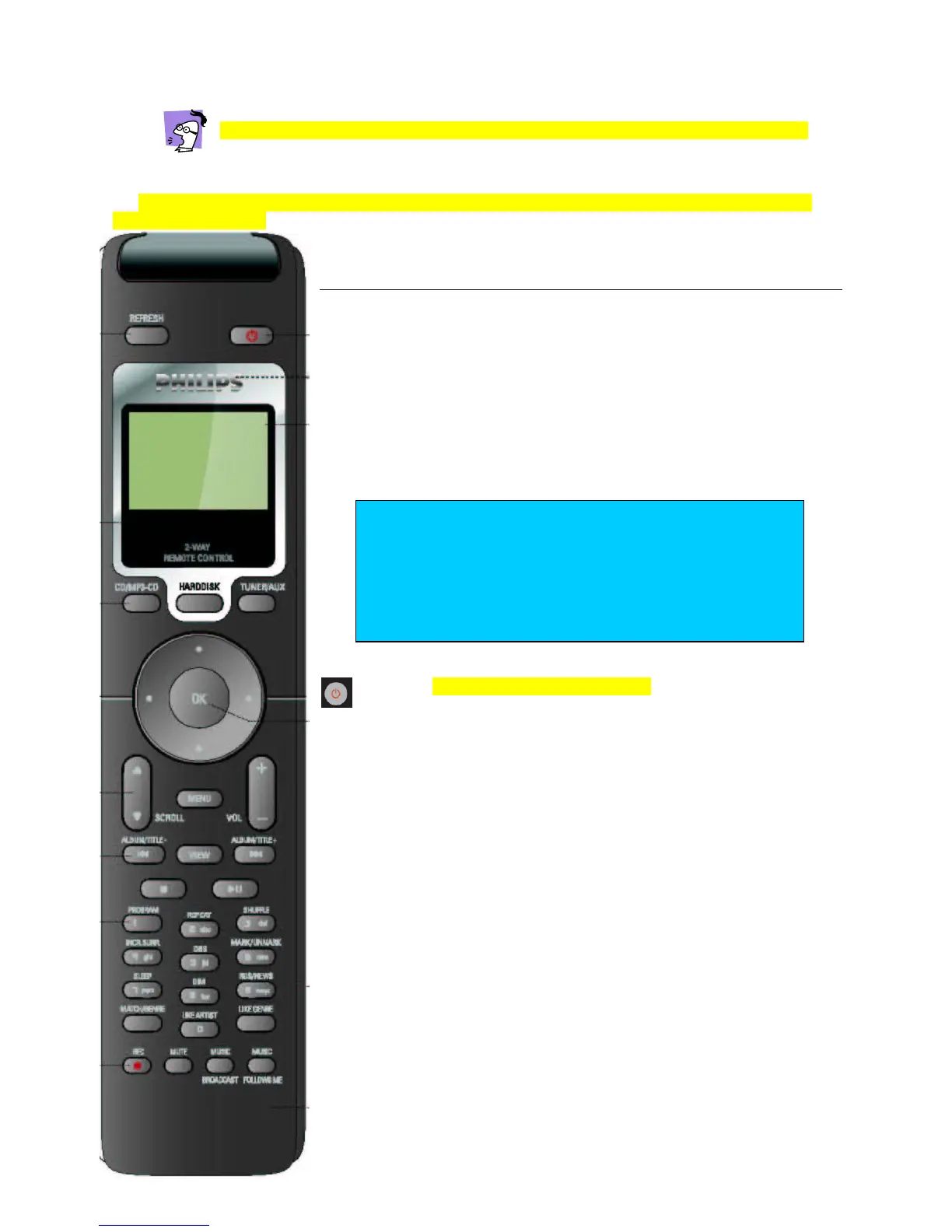
Center 2-way Display Remote
- Use this remote control to navigate menu options and operate all the
features on your WACS700 system.
-
By simply pressing REFRESH, the black and white display screen on
this remote conveniently allows you to select viewing the information as
displayed on your Station or Center.
- Display support for 5 European languages: English, French, Spanish,
German and Italian
REFRESH – Synchronize the remote display with the Center/ Station
- press briefly to switch to standby;
- press and hold for ECO POWER standby On
Display - shows device status, menus and track information
CD/MP3-CD – selects/ switches on device to disc source
(
on
Center
only
)
HARDDISK – selects / switches on device to hard disk source
TUNER/AUX - toggles / switches on device to Tuner/AUX
(AUX
on
Center
only
)
Navigation control:
OK confirm a setting;
/ previous/ next level screen;
Up / previous / scroll browse upwards/ fast search play backwards
Down / next /scroll browse downwards/ fast search play
forwards
SCROLL
/
- scrolls up/ down menu items
MENU - menu view on/ off
TIP
- Some features, e.g. recording (REC button), MUSIC
BROADCAST, MARK/ UNMARK, selecting the CD
source can only be operated on the Center and 2-way
remote.
-
RDS/ NEWS functions only for versions and regions with
RDS reception














 To Next Page