Home
Philips
Stereo System
WACS700
Page 23 (Understanding Display Icons)
Philips WACS700 - Understanding Display Icons
56 pages
Manual
Save Page as PDF
To Next Page
To Next Page
To Previous Page
To Previous Page
Loading...
17
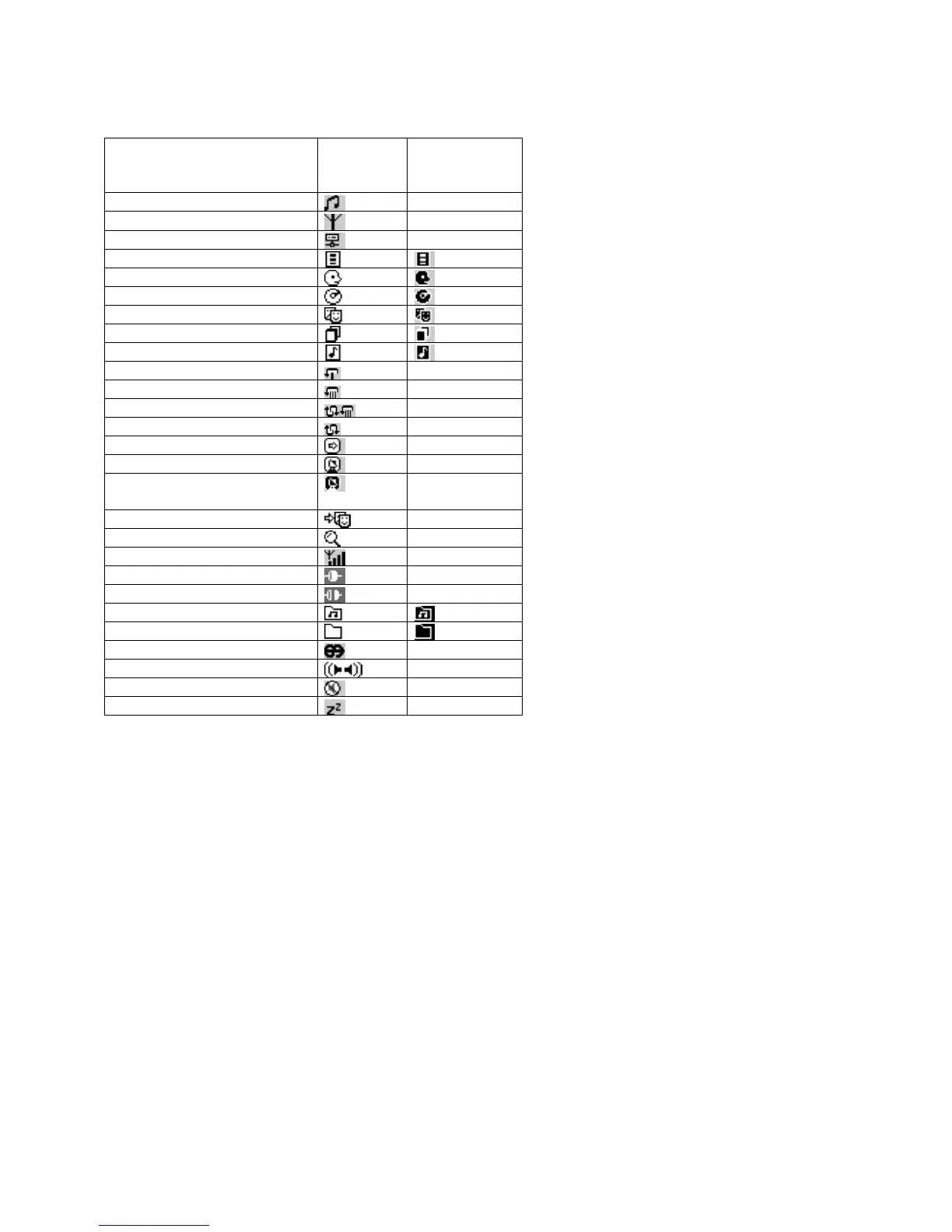
Understanding the display icons
*
These are recordings created on the
Center, specifically when
you record a large
number of tracks
/ large audi
o files. They
are
then sto
red u
nder
Raw
Tracks
temporarily, before compression is fully
processed.
W
hat
Main
header
icon
Sublevel
icon
HD/ CD source
-
Radio s
ource
-
Server source
-
Playlists
Artists
Albums
Genres
All tr
acks
*
Raw (unco
mpresse
d) tracks
Repeat once
-
Repeat all
-
Shuffle and repeat
-
Shuffle
-
Music Follows
Me
-
Broadcast activated
-
Station Broadcast
deactivate
d
-
Match Genre
-
Searchin
g
-
WiFi sign
al st
rength
-
Station conn
ected
-
Stati
on disconne
cted
-
Playable folder
Data/ non-playable folder
RDS news
-
Stereo
-
Mute
-
Sleep
-
22
24
Table of Contents
Main Page
Default Chapter
4
Philips Online Support
4
Table of Contents
7
Safety
8
Helpdesk Contact
8
Philip Online Support
8
About Your WACS700
9
System Requirements
9
English
9
Controls and Connections
12
Center
12
Station
12
Remote Control
13
Remote Control Keys
13
Using the Remote Control
16
Preparation FM Antenna/ Power Supply
17
Wifi Auto Installation
18
Installing Multiple Stations
19
Basic Functions
20
Switching on
20
Switching On, Switching to Standby
21
Eco Standby
21
Selecting Your Playback Source
21
Switching off
21
Sound Control
22
Volume
22
Mute
22
Dbb
22
Surround
22
Understanding the Display Icons
23
WACS700 Message Displays
24
Menu Options Overview
25
Settings
25
Treble/Bass
25
Restore Settings
25
Playing Cds on the Center
28
Recording Cds on the Center
29
Renaming Tracks
30
Using Gracenote CDDB Database
31
Gracenote CDDB Update
31
HD Music Playback
32
Match Genre
33
Like Genre, Like Artist
33
Music Follows Me
34
Broadcast Mode
35
How to Create Playlists
37
Deleting Playlists
37
Different Play Modes: SHUFFLE and REPEAT
38
How to Tune to Radio Stations
39
Autostore
39
Manual Tuning
39
Programming Presets
40
Listening to a Preset
40
Rds
41
News
41
Changing the Tuner Grid
42
Recording Tuner /Aux
43
Basic Recording
43
How to Find Your Recording
43
Recording Tuner
44
Recording AUX
44
Backup Files
45
Upnp Playback
45
SLEEP Timer Activating or Deactivating the SLEEP Timer
46
Extras
47
Demonstration Mode
47
Mounting Kit
48
For Computer Users
49
Philips Media Manager DMM)
49
General Info Environmental Information
50
Maintenance
50
Disc Handling
50
Setup
50
Technical Data
51
Troubleshooting
52
Frequently Asked Questions
52
Glossary
54
Other manuals for Philips WACS700
Upgrade Manual
16 pages
Service Manual
66 pages
Connecting Guide
8 pages
Frequently Asked Questions
3 pages
Firmware Upgrade Guide
9 pages
Reference Guide
8 pages
Quick Start Guide
12 pages
Software Guide
20 pages
Related product manuals
Philips WACS7000
70 pages
Philips WACS7500/37
100 pages
Philips Streamium WACS7500
121 pages
Philips WACS5
46 pages
Philips WAC3500
67 pages
Philips WAC700/05
48 pages
Philips STREAMIUM WAC7500
69 pages
Philips Streamium WAC3500D
97 pages
Philips WAS700
38 pages
Philips waS7500
43 pages
Philips Streamium WAS7500
23 pages
Philips FX10
24 pages















 To Next Page