13
Installing multiple Stations
Install up to 5 Stations to your Center.
1 Check your Center is in the HD source mode.
2
On the Center, press MENU.
3
Connect your new Station to the power supply.
a After you plugged in the unit, the STANDBY ON LED lights up red. Wait a
few seconds until the display shows the PHILIPS’ screen.
b Press STANDBY ON on the unit.
the STANDBY ON LED lights up green.
4
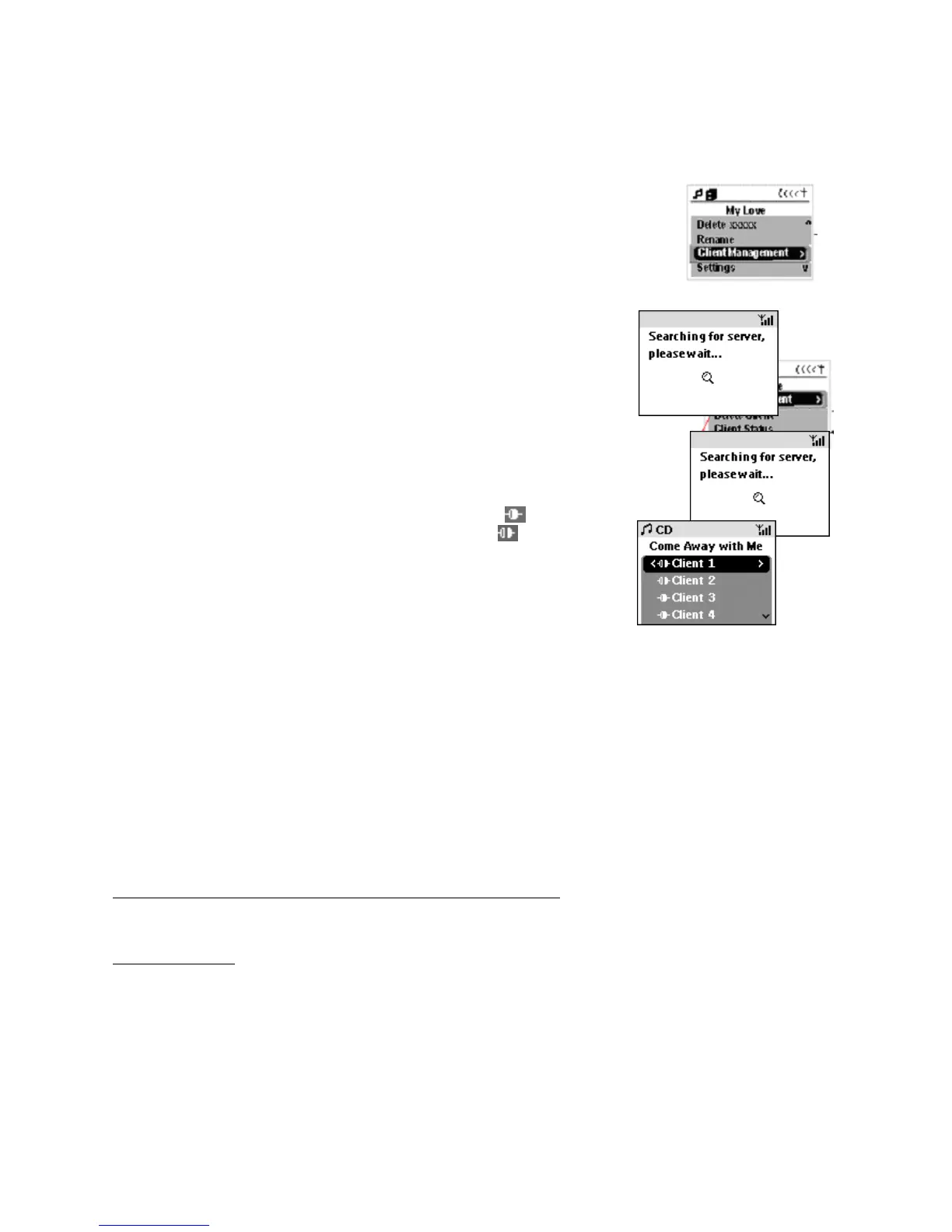
On the Center, use the navigation control to select Station
Management
Add new Station
5
Press OK to confirm.
Your Center and Station enters the Installation mode. Any
streaming, if active, will stop. Display shows messages: Server
adding new stations to network, shall loose connection to
Center soon, followed by No connection to Center and then
Display shows Station number when found.
Display shows Station connection status.
is displayed
for connected Stations. If disconnected:
Other Connection status messages
– DMM found! Is displayed if you are using WACS700 with a computer installed with Philips
Digital Media Manager (DMM).
– [
Please ensure that the Center is in Station installation mode. Switch source to abort
the install process
]: This error message appears if the Station is unable to detect the Center in
10 seconds or more.
To quit auto installation mode/ installation error mode
•
Press the STOP button to exit.
Delete Station
Select this menu option if you need to remove a Station e.g. if Station is taken away for repair.
• press MENU and select the following submenus to confirm: Station Management
Delete Station
Station X (number and room location) Yes/ No? Delete Station















 To Next Page