43
For computer users:
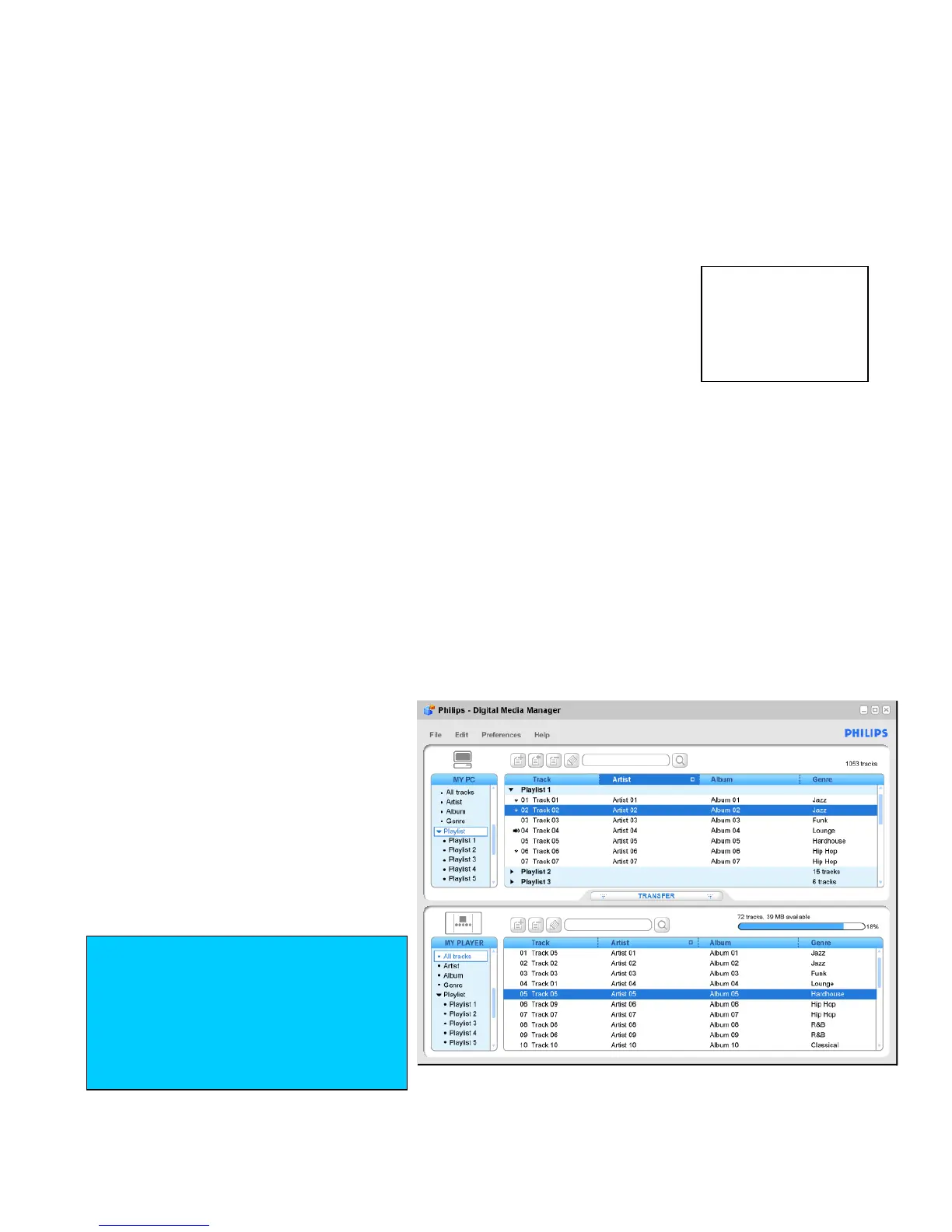
Philips Digital Media Manager (DMM) and installer setup
•
Streaming music from your computer
• Installing and using the DMM music software
Play, stream and manage music stored on your computer by using the DMM software on the installer CD.
1
Switch on your computer and insert the installer CD into your CD ROM
drive.
2
Make sure you close any other programs running on your computer.
3 Choose the scenario that best fits your situation for software installation.
4
Option A:
- If you do not have a wireless computer network: make sure you have connected your Center to
your computer with the supplied Ethernet cable…
Option B:
- If you already have a wireless computer network: check the settings of your existing wireless
computer network…
5 Select your language.
6 Select your internet configuration for the CDDB feature.
7 Select your music folder.
8
Follow the screen instructions to complete installation.
9
Restart your computer if prompted.
10
The Digital Media Manager
icon X appears on your
Desktop when the DMM is
successfully installed.
11
Double-click on X to launch
DMM.
12
For tutorial help on using DMM
features, from the toolbar click
Help Digital Media
Manager Help
IMPORTANT!
RETAIN YOUR ORIGINAL FILES
Please ensure that you retain the
original files transferred to your
WACS700. Philips is not responsible
for any loss of content if the product
becomes damaged or the hard disk
not readable.















 To Next Page