Virtual Local Area Network (VLAN)
7278_en_04 PHOENIX CONTACT 6-3
6.3 General VLAN configuration
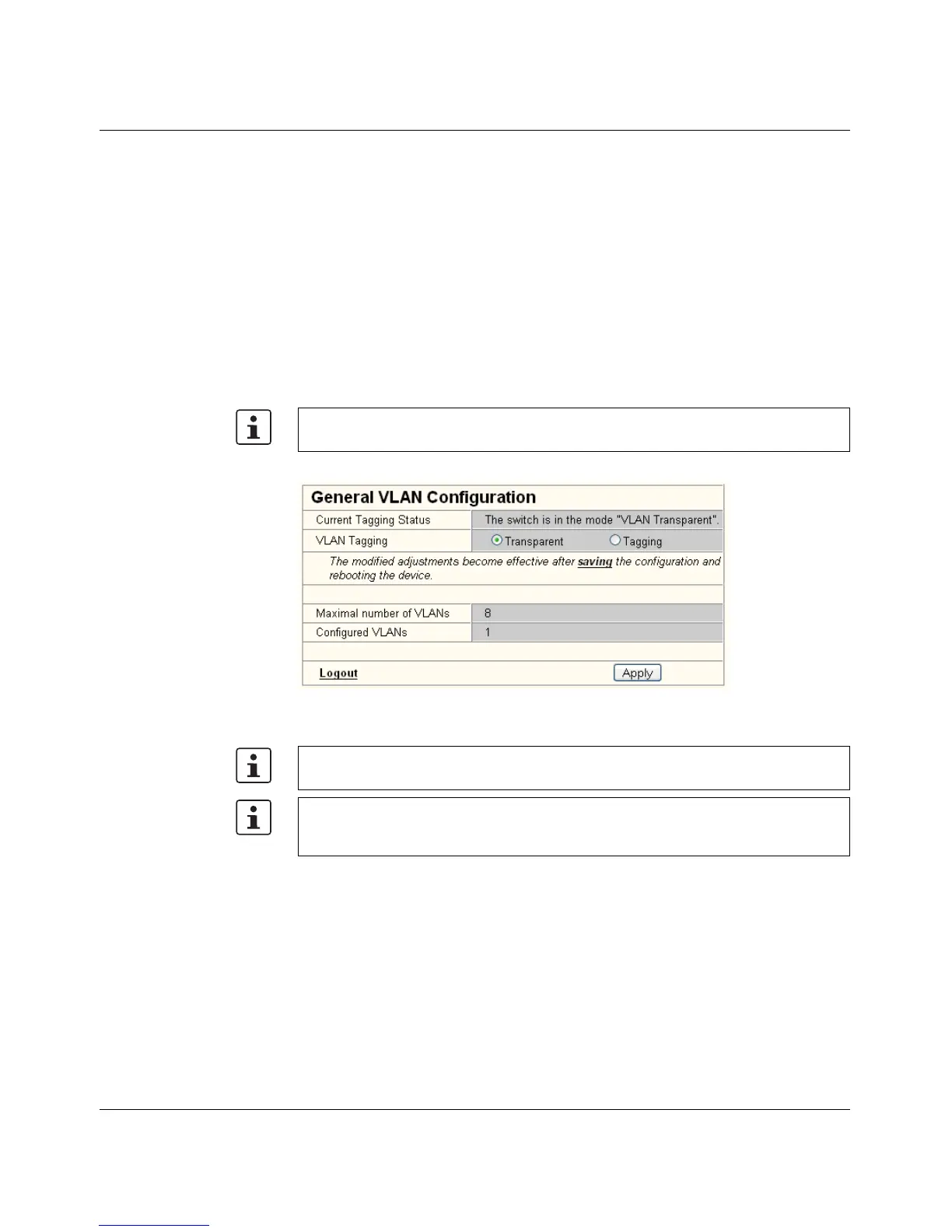
Basic settings for VLAN operation can be made on the "Switch Station/VLAN/General
VLAN Configuration" web page.
Transparent In "Transparent" mode, the switch processes the incoming data packets as described in the
"Frame Switching" section (see Section 2.2 on page 2-8). Neither the structure nor the
contents of the data packets is changed. The information about VLAN assignment from a
tag that may be contained in the data packet is ignored.
Tagging In "Tagging" mode, incoming packets are received according to the specified VLAN rules,
a VLAN tag is added, if required, and the packet is then processed by the switch and the
management level according to the information in the tag. When transmitting Ethernet
packets, the switch observes the rules for the relevant VLAN or the relevant output port.
Figure 6-1 "General VLAN Configuration" menu
The management VLAN ID specifies in which VLAN the switch can be accessed if it is
operating in "Tagging" VLAN mode.
The switch supports a maximum of 8 different VLANs.
After switching the VLAN mode from "Tagging" to "Transparent" or vice versa, the active
configuration must be saved and a device reset triggered so that the modification
becomes active. The current valid state can be read in the "Current Tagging Status" line.



 To Next Page