FL SWITCH LM ...
3-48
PHOENIX CONTACT 7278_en_04
3.4 Management via local
V.24 (RS-232) communication interface
3.4.1 General function
A local communication connection can be established to an external management station
via the V.24 (RS-232) interface in Mini-DIN format. Use the "PRG CAB MINI DIN"
(Order No. 2730611) programming cable. The communication connection is established
using a corresponding emulation between the switch and a PC (e.g., HyperTerminal under
Windows) and enables access to the user interface.
3.4.1.1 Interface configuration
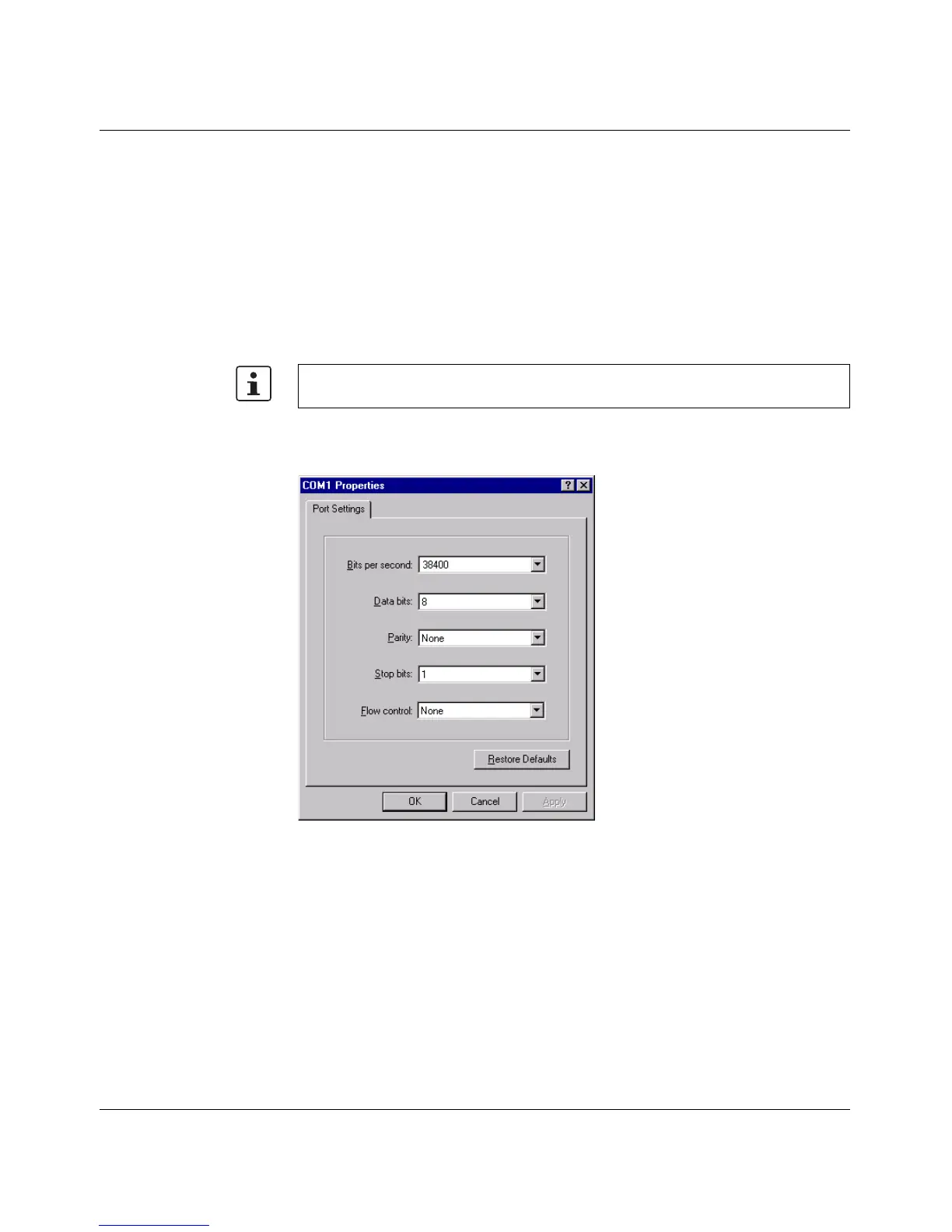
Make the following settings on your Windows PC.
Figure 3-28 Configuring the HyperTerminal
3.4.1.2 Calling the user interface
Connect the PC and the switch using a suitable V.24 (RS-232) cable (PRG CAB MINI DIN,
Order No. 2730611). Once you have made the connection, select the Ctrl + L key
combination on the PC. The switch then requests the screen contents.
The reference potentials of the V.24 (RS-232) interface and the supply voltage are not
electrically isolated.



 To Next Page