FL SWITCH LM ...
1-6
PHOENIX CONTACT 7278_en_04
1.2.2 Mounting
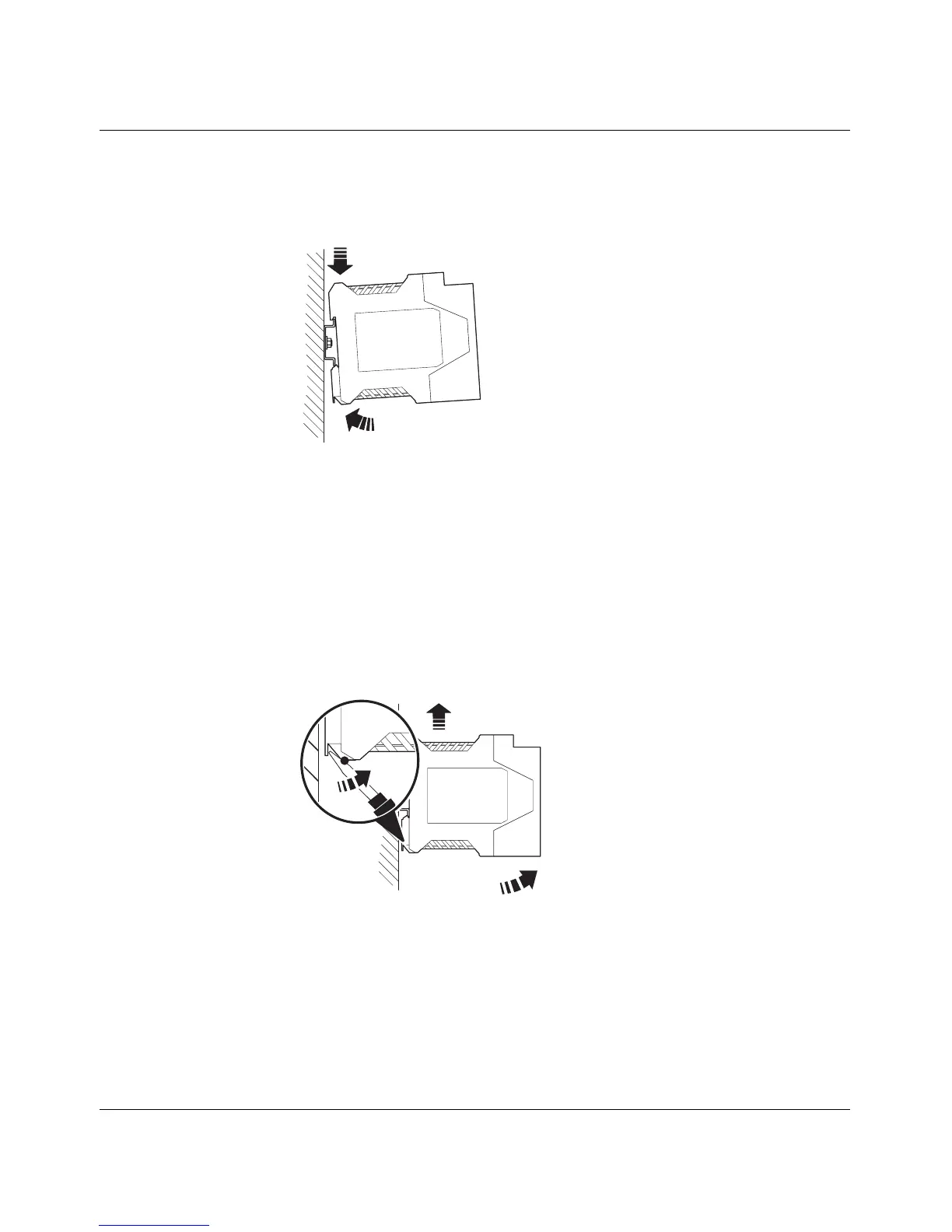
1. Place the module onto the DIN rail from above (A). The upper holding keyway must be
hooked onto the top edge of the DIN rail. Push the module from the front towards the
mounting surface (B).
Figure 1-4 Snapping the LMS onto the DIN rail
2. Once the module has been snapped on properly, check that it is fixed securely on the
DIN rail. Check whether the positive latches are facing upwards, i.e., snapped on
correctly.
1.2.3 Removal
1. Remove all connectors.
2. Pull down the positive latches using a suitable tool (e.g., screwdriver). Both positive
latches remain snapped out. Then swivel the bottom of the module away from the DIN
rail slightly (A). Next, lift the module upwards away from the DIN rail (B).
Figure 1-5 Removing the LMS
A
B
C
A
B



 To Next Page